Open source · AI native
The open-sourceSunsama alternative
Open Sunsama is an open-source daily planner that works like Sunsama and connects to any AI agent. Plan your day on a board, time-block your calendar, and let Claude, ChatGPT or Cursor help. The code is public, and you can run it on your own server.
Switch if you want to own your planner
Both apps help you plan a calm, realistic day. The real choice is between a guided, closed app and an open one you control.
 Switch to Open Sunsama if…
- You love Sunsama's board and calendar but want to own the app you plan in.
- You ask Claude, ChatGPT or Cursor to plan your day, and want a planner your agent can read, write and even extend.
- You want to self-host, or you need a public REST API for your own scripts.
- You like to plan fast from the keyboard, without a set ritual each morning.
Stay with Sunsama if…
- The guided daily planning and shutdown ritual is what keeps you on track.
- You pull tasks from Asana, Jira, Slack or Gmail every day and want that built in.
- Your team shares a Sunsama workspace.
The daily loop you know
Board, calendar, focus mode and rollover work like Sunsama
The core of your day moves over as it is. Here is each part in the real app, not a mockup.
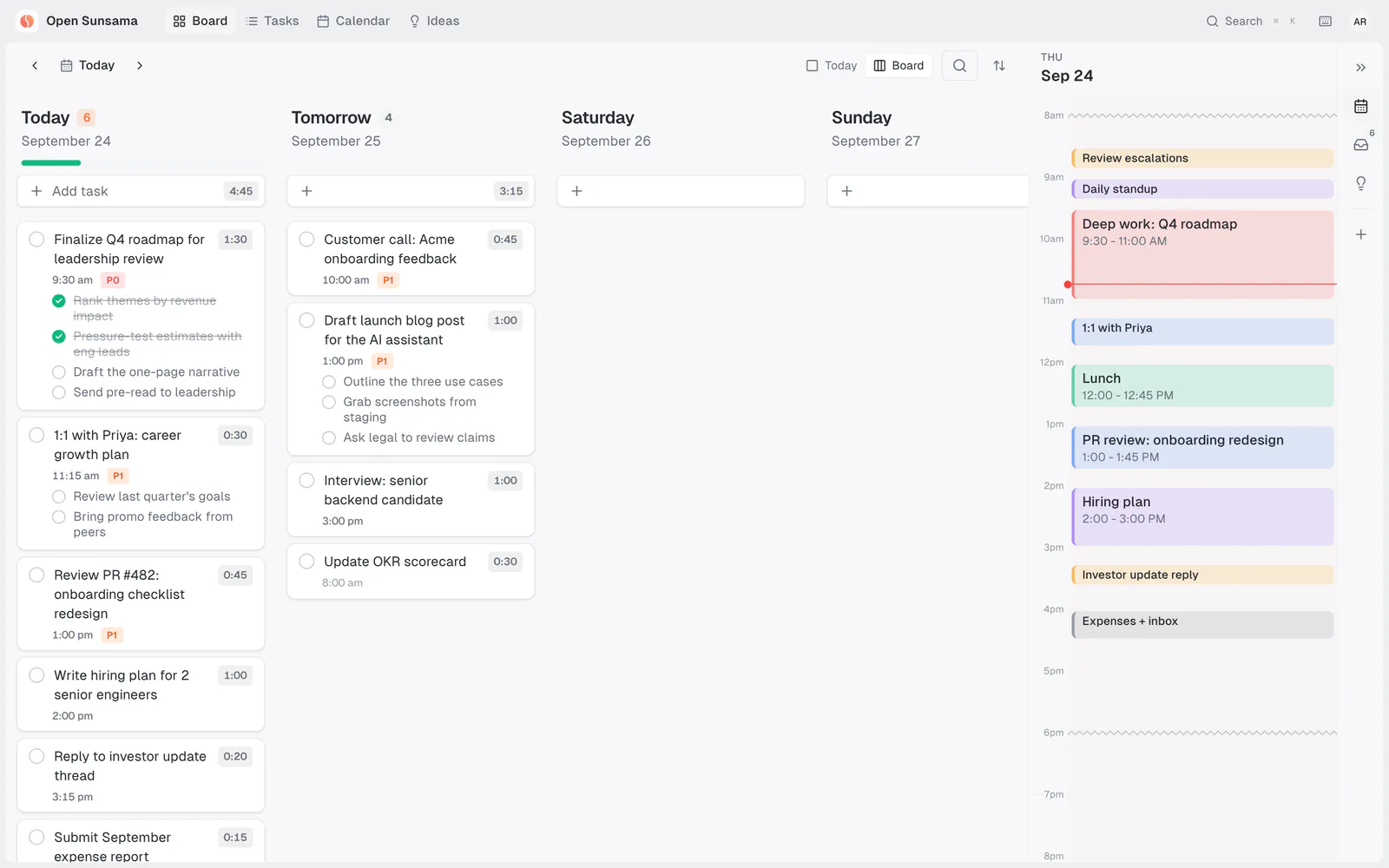
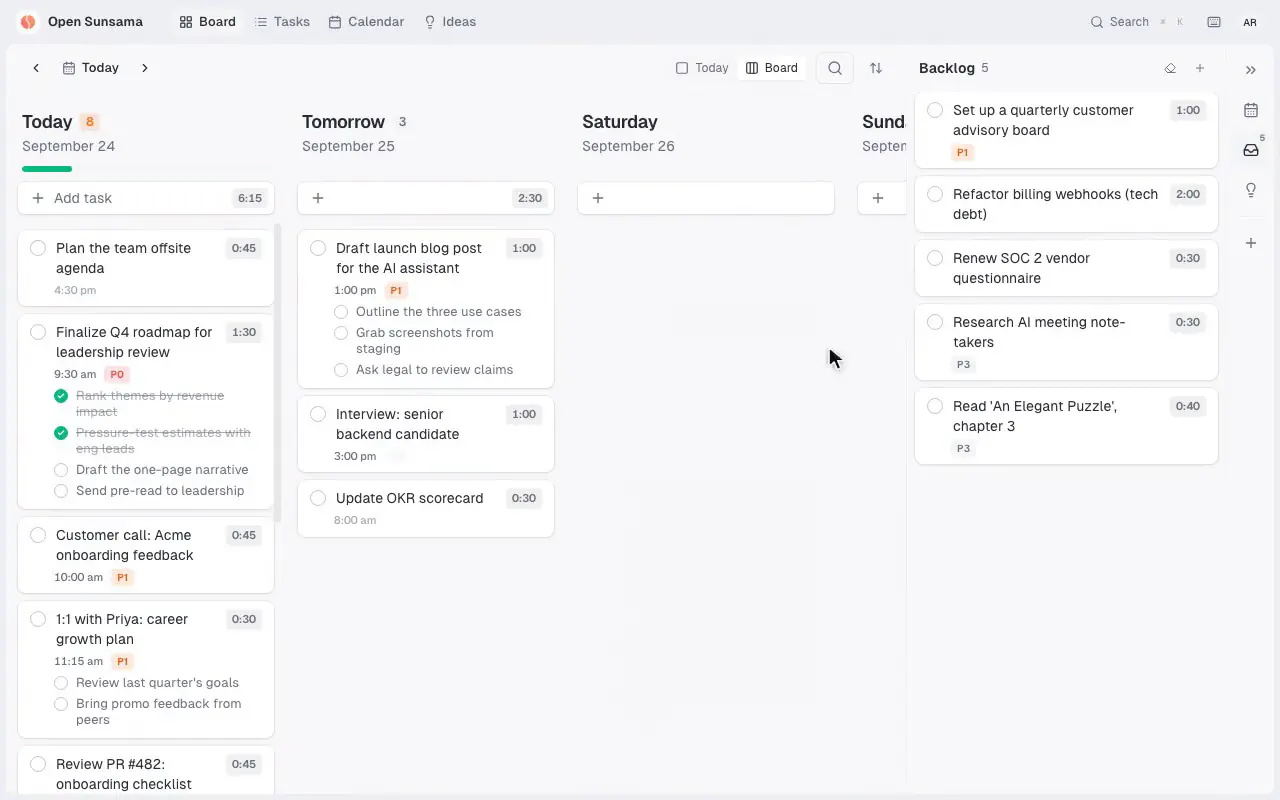
Plan your day on a board of days
Today, tomorrow and your backlog sit side by side, like in Sunsama. Drag a task to the day you will do it. Anything you don't finish rolls over to the next day on its own.
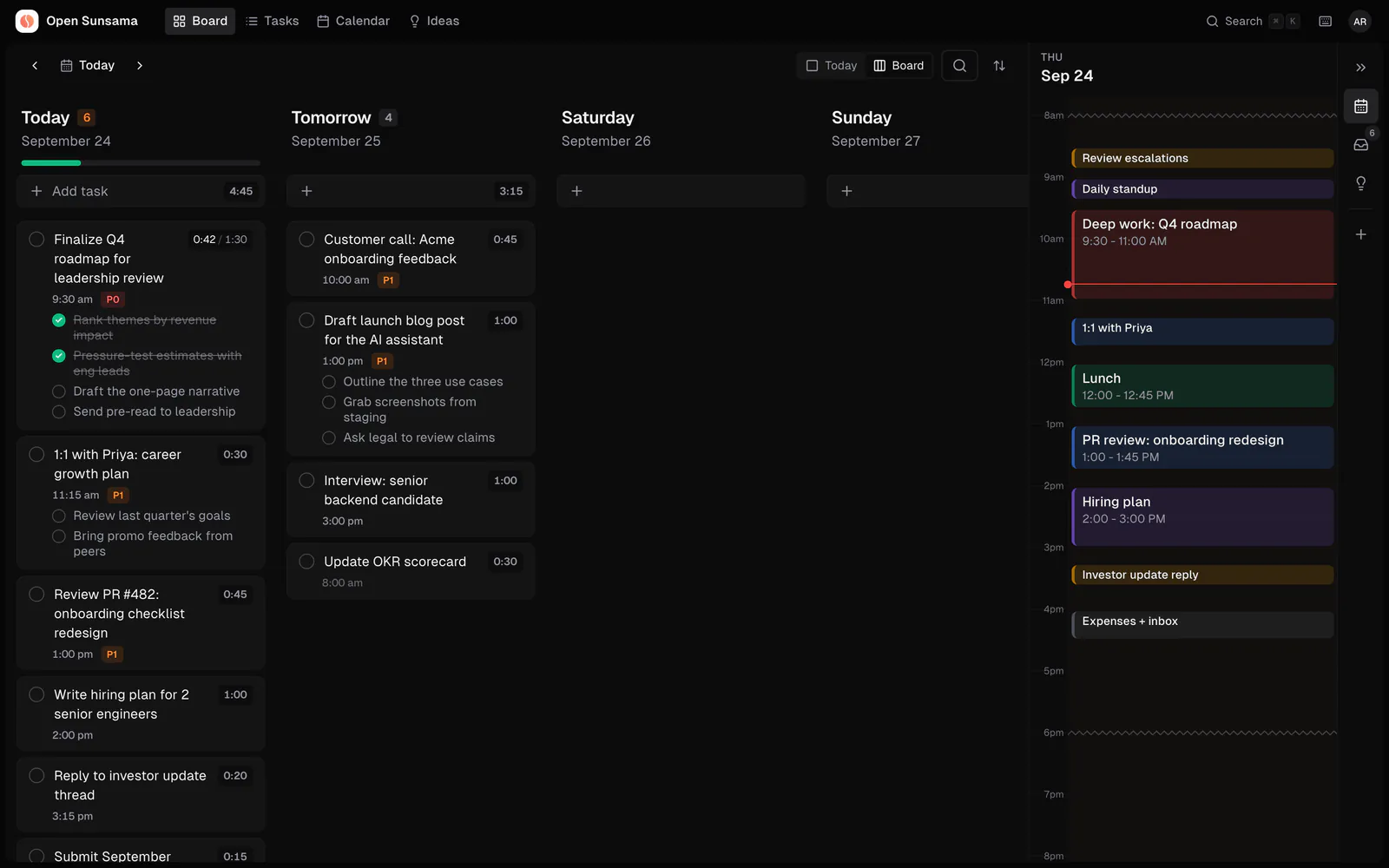
Time-block your real calendar
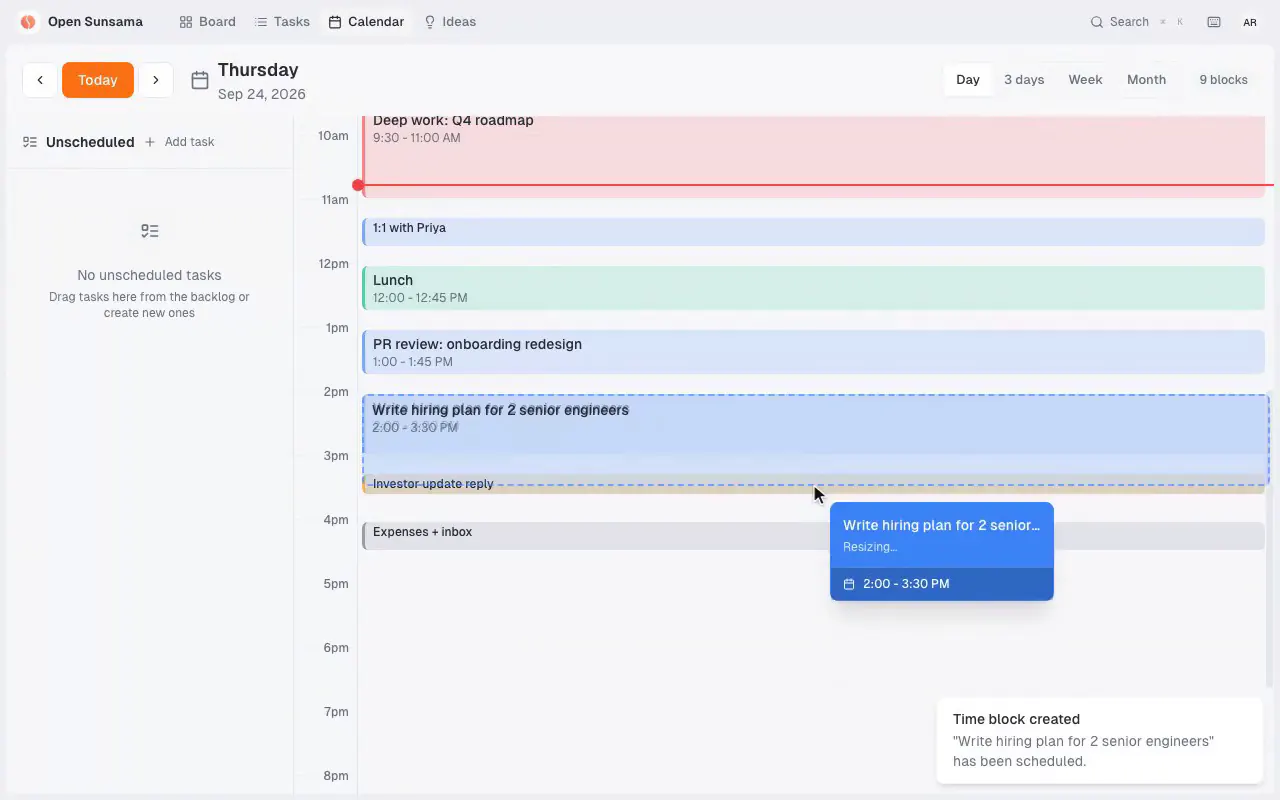
Drag a task onto the calendar to give it a time slot, then drag the edge to set how long it takes. Your Google, Outlook and iCloud events sit right next to your blocks.
Focus on one task and see planned vs actual
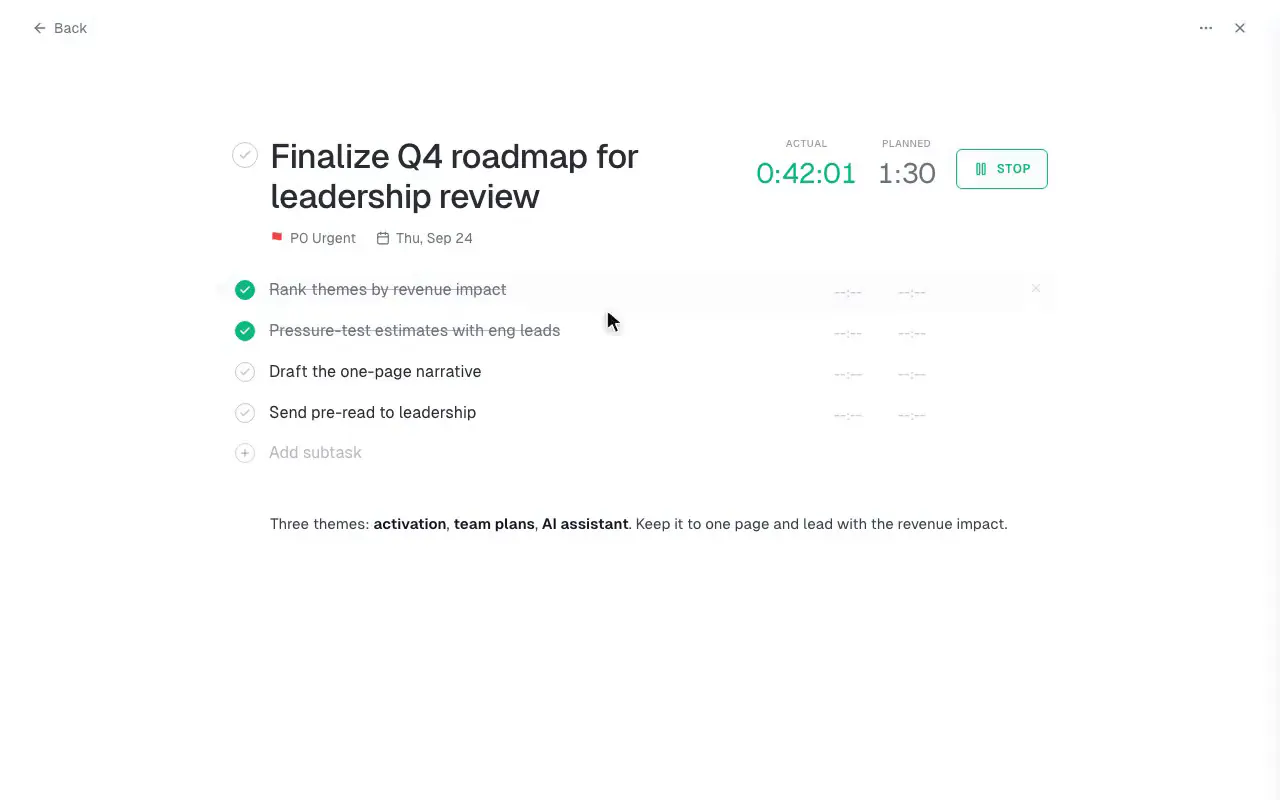
Focus mode hides everything but the task in front of you. The timer tracks how long it really took, so tomorrow's plan is more honest.
Do it all from the keyboard
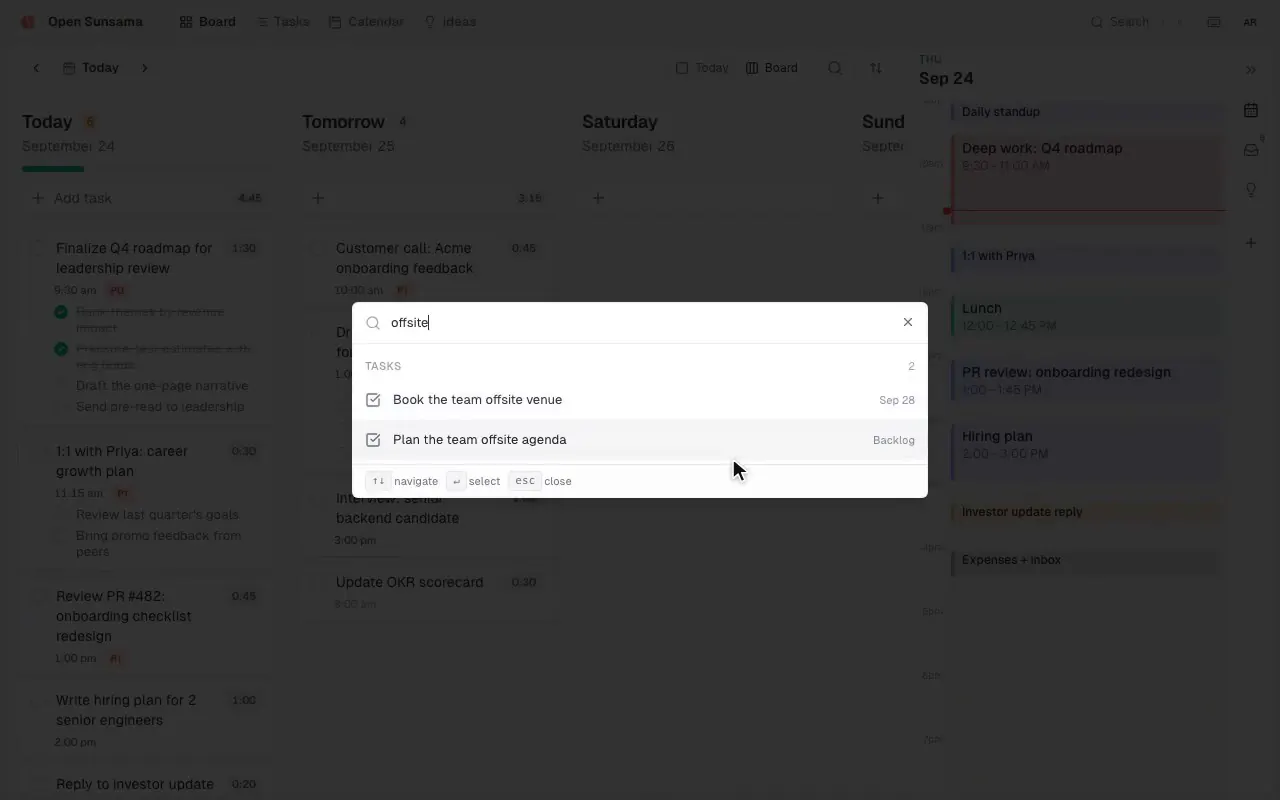
Press Cmd+K to find a task, jump to a day or run a command. Most actions have a shortcut, so a full plan takes a few minutes.
Take your plan with you
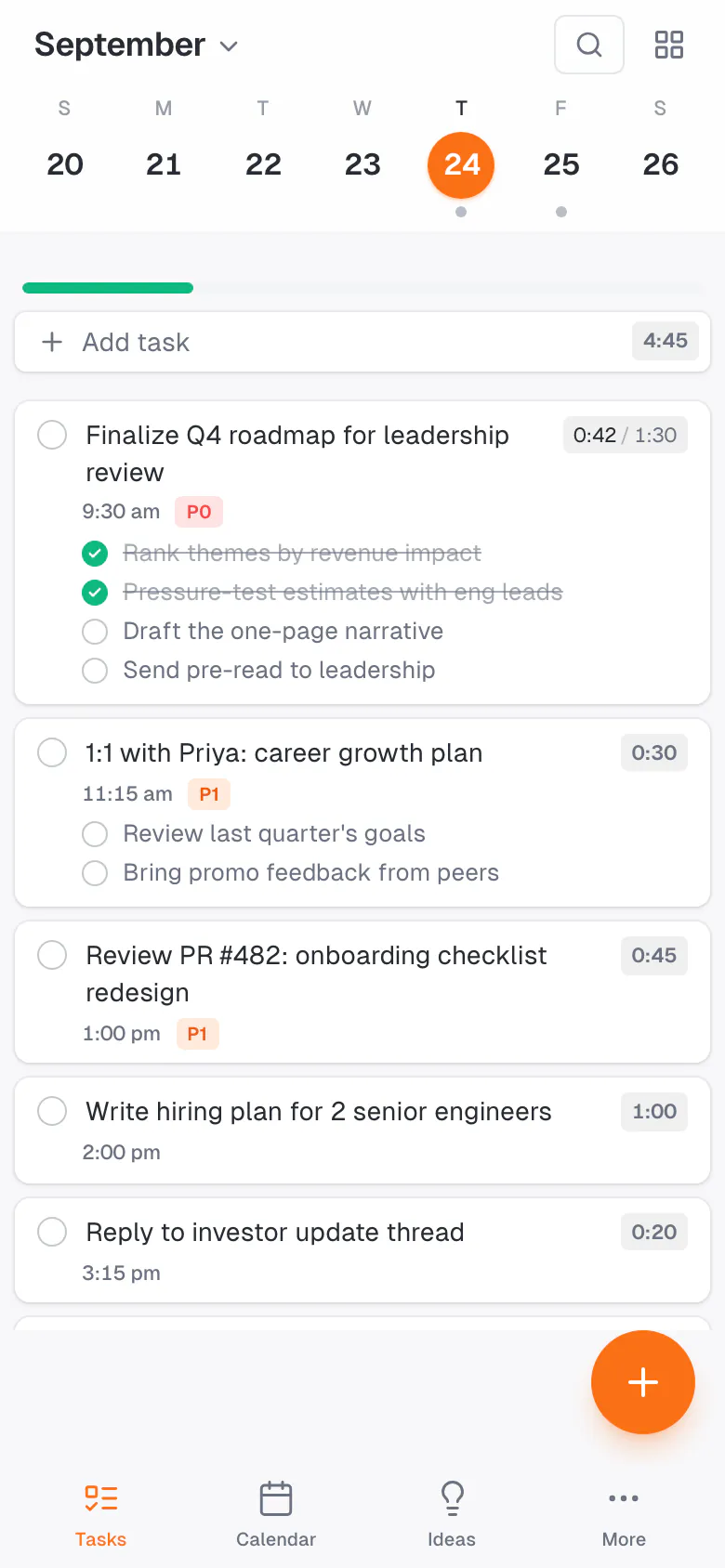
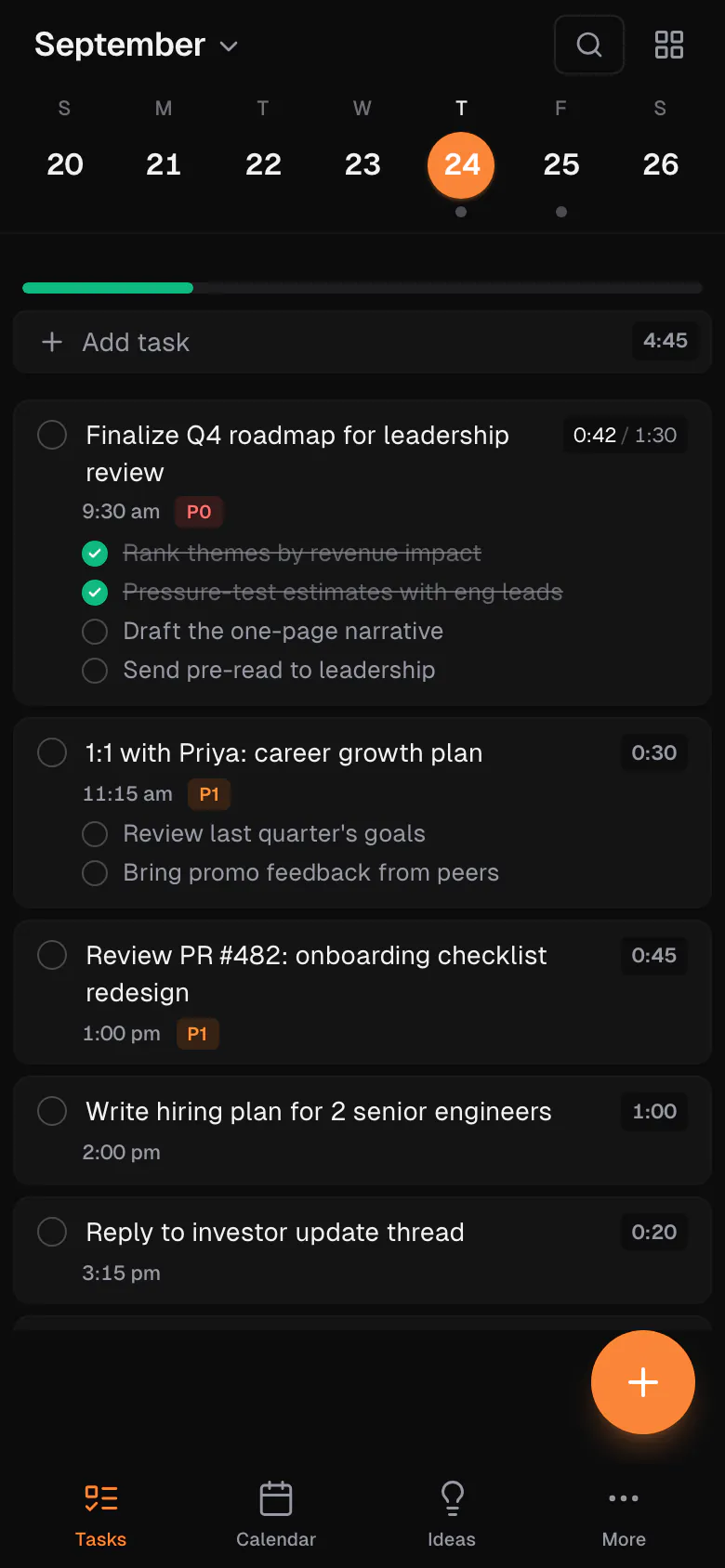
Use Open Sunsama on the web, as a desktop app for Mac, Windows and Linux, or on your phone, in the browser or the early Android APK and iOS TestFlight build. Changes sync across devices in real time, so the plan you made at your desk is in your pocket.
AI native
Any AI agent can plan your day in Open Sunsama
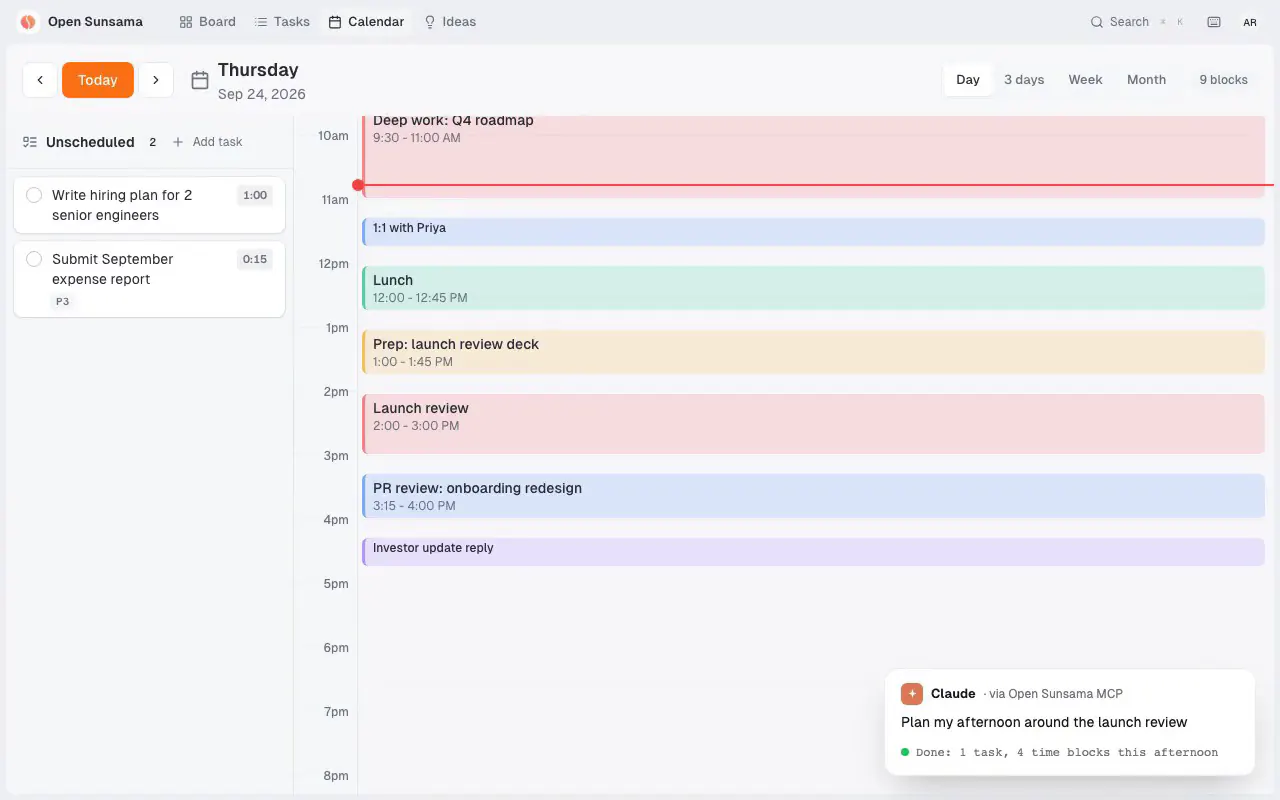
Paste one URL into Claude, ChatGPT, Cursor, Claude Code or any MCP client, then sign in. No API key needed. Your agent gets 47 tools for tasks, subtasks, time blocks, Ideas boards and your calendar meetings, so it sees your meetings and tasks in one call and plans around them.
Sunsama has an MCP server too, and it works well. The difference is what sits behind it. Our code is public, so your agent can read it and even add the feature you want. And you can run the whole thing, agent access included, on your own server.
Then ask
- Plan my day around my meetings. Put my top three tasks in focus blocks.
- Yesterday went off track. Move what's left into free slots this week.
- Turn this brain dump into tasks for Thursday.
Open Sunsama vs Sunsama, feature by feature
Same daily loop. Sunsama has more guidance and integrations. Open Sunsama gives you the code, the API and the server.
| Feature | Open Sunsama | Sunsama |
|---|---|---|
| Kanban board of days and a backlog | Yes | Yes |
| Time blocking on your calendar | Yes | Yes |
| Google, Outlook and iCloud calendars | Yes | Yes |
| Focus mode with a timer | Yes | Yes |
| Planned vs actual time | Yes | Yes |
| Tasks roll over to the next day | Yes | Yes |
| Recurring tasks | Yes | Yes |
| Command palette and shortcuts | Yes | Yes |
| Guided planning and shutdown ritual | No | Yes |
| Weekly planning and review | No | Yes |
| Built-in task integrations | Via API or agent | About 20 tools |
| Team workspace | No | Yes |
| AI assistant | Bring any agent | Sunny, and Autoplan (beta) drafts your day |
| MCP server for AI agents | Yes | Yes |
| Public REST API with API keys | Yes | No |
| Source code you can read and change | Yes | No |
| Self-hosting | Docker | No |
| Apps | Web, Mac, Windows, Linux; early Android APK and iOS TestFlight | Web, Mac, Windows, Linux, iOS, Android |
Sunsama features from sunsama.com and its help center, checked September 2026.
What you get that Sunsama doesn't offer
Each one gives you more control over your planner and your data.
Code you can read and change
The whole app is on GitHub. You, or your AI agent, can add the feature you need instead of filing a request and waiting.
Run it on your own server
Self-host with Docker, and your tasks never leave your machine. The hosted app works too if you'd rather not run a server.
A public REST API
Create an API key and script anything: n8n flows, Home Assistant, your own tools. A Sunsama API has been on its public roadmap since 2019.
Your data stays yours
Pull every task out through the API, or keep it all in your own database. We don't sell your personal information.
What you give up when you leave Sunsama
Sunsama is a good app. Here is what it does that Open Sunsama doesn't, so you can decide with clear eyes.
A guided planning ritual
Sunsama walks you through a plan each morning, a shutdown each evening and a weekly review. Open Sunsama gives you the board and calendar, and you set your own rhythm. Or ask your agent to run it.
Built-in task integrations
Sunsama pulls tasks from about 20 tools, like Asana, Jira, Linear, Notion, Trello, Slack and Gmail. Open Sunsama syncs your calendars only. Other tasks come in through the REST API or your AI agent.
Phone apps in the app stores
Sunsama has iOS and Android apps in the stores. Open Sunsama's phone app is an early Android APK and an iOS TestFlight build, not in the app stores yet. It also runs in your phone's browser, and it has desktop apps for Mac, Windows and Linux.
Auto-scheduling
Sunsama can drop a task into the next open slot, and its beta Autoplan agent drafts your whole day for you to review. In Open Sunsama you place each block yourself, or ask your agent to do it.
Team workspaces
Sunsama lets teammates share a workspace and see each other's plans. Open Sunsama is built for one person's day.
Years of polish
Sunsama has a large community, SOC 2 compliance and a long track record. Open Sunsama is younger and still growing.
Need one of these? Ask for it on GitHub, or have your agent build it: the code is public.
Switch from Sunsama in 3 steps
You can plan your first day in Open Sunsama the same morning you sign up.
- 1
Create an account, or self-host
Sign up on the web and you are ready in a minute. Prefer your own server? Follow the Docker guide.
- 2
Connect your calendars
Add Google, Outlook or iCloud in Settings. Your meetings show up next to your tasks, so you can see what really fits in the day.
- 3
Bring your tasks over
There is no one-click import yet. Add your open tasks by hand, or connect both Sunsama's and Open Sunsama's MCP servers to Claude and ask it to move them. Check the result before you cancel Sunsama.
The license, in plain words
The code is public on GitHub. It uses a non-commercial license: you can read it, run it and self-host it for personal use. Companies need a commercial license.
Education, non-profit and other open-source projects are covered too. It is not an OSI license like MIT or GPL, so we say so up front.
Read the full licenseFAQ
Questions before you switch
Still comparing? Read the 9 best time blocking apps or Motion vs Sunsama.
- What is the best open-source Sunsama alternative?
- Open Sunsama. It covers Sunsama's daily loop: a board of days, time blocking, focus mode, rollover and calendar sync. The code is public on GitHub, you can self-host it, and any AI agent can run it over MCP.
- Does Sunsama have an MCP server?
- Yes. Sunsama's official MCP server and its Sunny assistant left beta in August 2026, and Autoplan, a beta agent, drafts your day. They come with its Pro plan. Open Sunsama has an MCP server too, plus a public REST API, public code and self-hosting.
- Can I control Open Sunsama from Claude or ChatGPT?
- Yes. Paste https://api.opensunsama.com/mcp into Claude, ChatGPT, Cursor, Claude Code or any MCP client, then sign in. You don't need an API key. Your agent can then read your meetings and tasks, create tasks and time-block your day around your meetings.
- Can I import my tasks from Sunsama?
- Not with one click yet. Add your open tasks by hand, or connect both apps' MCP servers to Claude and ask it to move them. Your meetings come across when you connect Google, Outlook or iCloud.
- Can I self-host Open Sunsama?
- Yes. Run it with Docker on your own server; the self-hosting guide walks you through it. The license allows self-hosting for personal, educational and non-profit use.
- Is Open Sunsama really open source?
- The code is public on GitHub. It uses a non-commercial license: you can read it, run it and self-host it for personal use. Companies need a commercial license.
- Is my data private?
- We don't sell your personal information. You can export your tasks, and when you delete your account your data is removed within 30 days. For full control, self-host it.
Plan tomorrow in Open Sunsama
Drag your tasks onto a board, block time on your calendar, and let the AI agent you already use help run the day.
Open source · Works with Claude, ChatGPT and any MCP client · Self-host any time