Daily planning,done right.
The open-source daily planner. Plan your day, block time on your calendar, and focus on one thing at a time. Claude, ChatGPT or any AI agent can plan it with you.

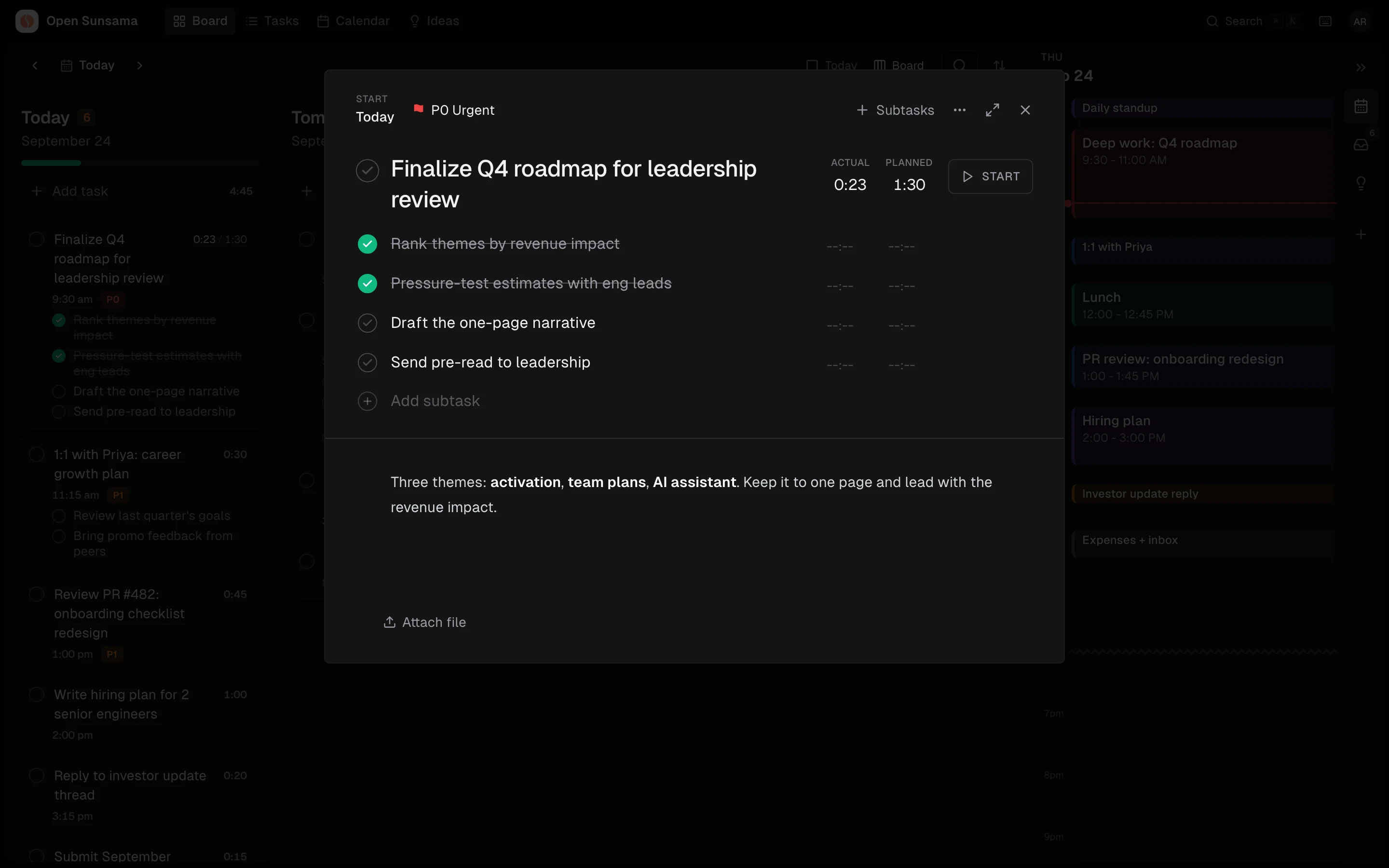
Deep work: Q4 roadmap
9:30 - 11:00 AM
How it works
A calmer way to run your day.
Sunsama-style daily planning: decide what matters, give it a time, and do it. Every clip below is a real recording of the app.
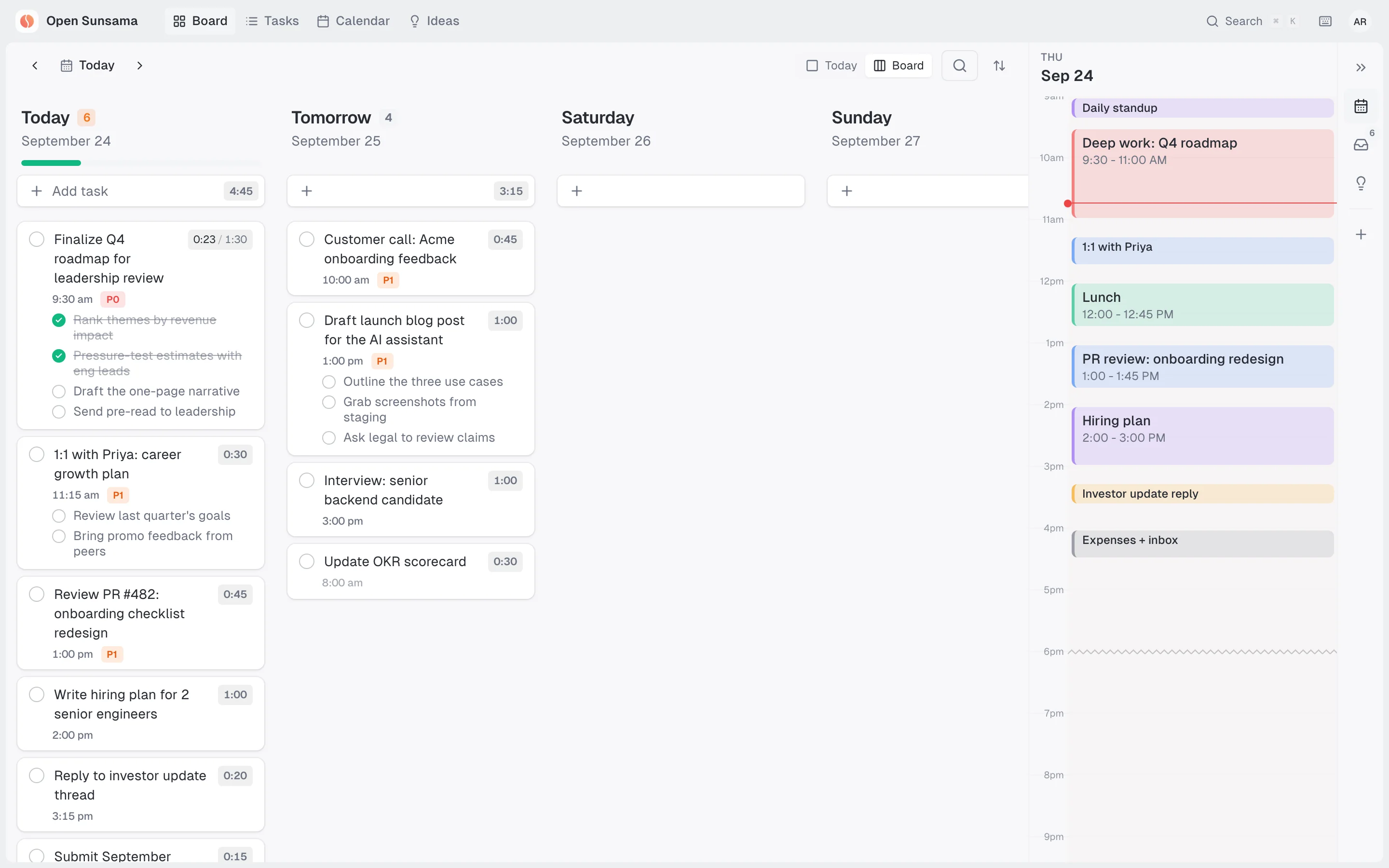
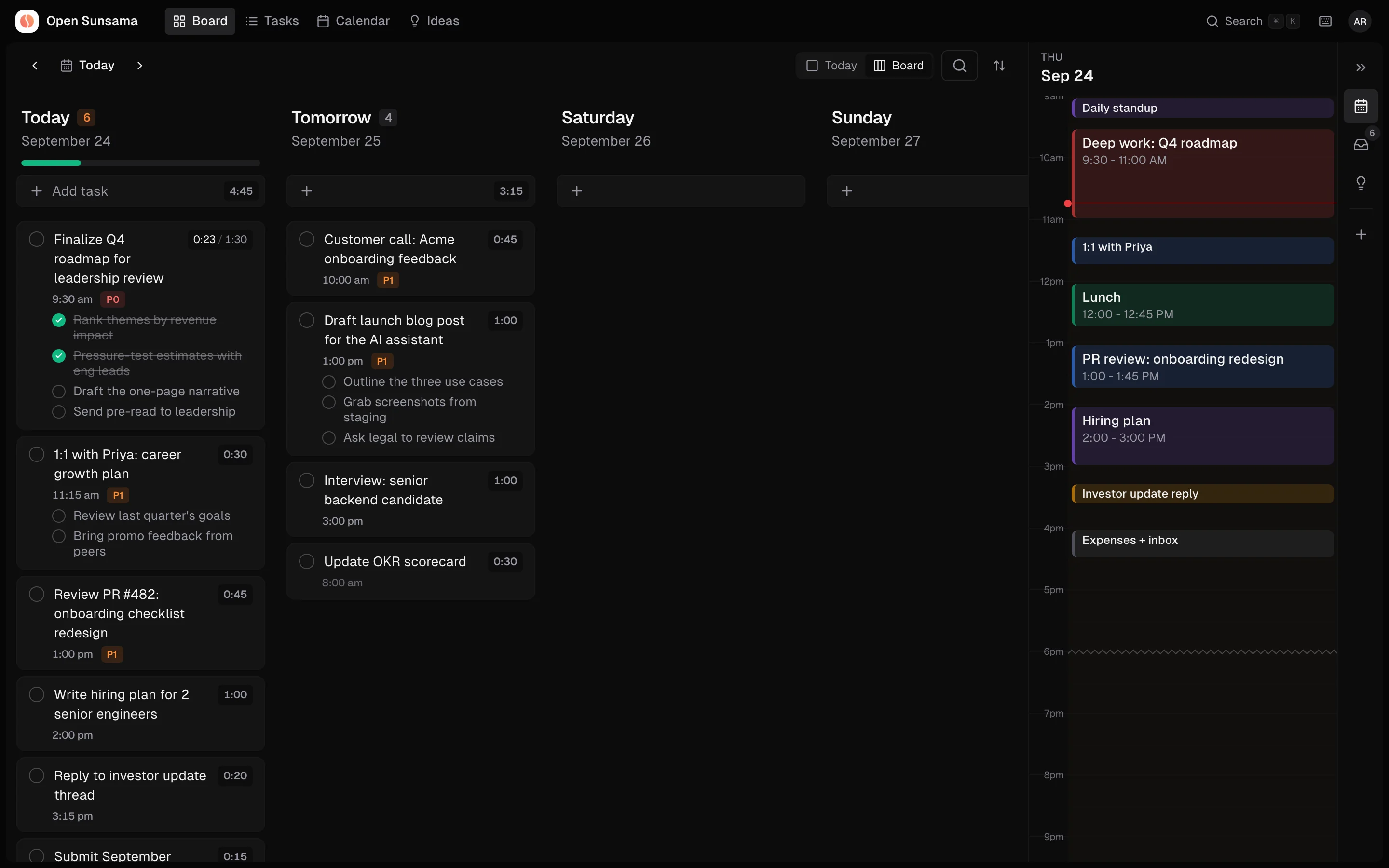
Plan today on a board.
Drag tasks between days, set P0–P3 priorities, and add estimates and subtasks. Each day shows how much you've planned against the time you actually have.
Learn moreGive every task a time.
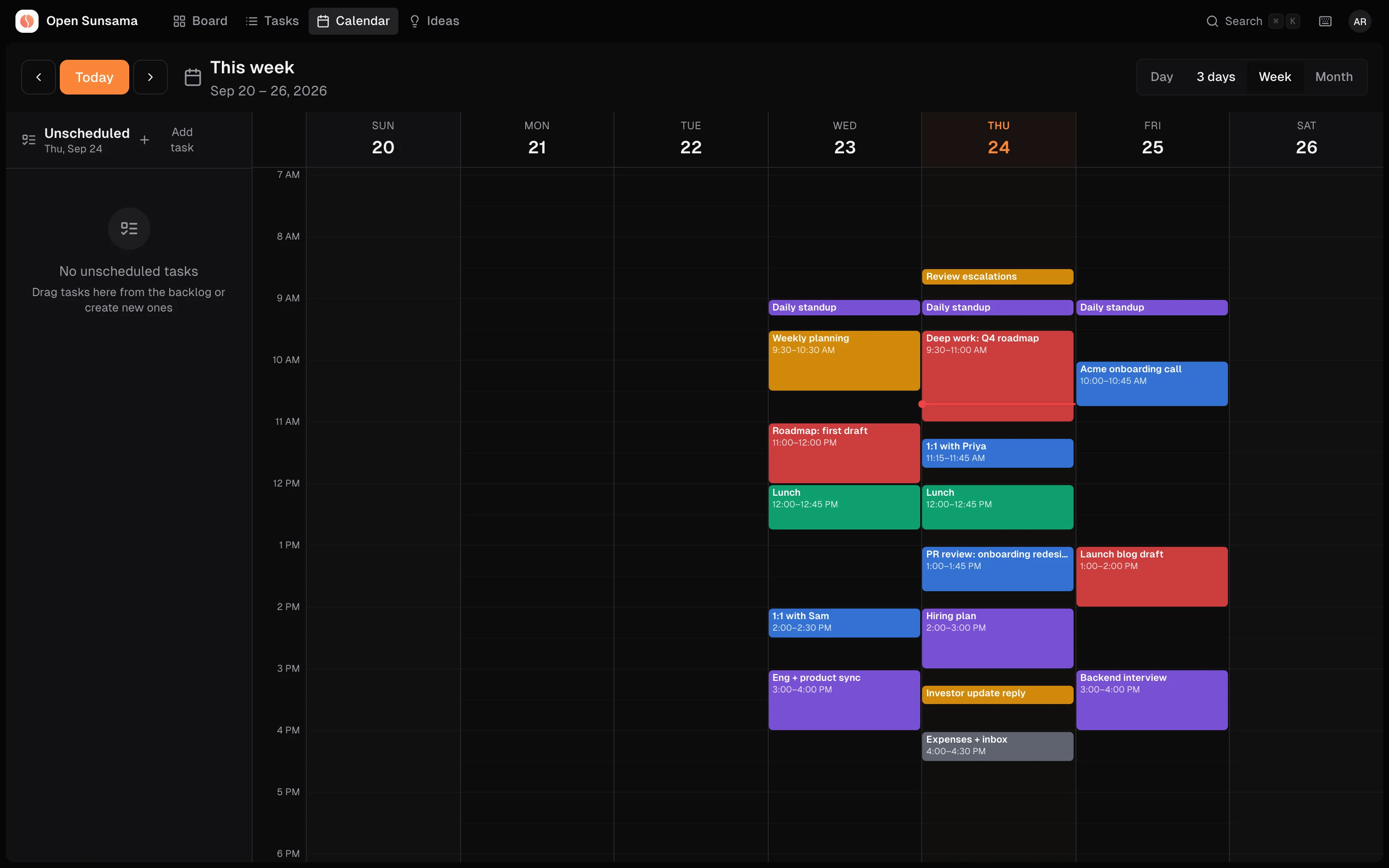
Drop tasks onto the calendar to see what really fits. Blocks link back to their tasks, and your Google, Outlook, and iCloud calendars sync right in.
Learn moreThen do one thing at a time.
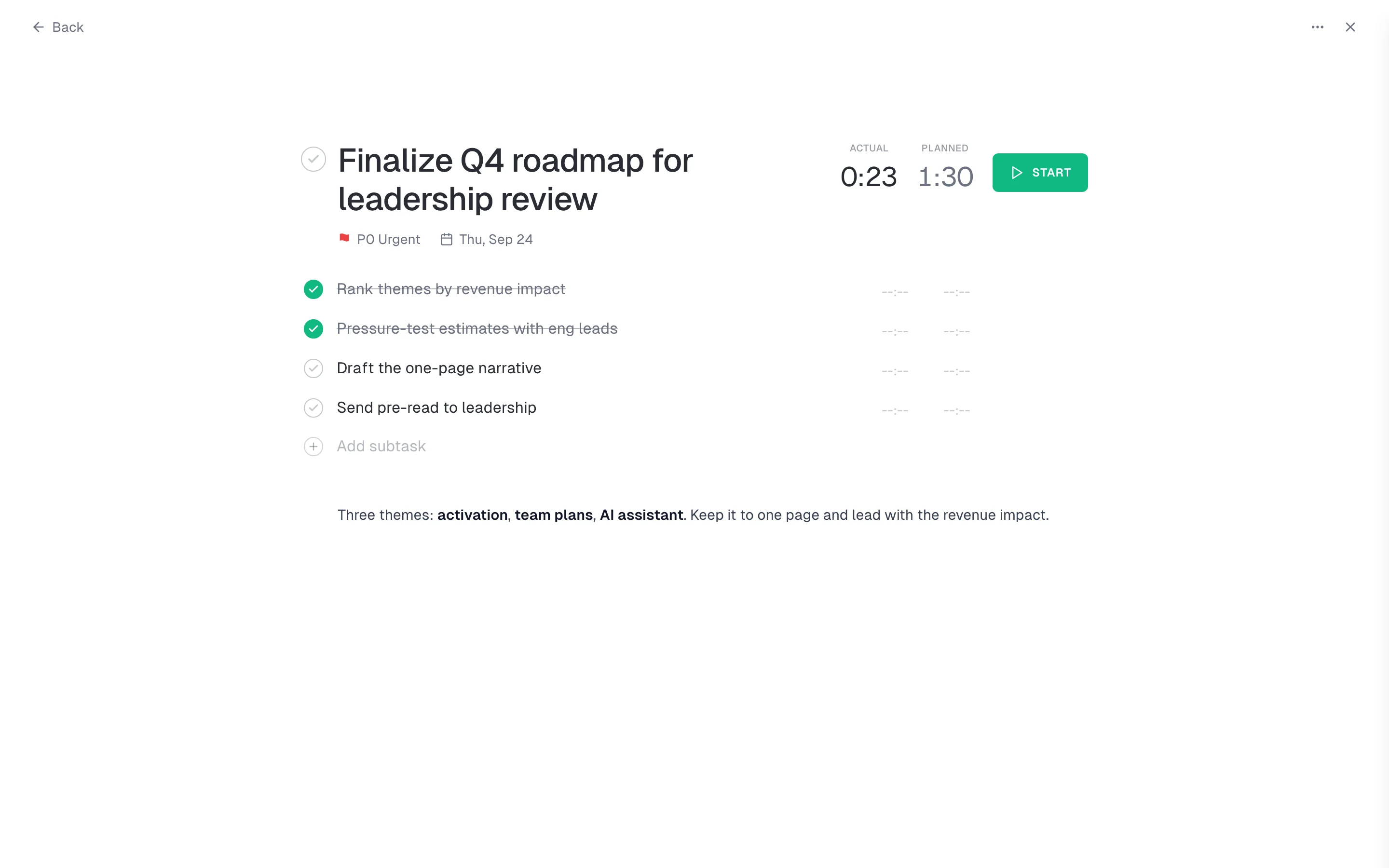
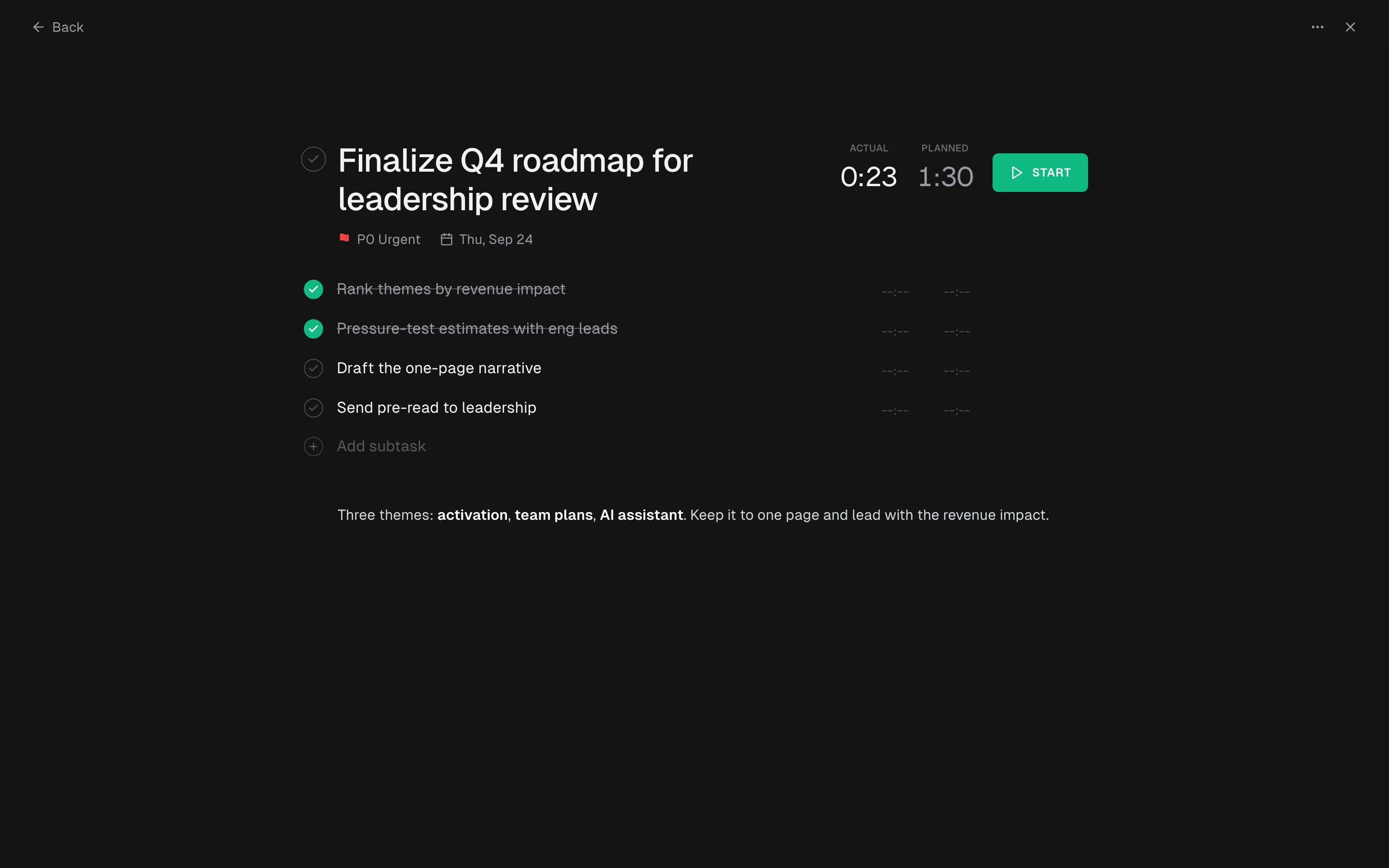
Focus mode puts a single task and a timer on screen. Actual time is tracked against your estimate, so tomorrow's plan gets more honest.
Learn moreFind anything with ⌘K.
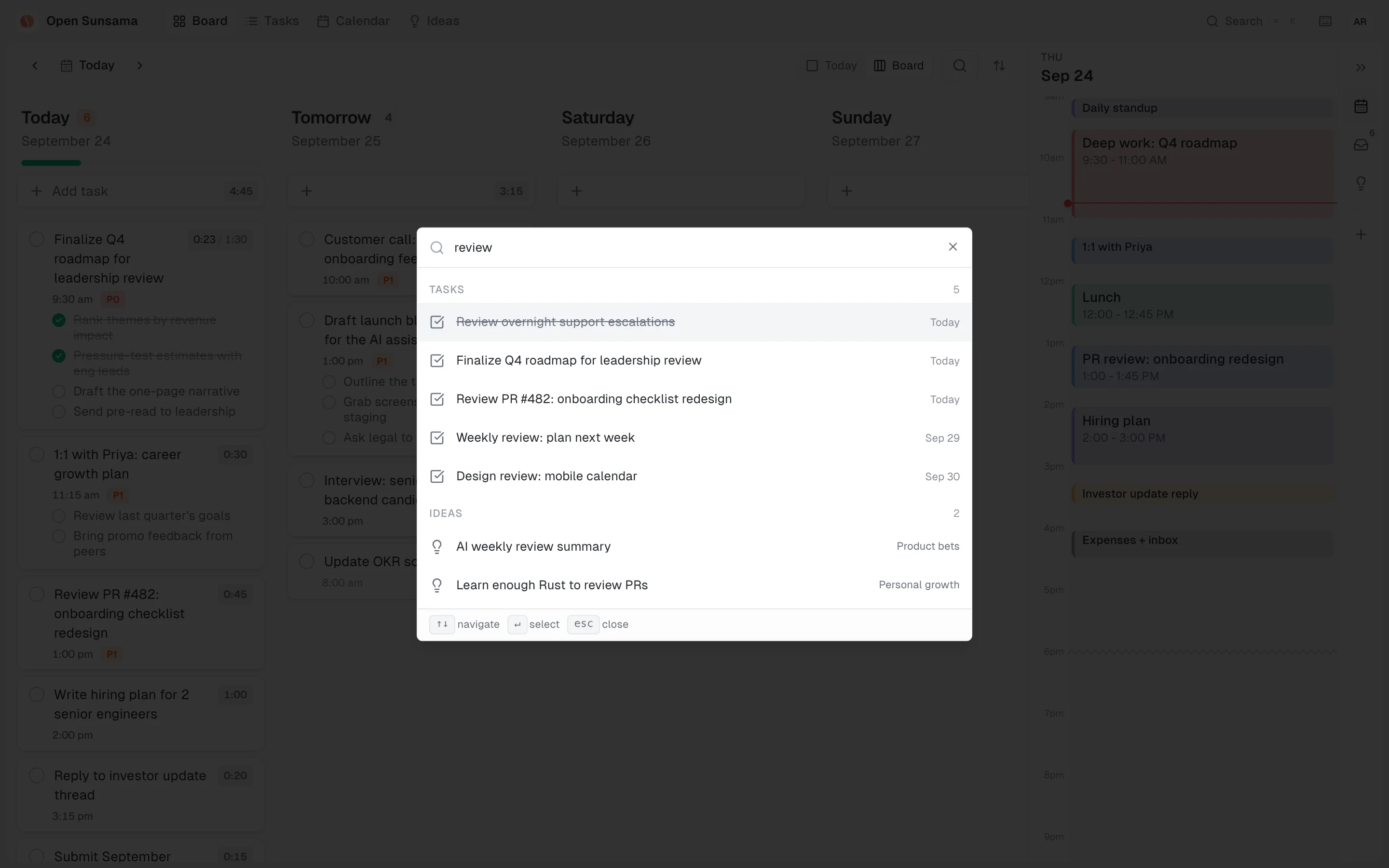
Jump to any task, idea, or setting in a keystroke. Search spans tasks, ideas, and events, and every action has a shortcut.
Learn moreClose the day on purpose.
Check off what you finished. Anything left rolls over to tomorrow, so nothing slips through and you can stop on time.
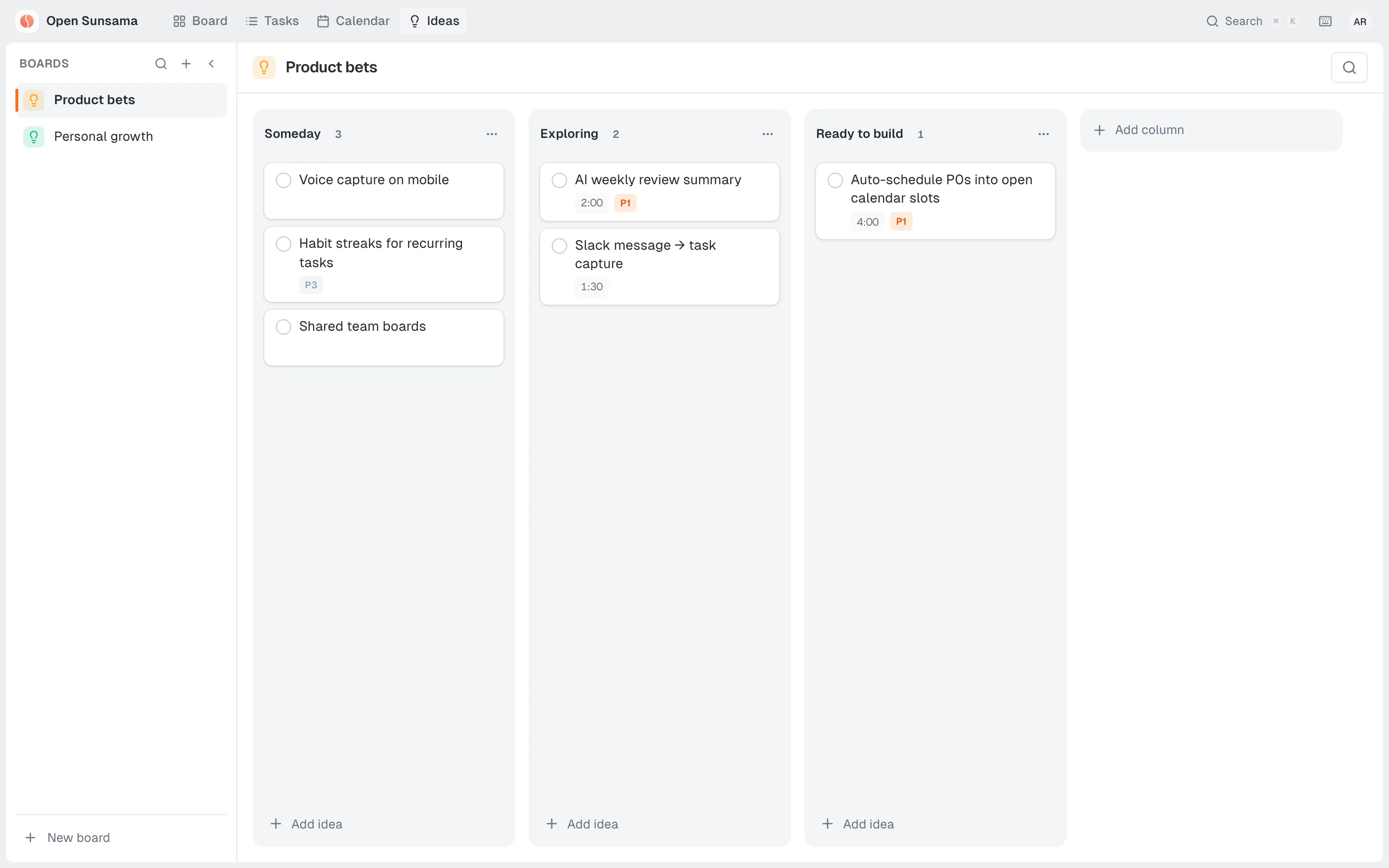
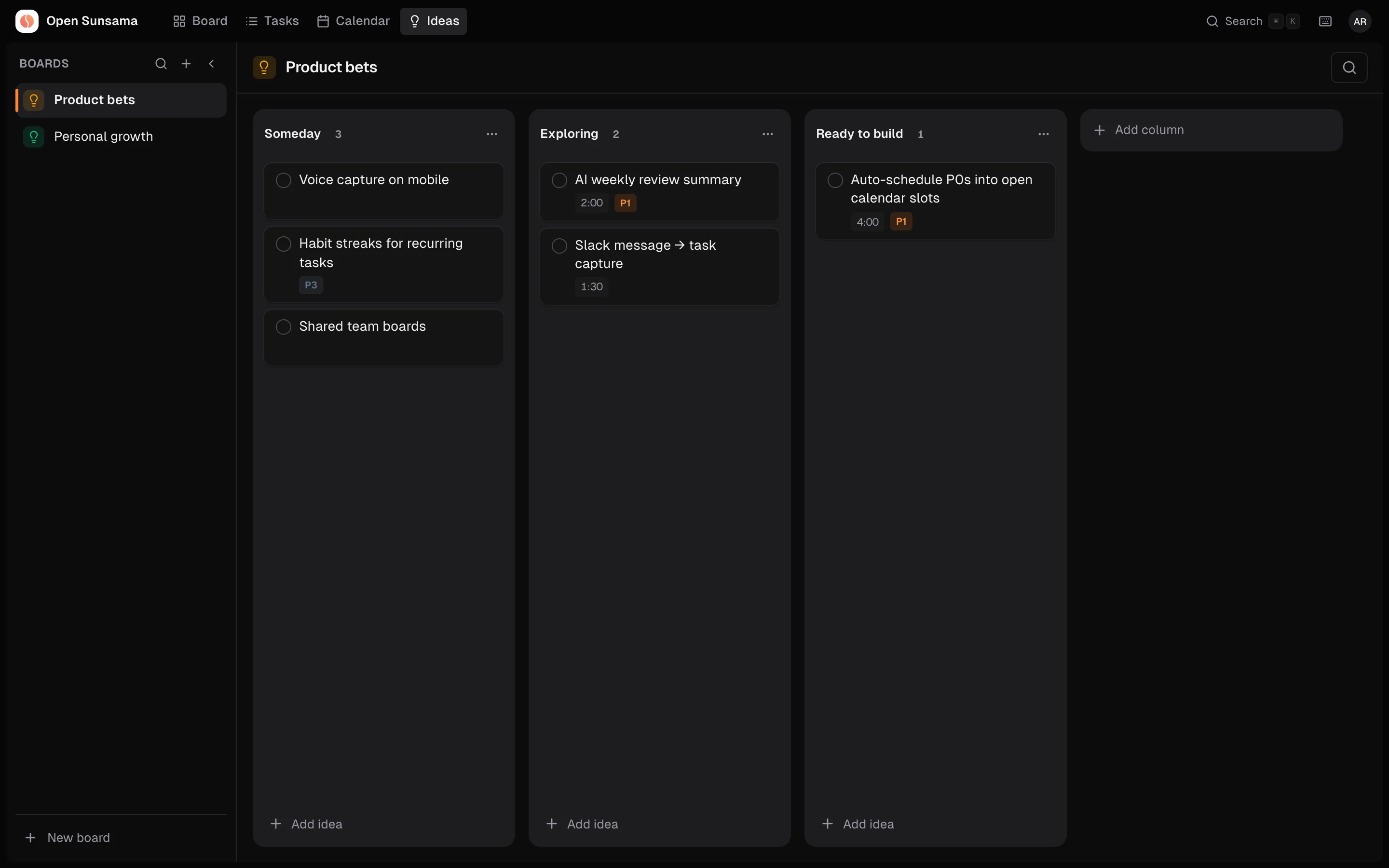
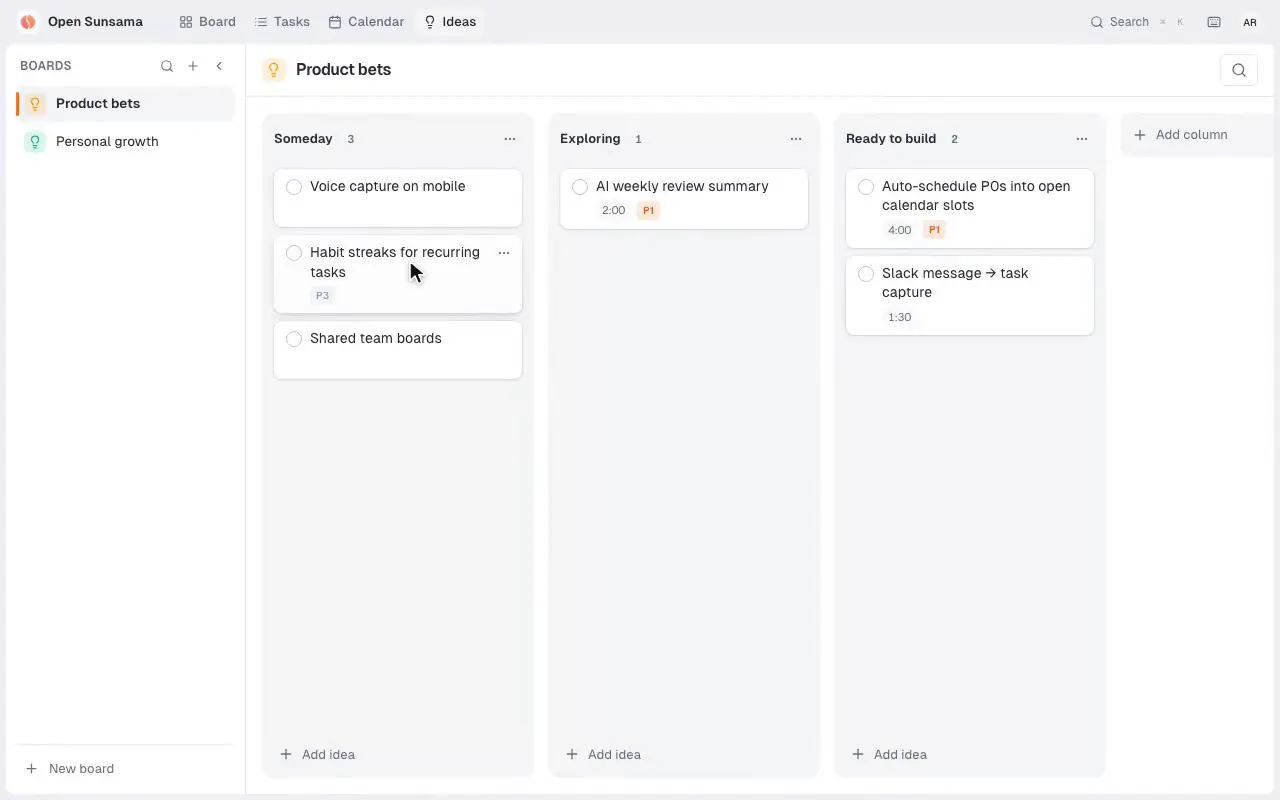
Park ideas without losing them.
Trello-style boards for bets, side projects, and someday-maybes. When an idea's time comes, promote it to a real task in one click.
Plan today on a board.
Drag tasks between days, set P0–P3 priorities, and add estimates and subtasks. Each day shows how much you've planned against the time you actually have.
Learn more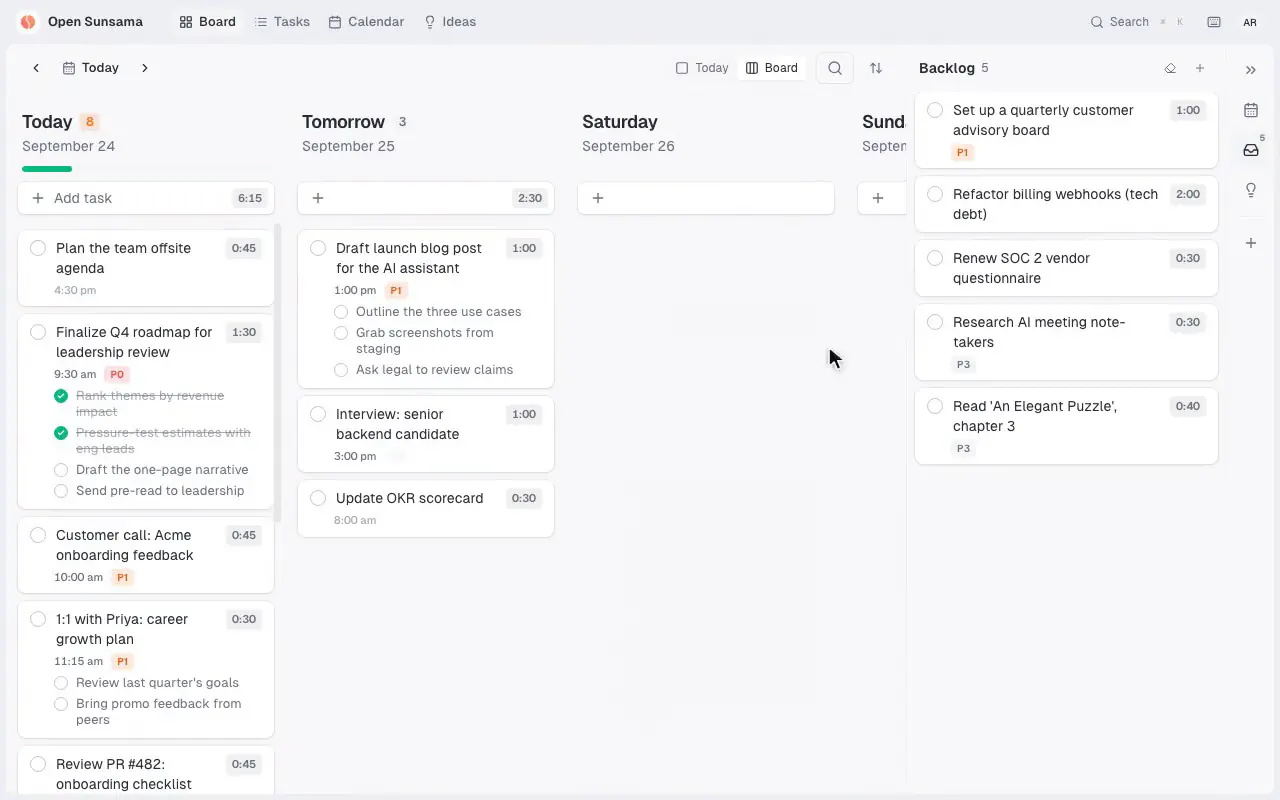
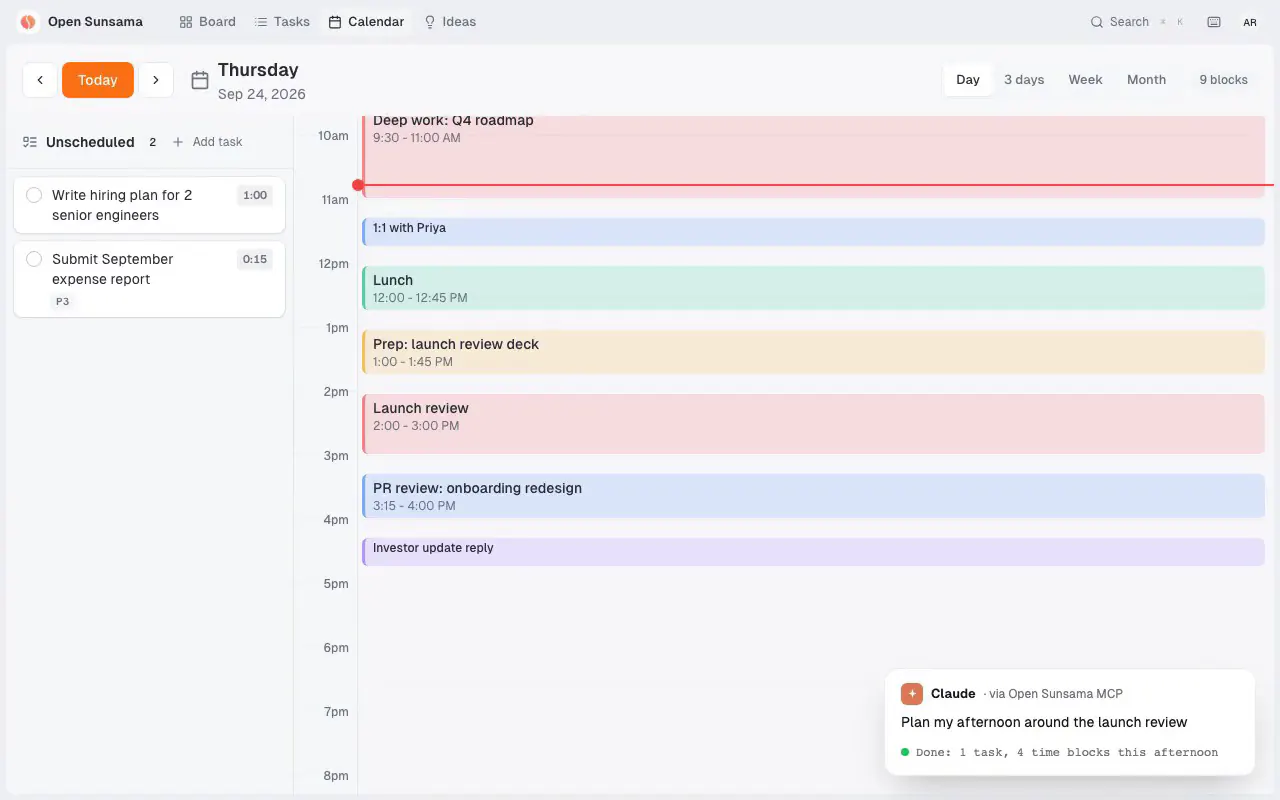
Give every task a time.
Drop tasks onto the calendar to see what really fits. Blocks link back to their tasks, and your Google, Outlook, and iCloud calendars sync right in.
Learn more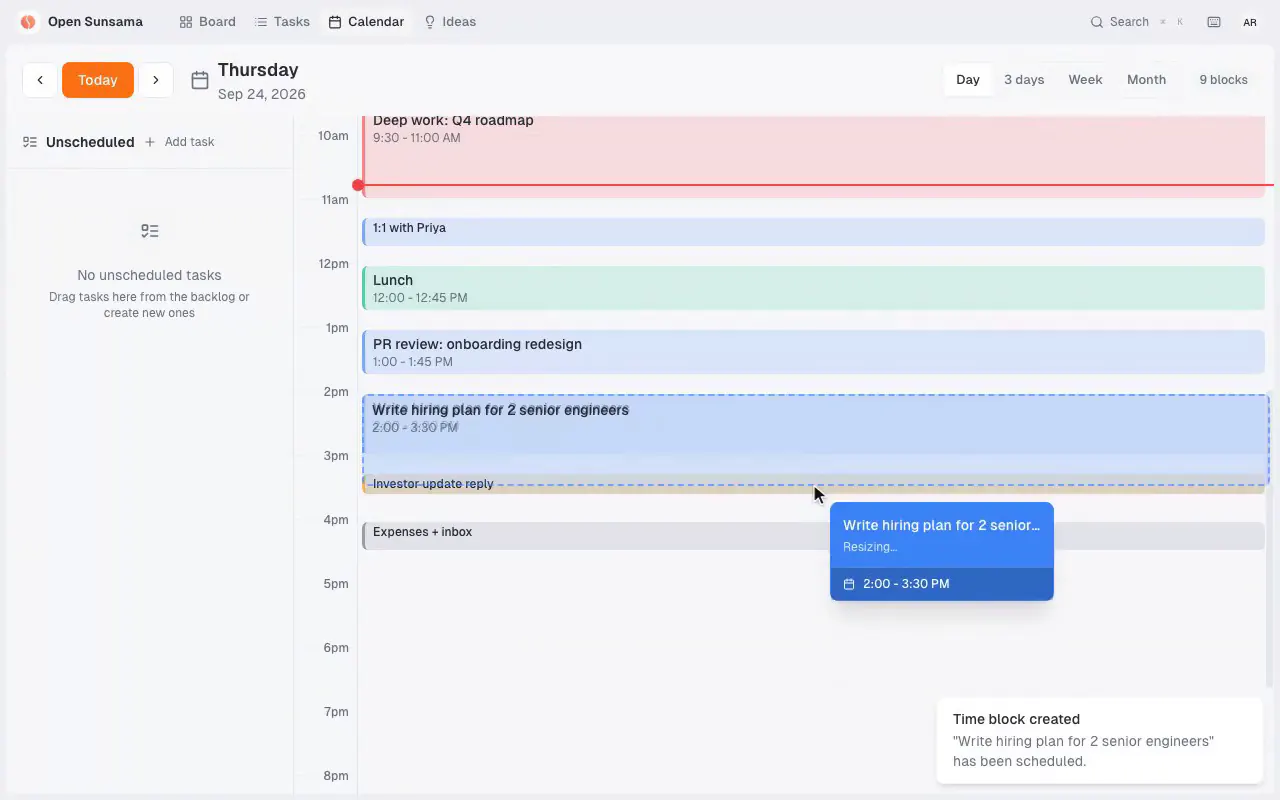
Then do one thing at a time.
Focus mode puts a single task and a timer on screen. Actual time is tracked against your estimate, so tomorrow's plan gets more honest.
Learn more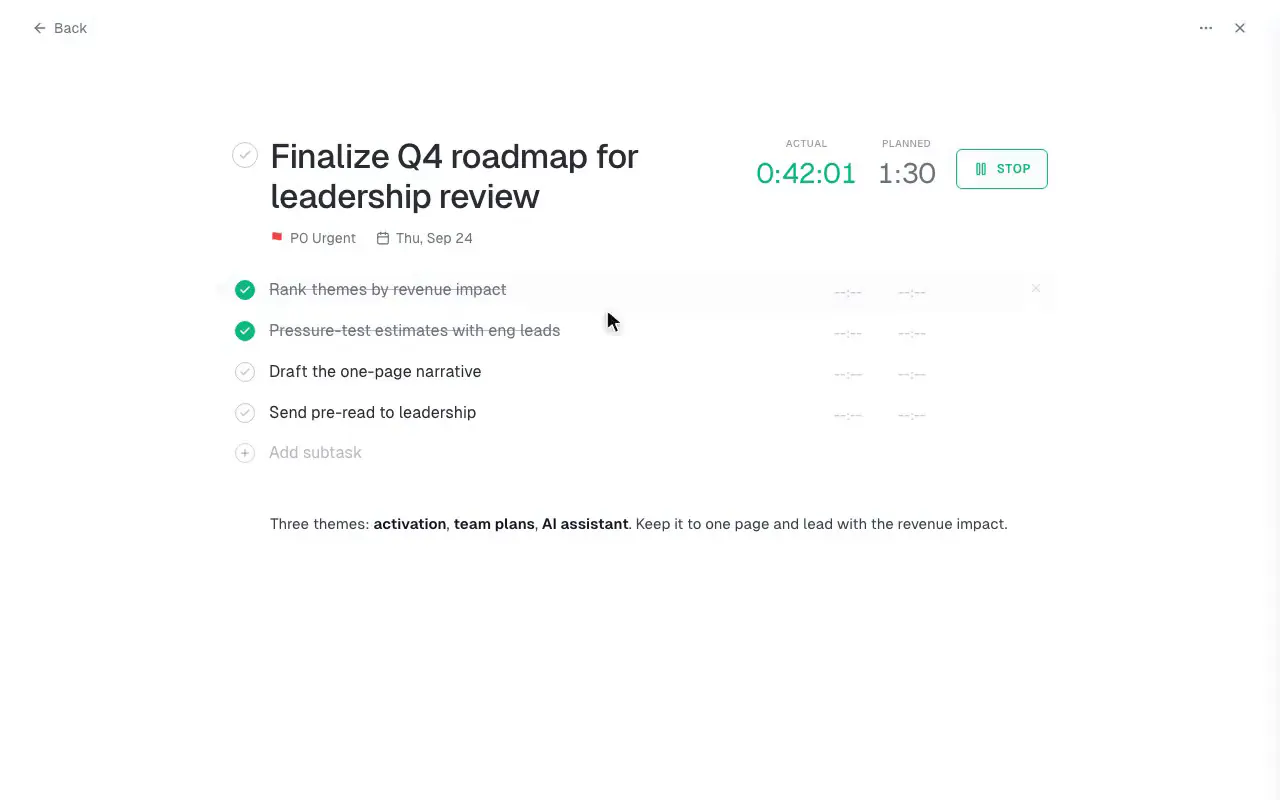
Find anything with ⌘K.
Jump to any task, idea, or setting in a keystroke. Search spans tasks, ideas, and events, and every action has a shortcut.
Learn more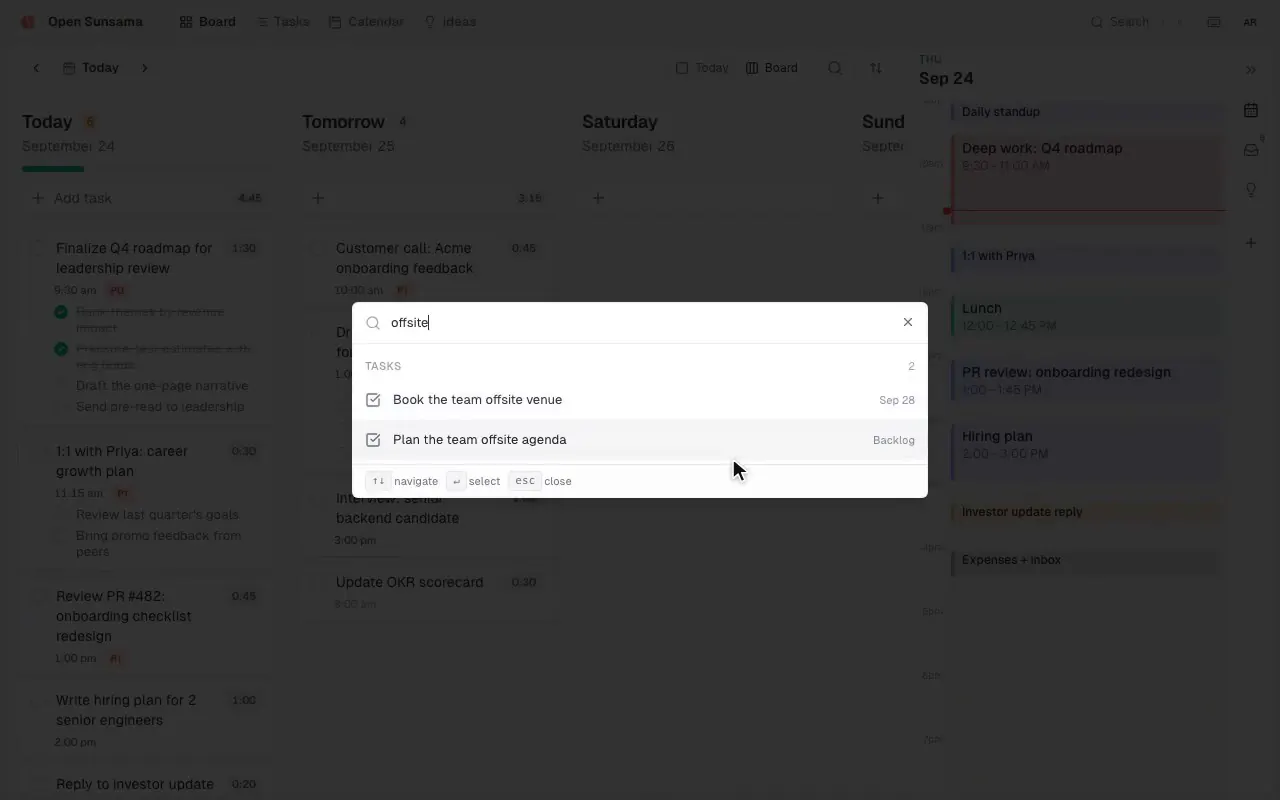
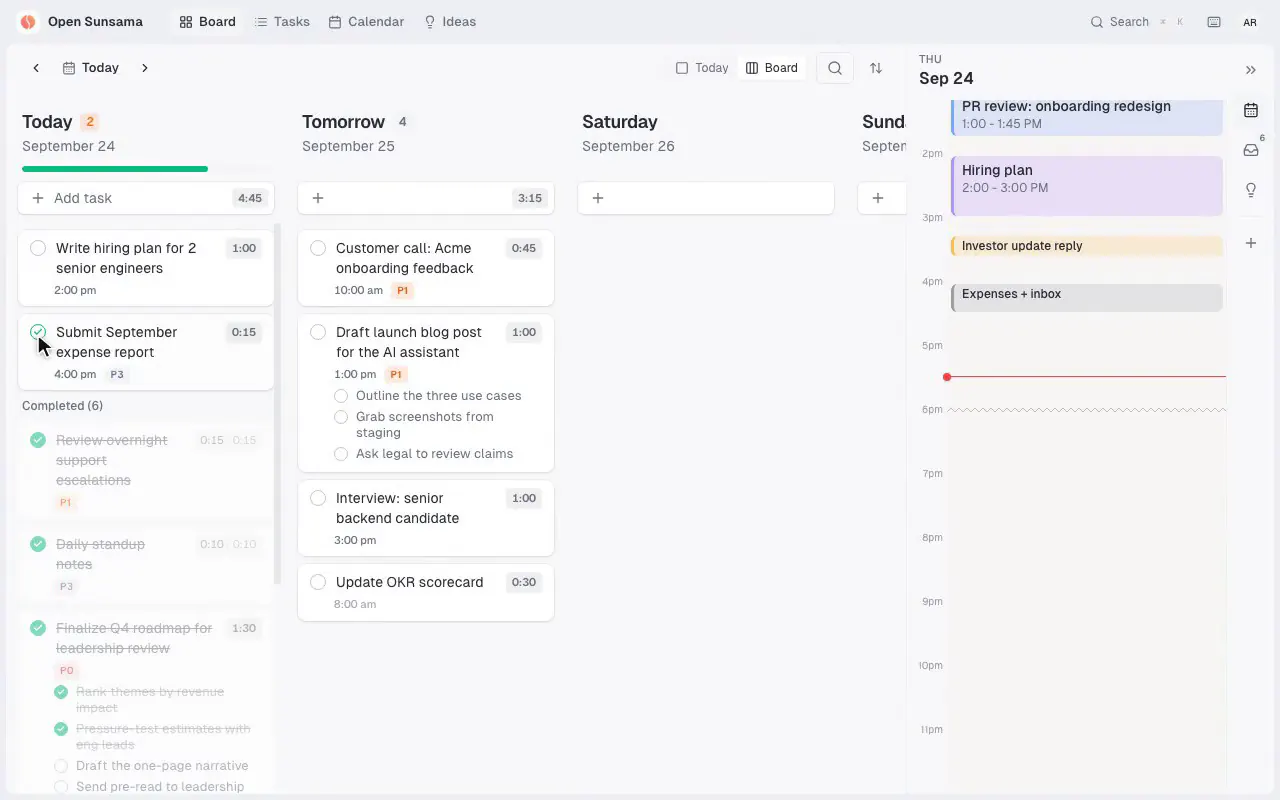
Close the day on purpose.
Check off what you finished. Anything left rolls over to tomorrow, so nothing slips through and you can stop on time.
Park ideas without losing them.
Trello-style boards for bets, side projects, and someday-maybes. When an idea's time comes, promote it to a real task in one click.
AI native
Let your AI plan your day.
Connect Claude, ChatGPT, Cursor or any MCP app once. Then just ask. It reads your tasks, sets priorities and blocks time on your calendar.
1.Paste one URL
Add it as a connector in Claude or ChatGPT. It works in Cursor, VS Code and Claude Code too.
2.Sign in and allow access
No API keys to copy. You see what it can change, and you can turn it off any time in Settings.
3.Ask in plain words
“Move everything that isn't a P0 to tomorrow.” “Block two hours for the launch plan.”
Features
Everything else a good day needs.
The small things that keep your plan honest.
Rollover and repeats
Unfinished tasks roll over to tomorrow. Recurring tasks come back on their own.
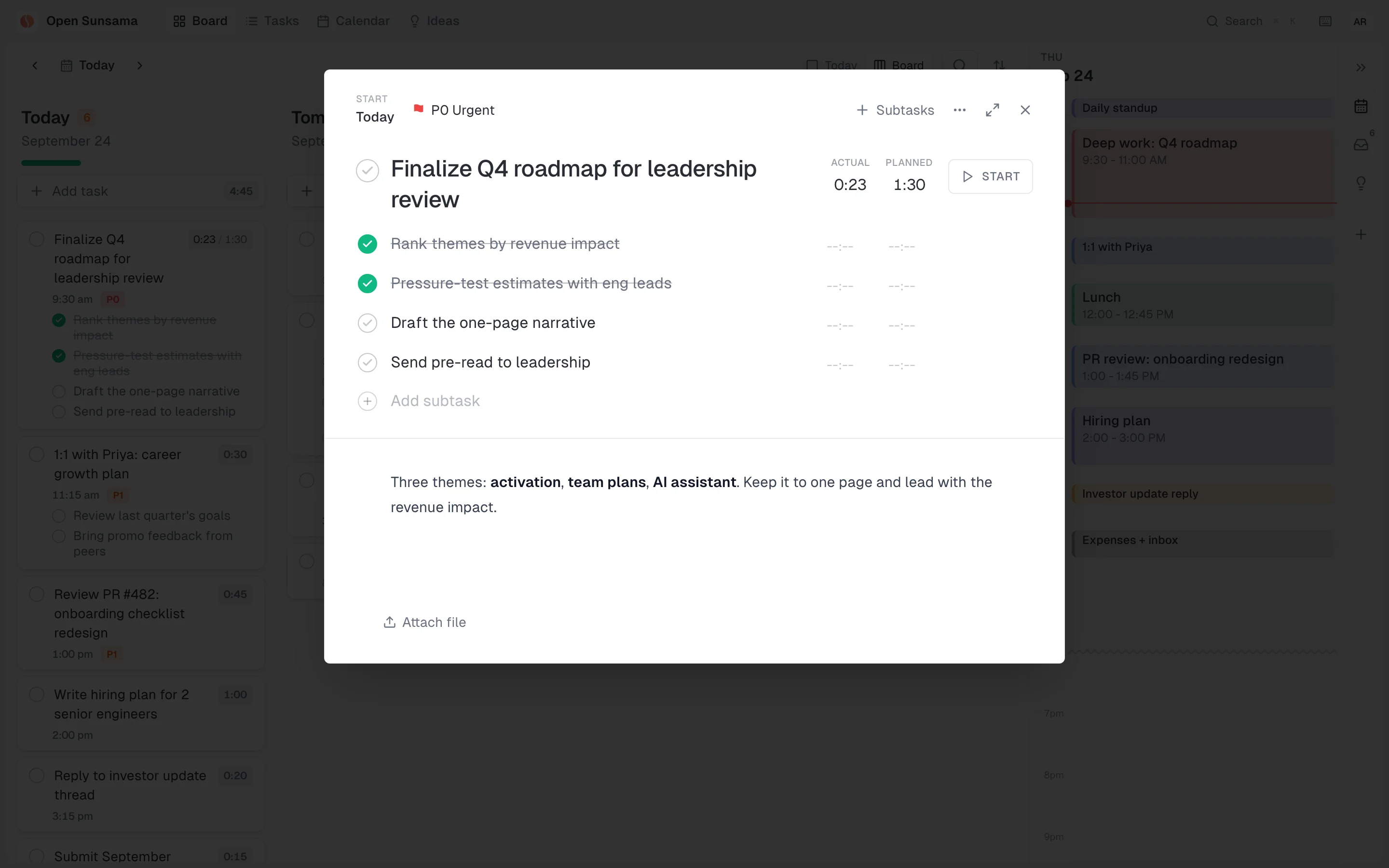
Subtasks, notes and files
Break big tasks into steps. Add rich notes and attach files where you need them.
On your phone
Open it in your phone's browser, or try the early Android APK or iOS TestFlight build. Changes sync across all your devices in real time.
Open source
Yours to run, read and change.
The code is public on GitHub. Run it on your own server with Docker. Script it with the REST API. Your data stays yours.
$ claude mcp add --transport http open-sunsama \https://api.opensunsama.com/mcp✓ Added MCP server open-sunsama
- Is Open Sunsama open source?
- Yes. The code is public on GitHub. It uses a non-commercial license: you can read it, run it and self-host it for personal use. Companies need a commercial license. See the code on GitHub →
- Does it work with Claude and ChatGPT?
- Yes. Add https://api.opensunsama.com/mcp as a connector and sign in once. Claude, ChatGPT, Cursor or any MCP app can then read your plan, add tasks and block time. Connect your AI →
- Can I self-host it?
- Yes. You can run it on your own server with Docker. The self-hosting guide walks you through each step. Self-hosting guide →
- How is it different from Sunsama?
- Both give you a calm daily plan with a board and time blocks, and both work with AI agents. Open Sunsama's code is public, you can self-host it, and it has a public REST API. Sunsama has no public API. Compare the two →
- Does it sync with Google Calendar and Outlook?
- Yes. Connect Google Calendar, Outlook or iCloud. Your events show up next to your tasks and time blocks. How calendar sync works →
- Is there a phone app?
- Not in the app stores yet. The phone app is an early Android APK and an iOS TestFlight build. You can also open Open Sunsama in your phone's browser, where it works as a mobile web app and syncs with your other devices. Desktop apps are ready for Mac, Windows and Linux. Get the desktop app →
Ready for a calmer day?
Plan on a board, block time on your calendar, and let your AI agent help.
Open source · Works with Claude, ChatGPT and any MCP app · Self-host any time