Plan around your meetings
The daily planner for remote workers who log off on time
Open Sunsama is a daily planner for remote workers. Your tasks and your meetings sit in one view, you block time for real work between calls, and at the end of the day the rest rolls to tomorrow.
Get started · Download for desktop
The short answer
Open Sunsama is a daily planner for remote workers that puts tasks and meetings in one place
Open Sunsama is a daily planner for remote workers who juggle meetings, messages and real work from home. Your tasks sit on a board of days. Your meetings from Google Calendar, Outlook and iCloud sit on the calendar next to them.
Time blocking for remote work means you drag each task into a gap between calls. You see what fits before the day starts.
When the day ends, you check off what's done. Unfinished tasks roll to tomorrow, so you can log off on time.
In short
- Tasks and meetings in one view, all in one place.
- Drag tasks into the gaps between calls to block time.
- Meetings show at your local time, wherever your team is.
- Focus mode keeps one task and a timer on screen.
- Unfinished tasks roll to tomorrow overnight.
What remote work does to a day
Each remote work problem has a simple fix in Open Sunsama
Too many tools, meetings across time zones, pings all day, and work that leaks into the evening. Here is what Open Sunsama does about each one.
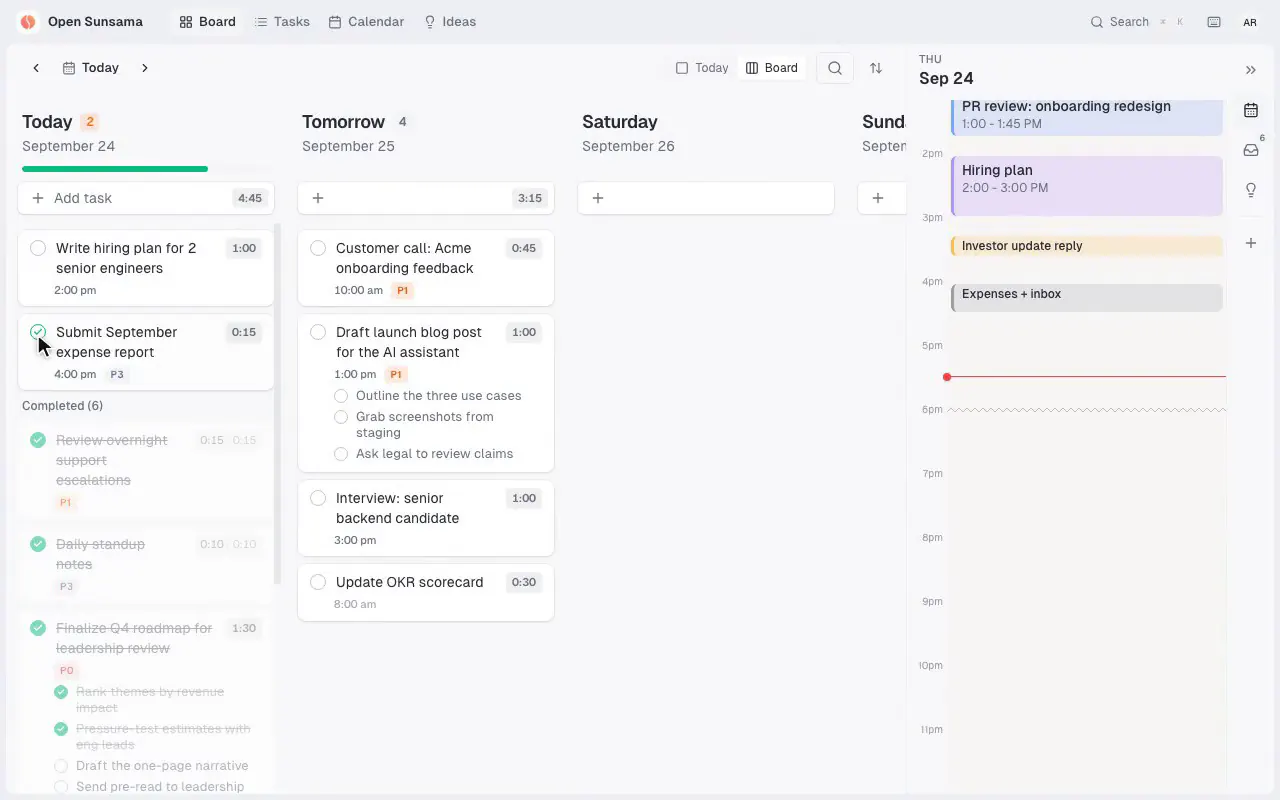
Your tasks and your calendar share one screen
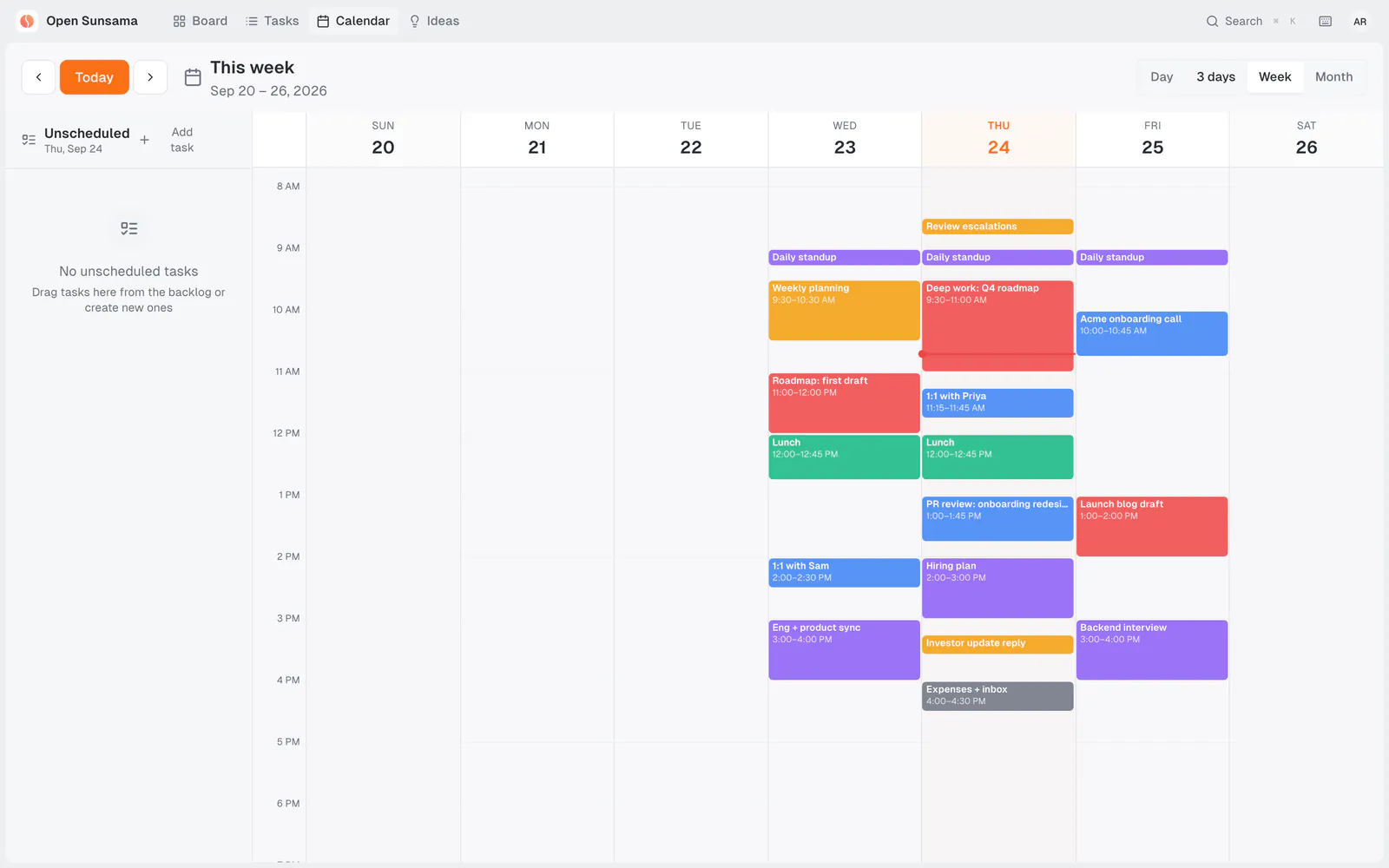
Remote days spread across a task app, two calendars and a chat app. You end up switching tabs just to know what's next.
Open Sunsama puts your task board and your calendar side by side. Connect Google Calendar, Outlook or iCloud once, and your meetings show up next to your tasks.
Real work gets a slot between your calls
When meetings land all over the day, deep work only happens if it's on the calendar too.
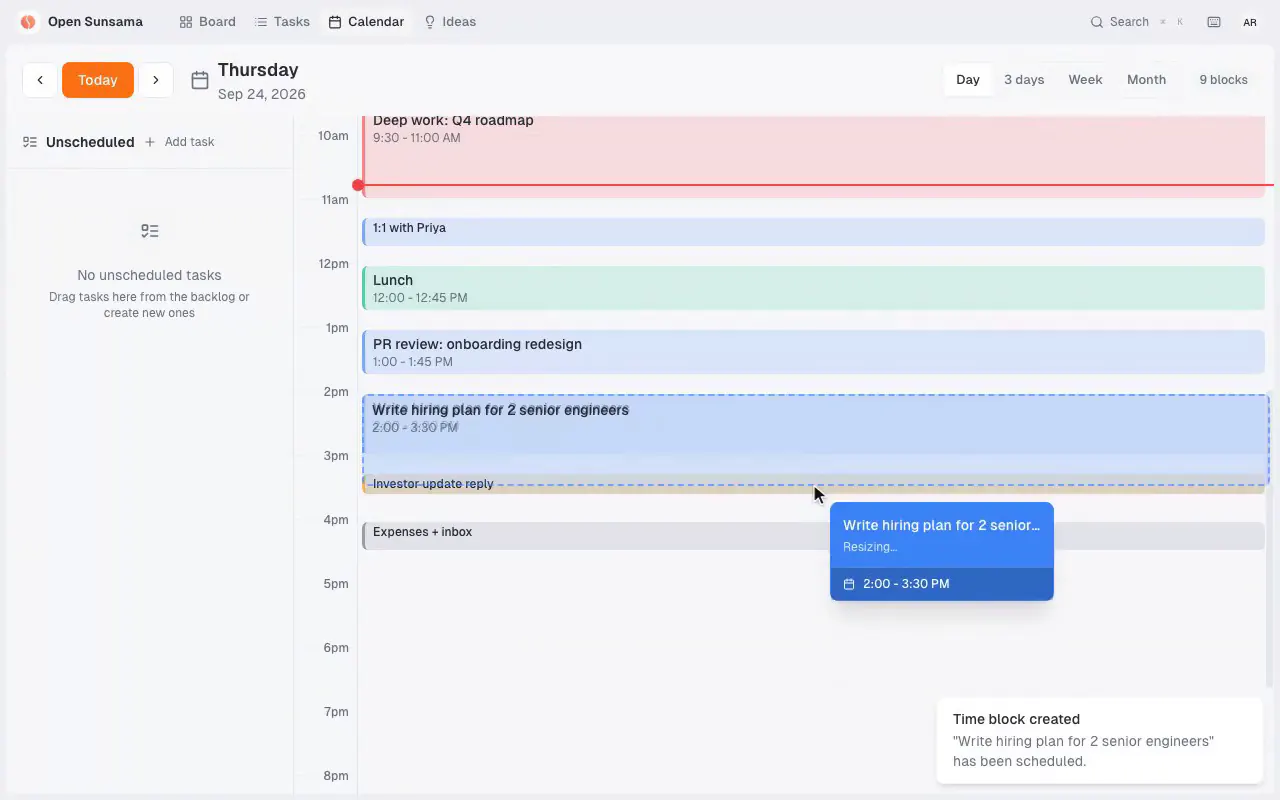
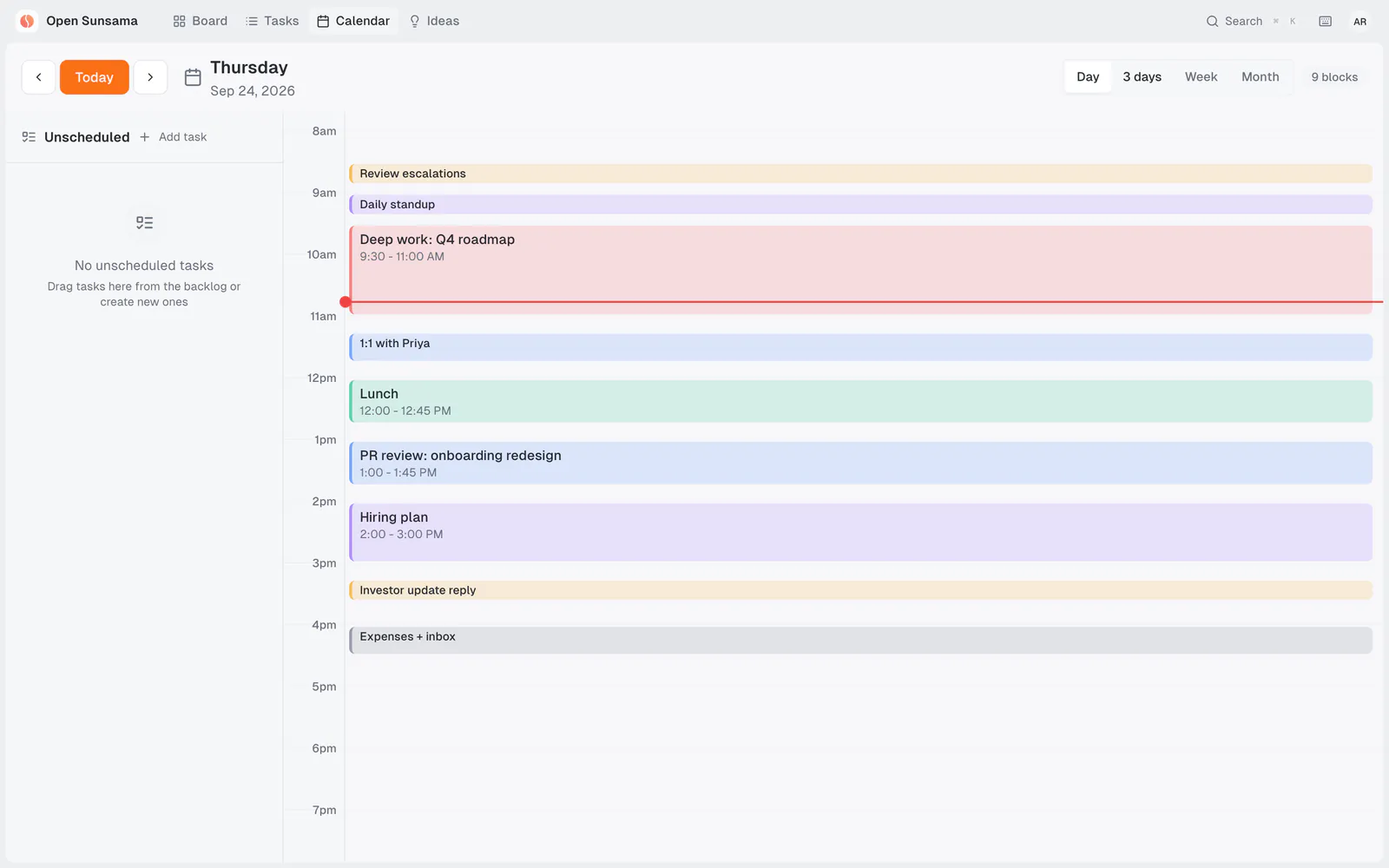
Drag a task into an open gap and resize the block to fit. Meetings with a team in another time zone show at your local time, so you plan around the real hour.
- Day, 3-day, week and month views
- Each block links back to its task and notes
- Drag a block to a new slot when a call runs long
Focus mode shuts out the rest of the list
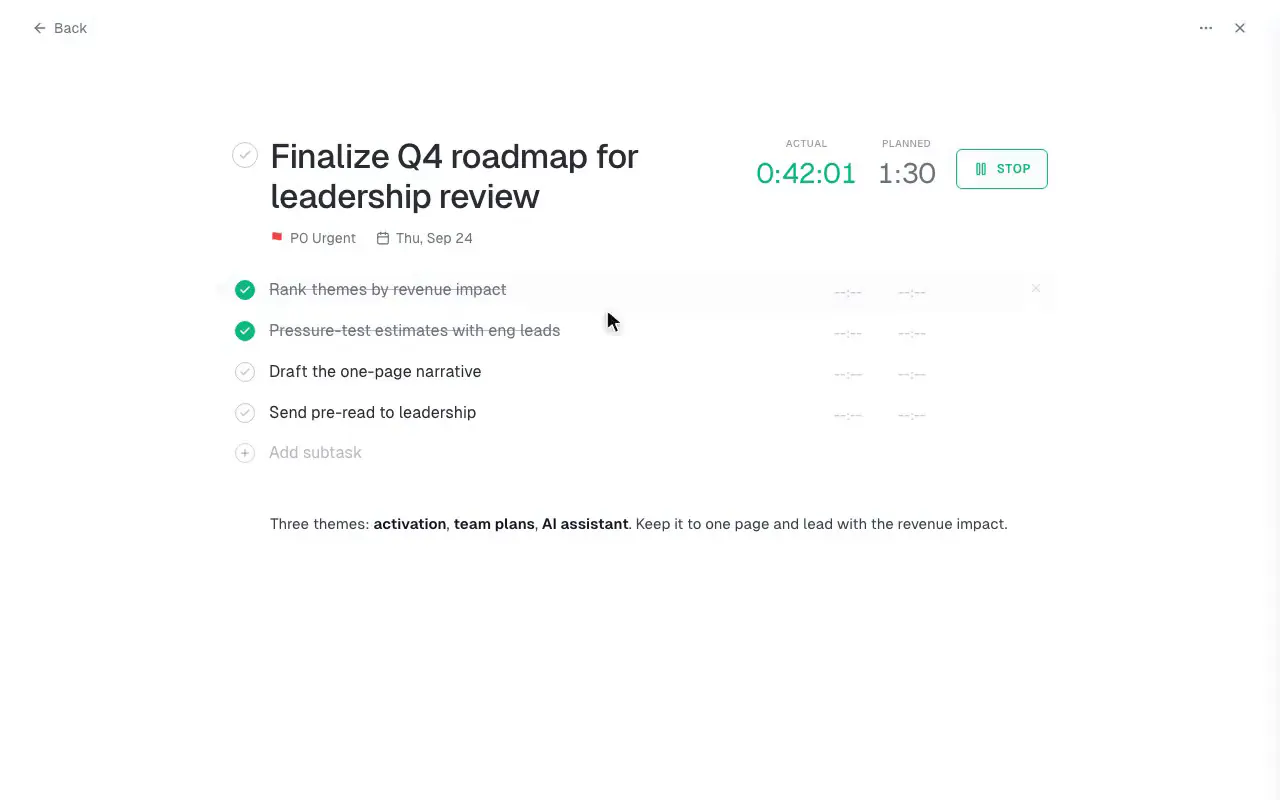
Start focus on one task. Your list goes away, and a timer tracks the real time next to your estimate.
After a week, planned vs actual shows where your time really goes.
The end of the day is a real end
At home, there's no commute to end the day. Work leaks into the evening.
Make the last thing a shutdown: check off what you did and look at tomorrow. Anything unfinished rolls over at midnight in your time zone, so it won't be lost.
AI native
Claude, ChatGPT or any AI agent can plan your day around your meetings
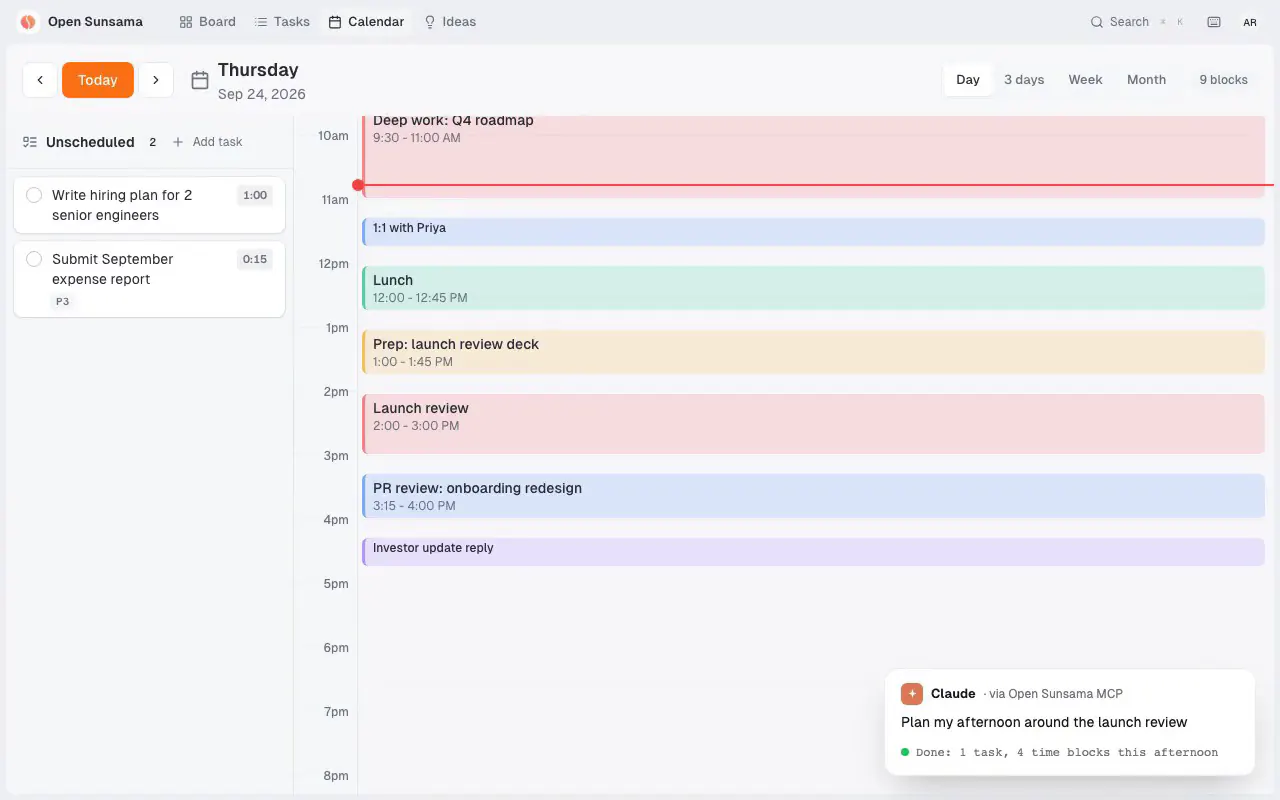
Paste one URL into your AI app and sign in. Your agent sees your meetings and tasks together, then blocks time in the gaps.
Your agent can read your calendar events, but it can't change them. It only adds and moves your tasks and time blocks.
Every block shows up live on your calendar. Keep it, drag it or delete it.
MCP server URL: https://api.opensunsama.com/mcp
Prompts to try
- Plan my day around my meetings. Put my top two tasks in focus blocks.
- My calls ran long. Move what's left into free slots today and tomorrow.
- What's on my calendar this week, and where do I have 2 open hours?
Tools it calls: get_schedule_for_day, list_calendar_events, list_tasks, create_time_block, schedule_task
A typical day
Here is how a remote worker might plan a day in Open Sunsama
An example day for someone in Lisbon with a team in New York. The meetings move, and the plan moves with them.
8:30 AM: Plan the day with your coffee. Yesterday's unfinished task is already in Today. Add two more and give each one a time estimate.
8:40 AM: "Plan my day around my meetings". Your agent reads your tasks and today's meetings, then suggests time blocks in the gaps. You keep the ones you like.
9:00 AM - 11:00 AM: Deep work before the team is online. Your New York team is still asleep. Start focus on the proposal and let the timer run.
11:30 AM - 12:00 PM: Email and Slack, in one block. Reply to everything at once, instead of all morning. When the block ends, you stop.
2:00 PM: Weekly sync with New York. It's 9:00 AM for them. The meeting syncs from Outlook and shows at your local time, next to your blocks.
3:00 PM - 4:30 PM: Finish the proposal. The morning ran long, so drag the block to after the sync. It still fits before the end of your day.
5:30 PM: Log off on time. Check off what's done. What's left rolls to tomorrow, so you can close the laptop without a nagging list.
The details
Small details keep a remote day on track
The things that help when your office is also your home.
- Three calendar services: Google Calendar, Outlook and iCloud, in day, week and month views.
- Rollover in your time zone: Unfinished tasks move to the next day at your midnight, wherever you work from.
- Reminders: Turn on email reminders to hear from Open Sunsama before a time block starts.
- Desktop apps: Apps for Mac, Windows and Linux. Press Cmd+Shift+T in any app to add a task.
- On your phone: Check today's plan in your phone's browser. It syncs with your computer in real time.
- Open source: The code is public on GitHub. Self-host it with Docker to keep your plan on your own server.
Compare
Open Sunsama plans around your meetings and leaves you in charge
Remote workers often look at Sunsama, Motion and Reclaim. Here is how each one handles a day full of calls.
| Feature | Open Sunsama | Sunsama | Motion | Reclaim |
|---|---|---|---|---|
| How your day gets planned | You drag tasks, or your agent does | You drag tasks, or Autoplan drafts the day for you to review (beta) | AI schedules tasks for you | AI schedules by priority |
| Moves tasks without asking | No | No | Yes | Yes |
| Calendars | Yes: Google, Outlook, iCloud | Yes: Google, Outlook, iCloud | Partly: Google, Outlook | Partly: Google, Outlook |
| AI agents over MCP | Yes: Hosted, any MCP client | Yes: Hosted | Partly: Community-built only | Yes: Hosted |
| Code you can read and self-host | Yes | No | No | No |
| Desktop apps | Yes: Mac, Windows, Linux | Yes: Mac, Windows, Linux | Yes: Desktop app | No: Web app only |
| Phone | Partly: Early Android APK and iOS TestFlight; mobile web app | Yes: iOS and Android | Yes: iOS and Android | No: Web app only |
Competitor facts come from each app's website, pricing page and help docs: Sunsama, Sunsama MCP, Motion and Reclaim. Checked September 2026. More in Motion alternatives and the best time blocking apps.
Questions about planning remote work in Open Sunsama
What is the best daily planner for remote workers?
We build Open Sunsama, and we think it is the best pick for most remote workers. Tasks and meetings share one view, you block time between calls, and any AI agent can plan with you. Pick Motion or Reclaim if you want AI to schedule every task for you. Daily planners for remote workers
How do I time block when my day is full of meetings?
Block only the gaps. Look at the day view, find the open stretches between calls, and drag one task into each. Keep a 30-minute block for email and chat so it doesn't eat the whole day. How to protect focus time
Does Open Sunsama work with Outlook and Google Calendar?
Yes. Connect Google Calendar, Outlook or iCloud in Settings. Your meetings show up next to your tasks and time blocks. How calendar sync works
How does Open Sunsama handle time zones?
Meetings from any time zone show at your local time, next to your tasks. Rollover runs at midnight in the time zone set in your profile, so it works wherever you are.
Can AI plan my day around my meetings?
Yes. Connect Claude, ChatGPT or any MCP client with one URL. Your agent reads your meetings and tasks, then creates time blocks in the gaps. It can't move your meetings. Connect your AI
Does Open Sunsama have a phone app?
It works in your phone's browser as a mobile web app and syncs in real time. The phone app is an early Android APK and an iOS TestFlight build, not in the app stores yet. Desktop apps are ready for Mac, Windows and Linux. Get the desktop app
Is Open Sunsama open source?
The code is public on GitHub. It uses a non-commercial license: you can read it, run it and self-host it for personal use. Companies need a commercial license. See the code
Plan tomorrow around your meetings, then log off
Drag your tasks into the gaps between calls, work one block at a time, and let the rest roll over when the day is done.