Trello vs Sunsama: Which Should You Choose in 2026?
Compare Trello and Sunsama for daily planning. Kanban boards vs calendar-first, plus an open-source option with both.
Open Sunsama Team · · Updated · 12 min read
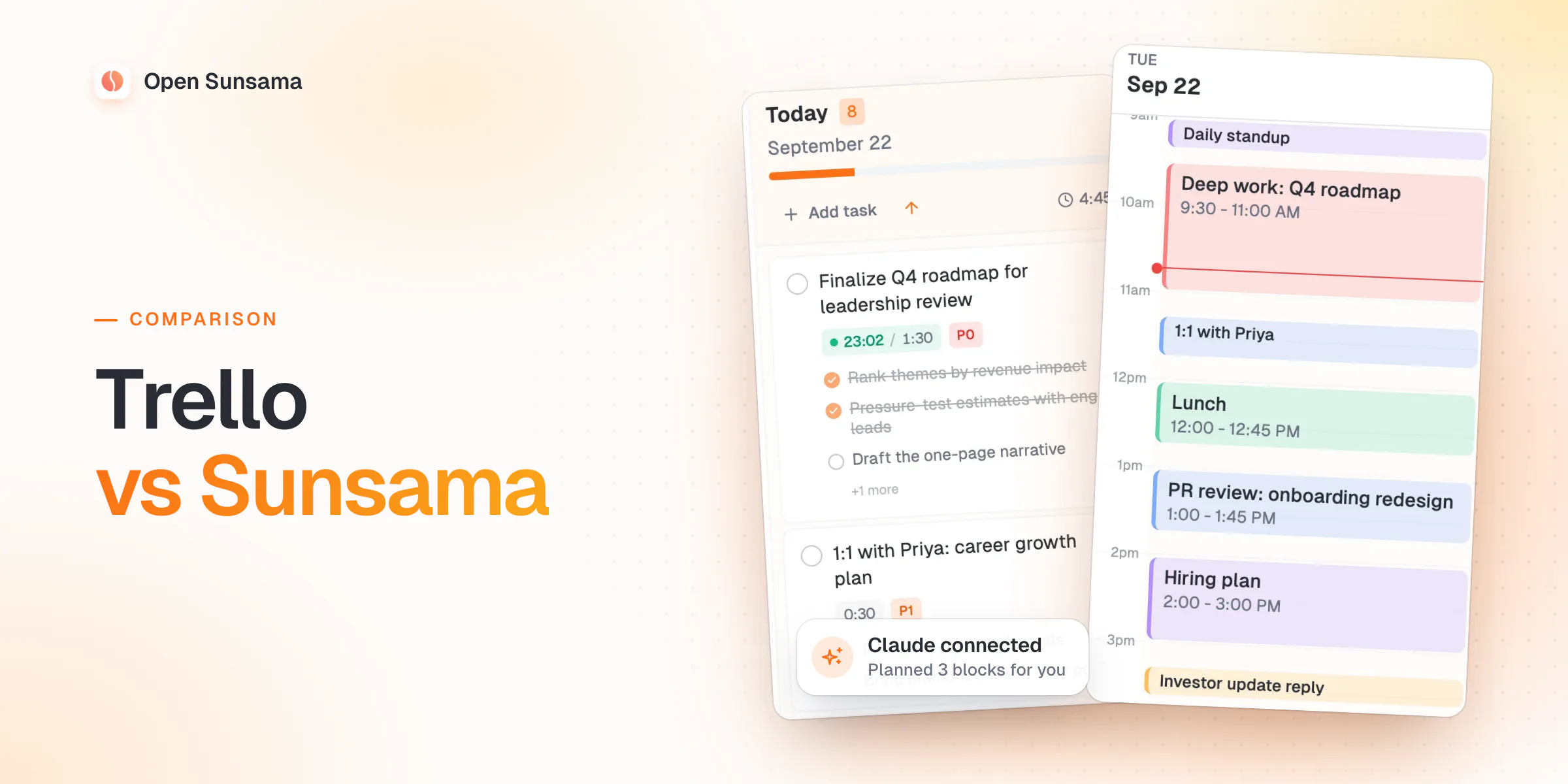
Trello and Sunsama represent two fundamentally different approaches to productivity. One offers flexible visual boards that adapt to virtually any workflow. The other guides you through structured daily planning rituals with calendar-first workflows. Both are popular among professionals—but they solve distinctly different problems.
Trello is a visual project management tool built around kanban boards. It's been around since 2011, acquired by Atlassian in 2017, and remains one of the most recognizable productivity tools on the planet. With a generous free tier, drag-and-drop simplicity, and endless customization via Power-Ups, Trello excels at visual organization for individuals and teams alike.
Sunsama takes a focused approach. Rather than organizing projects across infinite boards, it asks one question: what will you actually accomplish today? It syncs with your calendar, pulls tasks from dozens of integrations (including Trello), and guides you through mindful daily planning. At $240/year, it's a premium subscription aimed at knowledge workers seeking sustainable productivity.
In this comprehensive Trello vs Sunsama comparison, we'll examine both tools in detail: features, pricing, calendar integration, time blocking capabilities, and ideal use cases. We'll also introduce Open Sunsama—a open-source Sunsama alternative that combines kanban task management with calendar-first daily planning. If you're evaluating other project management tools, check out our comparisons of Asana vs Sunsama and ClickUp vs Sunsama.
Quick Comparison: Trello vs Sunsama vs Open Sunsama
Before diving deep, here's how these three popular productivity tools compare:
| Feature | Trello | Sunsama | Open Sunsama |
|---|---|---|---|
| Price | Free (core) / $5-17.50/user/mo | $20/month ($240/year) | Hosted app, or self-host for personal use |
| Free Tier | ✅ Generous | ❌ 14-day trial only | Open source, self-hostable |
| Core Methodology | Kanban boards | Daily planning rituals | Kanban + daily planning |
| Calendar Integration | ⚠️ Power-Up required | ✅ Full two-way sync | ✅ Full two-way sync |
| Time Blocking | ❌ No | ✅ Drag-and-drop | ✅ Drag-and-drop |
| Focus Mode | ❌ No | ✅ Built-in Pomodoro | ✅ Built-in Pomodoro |
| Team Collaboration | ✅ Excellent | ❌ Individual only | ✅ Growing |
| Boards/Lists | ✅ Unlimited (paid) | ❌ Not the focus | ✅ Kanban view |
| Integrations | ✅ 200+ Power-Ups | ✅ 20+ native | ✅ Growing |
| Open Source | ❌ No | ❌ No | ✅ Yes |
| Self-Hostable | ❌ No | ❌ No | ✅ Yes |
| Best For | Project management | Individual daily planning | Daily planning + flexibility |
Now let's examine each tool in detail.
What is Trello?
Trello is a visual collaboration tool that organizes projects into boards, lists, and cards. Created by Fog Creek Software (now Glitch) in 2011 and acquired by Atlassian in 2017, Trello pioneered the digital kanban board experience that countless tools have since imitated.
How Trello Works
Trello's structure is simple and visual:
- Boards: High-level containers for projects or areas of work (e.g., "Marketing Q1", "Product Roadmap", "Personal Tasks")
- Lists: Columns within boards representing stages or categories (e.g., "To Do", "In Progress", "Done")
- Cards: Individual tasks or items that move between lists as work progresses
The workflow is intuitive: create a card, add details, drag it between lists as its status changes. This visual approach makes it immediately clear what's happening in any project at a glance.
Trello Key Features
Visual Kanban Boards: Trello's strength is visual organization. Seeing cards flow from "To Do" through "In Progress" to "Done" provides instant project clarity. For visual thinkers, this is more intuitive than traditional task lists.
Generous Free Tier: Trello's free plan includes unlimited cards, up to 10 boards per workspace, unlimited Power-Ups, and basic automation. Most individuals can use Trello effectively without ever paying.
Flexible for Any Workflow: Trello doesn't prescribe a methodology. Use it for GTD, kanban, scrum, editorial calendars, CRM, wedding planning—whatever you need. The board/list/card structure adapts to almost anything.
Power-Ups: Trello's extension ecosystem includes 200+ integrations and add-ons. Calendar views, time tracking, custom fields, Slack integration, and more. Many are free; others require paid plans.
Team Collaboration: Assign cards to team members, add comments, attach files, set due dates, and mention colleagues. Trello is built for collaboration in ways individual-focused tools aren't.
Butler Automation: Trello's built-in automation (Butler) lets you create rules, buttons, and scheduled commands. Move cards automatically when due dates pass, assign members based on labels, and more.
Templates: Start quickly with pre-built board templates for project management, sales pipelines, content calendars, and dozens of other use cases.
Cross-Platform Access: Web, Mac, Windows, iOS, Android. Access your boards from anywhere.
Trello Pricing in 2026
Trello offers multiple tiers:
- Free: Unlimited cards, 10 boards/workspace, unlimited Power-Ups, basic automation
- Standard: $5/user/month (annual) — Unlimited boards, advanced checklists, custom fields
- Premium: $10/user/month (annual) — Calendar/timeline views, dashboard, workspace templates
- Enterprise: $17.50/user/month (annual) — Organization-wide permissions, unlimited workspaces
For individual daily planning, Trello's free tier is often sufficient. Teams typically need Standard or Premium for advanced features.
Trello Limitations
No Built-In Time Blocking: This is Trello's biggest gap for daily planners. While you can add due dates to cards, there's no native way to schedule tasks at specific times with durations. Trello shows what needs doing, not when you'll do it.
Calendar Integration Requires Setup: Trello's calendar view is a Power-Up, not a core feature. Two-way calendar sync with Google or Outlook requires third-party tools. Tasks don't naturally become calendar blocks.
No Daily Planning Workflow: Trello doesn't guide you through daily planning rituals. It's a tool, not a methodology. You decide how to use it—which provides flexibility but no structure for those who want guidance.
Can Become Overwhelming: With unlimited boards, lists, and cards, Trello can sprawl. Without discipline, you may end up with dozens of boards and hundreds of stale cards. Trello doesn't help you focus on what matters today.
No Focus Mode: Despite being a productivity tool, Trello lacks dedicated deep work features. No timers, no Pomodoro support, no distraction minimization.
Feature Depth Requires Paid Plans: Advanced views (calendar, timeline, dashboard) require Premium. Custom fields require Standard. Power users often need paid plans.
What is Sunsama?
Sunsama is a daily planner built around mindful, intentional productivity. Rather than organizing all your tasks across kanban boards, Sunsama focuses on one question: what will you realistically accomplish today? It's designed for knowledge workers who want to integrate task management with calendar management.
How Sunsama Works
Sunsama's core experience is the daily planning ritual:
- Review your calendar: See today's meetings and commitments
- Pull in tasks: Import tasks from connected tools (Trello, Asana, Notion, Linear, etc.)
- Set daily intentions: Consciously decide what deserves your time today
- Time block your schedule: Drag tasks onto specific calendar times
- Check capacity: Sunsama warns if you've over-scheduled
Throughout the day, you work through time blocks, using focus mode to concentrate on individual tasks. At day's end, an optional shutdown ritual helps you reflect and roll incomplete tasks forward.
Sunsama Key Features
Guided Daily Planning: The morning ritual isn't optional—it's Sunsama's philosophy made tangible. You consciously choose what deserves your time rather than reactively working through endless task lists.
Full Calendar Integration: Two-way sync with Google Calendar, Outlook, and iCloud. Tasks become calendar blocks. Changes flow both directions. This is what Trello lacks natively.
Time Blocking: Drag tasks from your list onto specific calendar times. Each task becomes a scheduled block with start time and duration. See exactly when you'll work on what. Learn more about what time blocking is.
Extensive Integrations: Native two-way sync with Todoist, Trello, Asana, Notion, ClickUp, Jira, Linear, GitHub, Gmail, Slack, and more. Importantly, Sunsama can pull tasks from Trello—making it a complement rather than a replacement.
Focus Mode: When working on a task, focus mode expands it to fill your screen, starts a timer, and minimizes distractions. Pomodoro timer support structures deep work sessions.
Overplanning Prevention: Sunsama tracks estimated durations and warns when you've scheduled more than is realistic—promoting sustainable productivity rather than burnout.
Sunsama Pricing in 2026
Sunsama uses subscription pricing:
- Monthly: $25/month
- Annual: $20/month (billed as $240/year)
- 14-day free trial (no credit card required)
There's no free tier. Sunsama's pricing positions it as a professional tool for serious knowledge workers.
Sunsama Limitations
High Recurring Cost: At $240/year, Sunsama costs significantly more than Trello's free tier or even its paid plans. For individuals, this is a substantial investment.
No Kanban Boards: Sunsama doesn't offer Trello's flexible board/list/card organization. It's focused on daily planning, not project management. Long-term organization happens in integrated tools, not Sunsama itself.
Individual Focus Only: Unlike Trello, Sunsama is designed for personal productivity—no team features, shared boards, or collaboration tools.
Complexity for Simple Needs: Daily planning rituals and extensive integrations can feel like overkill if you just want a simple task list. Sunsama assumes you need sophisticated workflows.
No Free Tier: After the 14-day trial, you must pay to continue. There's no limited free plan like Trello offers.
Trello vs Sunsama: Feature-by-Feature Comparison
Let's compare these tools across the features that matter most for daily planning.
Task Management Philosophy
Trello: Flexible kanban boards without prescribed methodology. Organize anything visually—projects, tasks, ideas, processes. You decide the structure and workflow.
Sunsama: Daily planning focus. Each day is its own canvas. You pull in tasks, schedule them, and work through time blocks. Long-term organization happens in integrated tools like Trello.
Verdict: Trello for project flexibility; Sunsama for structured daily planning.
Calendar Integration
Trello: Calendar view available as a Power-Up, but no native two-way sync with Google Calendar or Outlook. Cards can have due dates, but they don't become calendar blocks. Third-party tools required for true integration.
Sunsama: Full two-way calendar sync with Google, Outlook, and iCloud. Tasks become time blocks on your calendar. This is Sunsama's core value proposition.
Verdict: Sunsama wins decisively—calendar integration is native and central to the experience.
Time Blocking
Trello: Not supported natively. You can use Calendar Power-Up to visualize due dates, but there's no drag-and-drop scheduling with durations. Trello time blocking requires workarounds or third-party tools.
Sunsama: Drag-and-drop time blocking is central to the workflow. Every task can have a specific scheduled time and duration.
Verdict: Sunsama—time blocking doesn't exist in Trello without significant setup.
Team Collaboration
Trello: Excellent team features. Assign cards to members, comment threads, @mentions, activity feeds, file attachments, and shared workspaces. Built for teams.
Sunsama: Individual only. No shared boards, task assignment, or team visibility. Personal productivity focus.
Verdict: Trello dominates for teams; Sunsama is individual-only.
Project Management
Trello: Designed for project management. Boards represent projects, lists represent stages, cards represent tasks. Can handle complex multi-project workflows.
Sunsama: Not designed for project management. It complements project management tools by pulling tasks from them for daily execution.
Verdict: Trello for project management; Sunsama for daily execution.
Integrations
Trello: 200+ Power-Ups covering integrations, automation, reporting, and more. Extensive ecosystem.
Sunsama: 20+ native integrations focused on task sources and calendars. Can pull tasks from Trello, making them complementary.
Verdict: Trello has more integrations; Sunsama's are more focused on daily planning workflow.
Pricing and Value
Trello: Generous free tier sufficient for most individuals. Paid plans start at $5/user/month for advanced features.
Sunsama: No free tier. $240/year after 14-day trial.
Verdict: Trello wins on value—especially with its free tier.
Price Comparison: Trello vs Sunsama
Let's see how costs compare for individual users over time:
| Timeframe | Trello Free | Trello Standard | Sunsama |
|---|---|---|---|
| Year 1 | $0 | $60 | $240 |
| Year 2 | $0 | $60 | $240 |
| Year 3 | $0 | $60 | $240 |
| 3-Year Total | $0 | $180 | $720 |
Even Trello's paid plans are dramatically cheaper than Sunsama. The question is whether Sunsama's daily planning features, calendar integration, and time blocking are worth $240/year to your workflow.
When Trello Makes Sense
Trello is the right choice if you:
- Manage projects visually: You think in boards and cards; kanban visualization helps you understand work status
- Need team collaboration: Multiple people work on shared projects with assignments and comments
- Want maximum flexibility: You'll design your own productivity system, not follow a prescribed methodology
- Prefer free tools: Budget matters, and Trello's free tier is genuinely useful
- Manage multiple projects: You need separate spaces for different work areas, clients, or initiatives
- Don't need calendar integration: You manage tasks and calendar separately
- Work across workflows: Different projects have different structures (kanban, scrum, editorial, etc.)
Best for: Project managers, teams, visual thinkers, budget-conscious users, and anyone who needs flexible organization tools.
When Sunsama Makes Sense
Sunsama is the right choice if you:
- Need time blocking: Scheduling tasks at specific times is central to your productivity
- Want calendar integration: Tasks and calendar events should live together
- Use multiple work tools: Tasks originate in Trello, Asana, Notion, Linear—you need them unified for daily execution
- Value daily planning rituals: Guided morning planning helps you be intentional
- Want focus support: Deep work features like Pomodoro timers help you execute
- Can justify the cost: $240/year is reasonable for a tool central to your productivity
- Work individually: You don't need team collaboration features
Best for: Knowledge workers, consultants, solo professionals, time blocking enthusiasts, and those who value calendar-first daily planning.
Using Trello and Sunsama Together
Here's something worth noting: Trello and Sunsama aren't mutually exclusive. Sunsama integrates with Trello, allowing you to:
- Manage projects in Trello: Use boards for client projects, product development, content calendars
- Plan daily work in Sunsama: Pull today's Trello cards into Sunsama for time-blocked execution
- Two-way sync: Complete a task in Sunsama, and it moves in Trello
This approach uses each tool's strengths: Trello's project flexibility and Sunsama's daily focus. However, it means paying for Sunsama ($240/year) on top of potentially paid Trello plans—a significant investment.
Open Sunsama: Kanban + Time Blocking + Any AI Agent
What if you want Trello's visual kanban boards and Sunsama's calendar integration and time blocking, in one open-source app?
Open Sunsama is an open-source daily planner that combines the best of both approaches.
Visual Task Management Like Trello
Open Sunsama offers a kanban-style task board for visual daily planning. See your tasks organized, drag them to reorder priorities, and enjoy the satisfaction of visual progress. It's not as elaborate as Trello's unlimited boards, but for daily planning, the focused interface works better.
Calendar Integration Like Sunsama
Full two-way sync with Google Calendar, Outlook, and iCloud via calendar sync. Tasks become time blocks on your calendar. Drag and drop to schedule. See meetings and tasks together. Everything Sunsama offers for calendar integration, in one view.
Time Blocking Built In
Unlike Trello, Open Sunsama has native time blocking. Drag tasks onto your calendar timeline, set durations, and see exactly when you'll work on what. No Power-Ups required, no third-party tools needed.
Focus Mode for Deep Work
When it's time to execute, Open Sunsama's focus mode helps you concentrate. Dedicated deep work environment with timers, Pomodoro support, and distraction-minimizing design.
Priority Levels
P0-P3 prioritization makes clear task importance visible at a glance. Know what's urgent versus what can wait.
Open Source and AI Native
The code is public under a non-commercial license, and you can self-host it for personal use. Connect Claude, ChatGPT, Cursor, Claude Code or any MCP client, and your agent can plan your day, create tasks and block time for you.
Open Source Transparency
The entire codebase is publicly available. Audit how your data is handled, contribute improvements, or fork it for custom needs. Neither Trello nor Sunsama offers this level of transparency.
Self-Hosting Option
For maximum privacy and control, run Open Sunsama on your own servers. Your productivity data stays on your infrastructure.
Frequently Asked Questions
Is Trello or Sunsama better for daily planning?
For pure daily planning with time blocking, Sunsama is better—it's specifically designed for this purpose. Trello is a general project management tool that requires workarounds for daily planning workflows. However, Open Sunsama offers Sunsama-style daily planning on a kanban board, open source and controllable from any AI agent.
Does Trello have time blocking?
No, Trello doesn't have native time blocking. You can add due dates to cards and visualize them in a Calendar Power-Up, but there's no way to schedule tasks at specific times with durations. Trello time blocking requires third-party tools or manual workarounds.
Can I use Trello with Sunsama?
Yes, Sunsama integrates with Trello. You can pull Trello cards into Sunsama for daily planning and time blocking. Completed tasks sync back. This lets you use Trello for project management and Sunsama for daily execution—though it means paying for both tools.
Is Sunsama worth $240/year vs free Trello?
It depends on your needs. If you specifically need calendar-first daily planning, time blocking, and guided planning rituals, Sunsama's features may justify the cost. If you primarily need project management and visual organization, Trello's free tier is sufficient. For open-source time blocking that any AI agent can run, consider Open Sunsama.
What is the best Trello alternative for time blocking?
Open Sunsama is the best open-source alternative offering kanban-style organization with native time blocking. Sunsama ($240/year) provides the most polished time blocking experience with extensive integrations. Other options include Notion (flexible but requires setup), TickTick (freemium with calendar), and Motion (AI-powered scheduling).
Can Trello integrate with Google Calendar?
Trello can display a calendar view of cards with due dates via Power-Up, but native two-way Google Calendar sync isn't built in. Third-party tools like Zapier, Pleexy, or Cronofy can create sync workflows, but it requires setup and often paid subscriptions.
Is Trello good for personal task management?
Yes, Trello works well for personal task management if you prefer visual organization. Create a "Personal" board with lists like "Inbox", "This Week", "Doing", "Done". However, Trello lacks daily planning features—for time blocking and calendar integration, consider Sunsama or Open Sunsama instead.
What makes Sunsama different from Trello?
Methodology: Trello is flexible visual boards; Sunsama is guided daily planning. Calendar: Sunsama has native two-way sync; Trello requires workarounds. Time blocking: Sunsama has drag-and-drop scheduling; Trello doesn't. Focus: Sunsama asks "what will you do today?"; Trello organizes "everything that exists." Teams: Trello supports collaboration; Sunsama is individual-only.
Are there open-source alternatives to Trello for daily planning?
Open Sunsama is an open-source option combining kanban organization with calendar sync and time blocking. See our complete Sunsama alternatives guide for a detailed comparison of all options.
Can I replace both Trello and Sunsama with one tool?
Yes—Open Sunsama combines kanban-style task management (like Trello) with calendar integration and time blocking (like Sunsama) in one tool. It's designed for daily planning with visual organization, bridging both approaches in a single app instead of two.
Conclusion: Trello vs Sunsama—Which Should You Choose?
The Trello vs Sunsama decision comes down to what problem you're solving:
Choose Trello if you need flexible project management with visual kanban boards. Trello excels at team collaboration, project tracking, and adaptable workflows. Its generous free tier makes it accessible to everyone. Best for project managers, teams, and visual thinkers who manage tasks separately from their calendar.
Choose Sunsama if you need calendar-first daily planning with time blocking and integrations. Sunsama excels at helping you plan intentional days, pulling tasks from various sources, and scheduling work on your calendar. At $240/year, it's a premium investment for knowledge workers who value structured daily rituals.
Choose Open Sunsama if you want the best of both worlds—kanban task organization with calendar integration and time blockingin one open-source app. As the only open-source option combining these features, Open Sunsama is the best fit for daily planners who want visual organization and calendar-first scheduling. Get started with Open Sunsama today.
Trello and Sunsama solve different problems. One organizes your projects visually; the other integrates tasks with your calendar. The right choice depends on whether you need project management, daily planning, or both.
Ready to try kanban-style daily planning with calendar integration? Get started with Open Sunsama and discover a more intentional way to manage your days.