Best Productivity Apps for Creatives in 2026
Top productivity tools for designers, artists, and creative professionals. Compare flexible workflows and focus tools.
Open Sunsama Team · · Updated · 13 min read
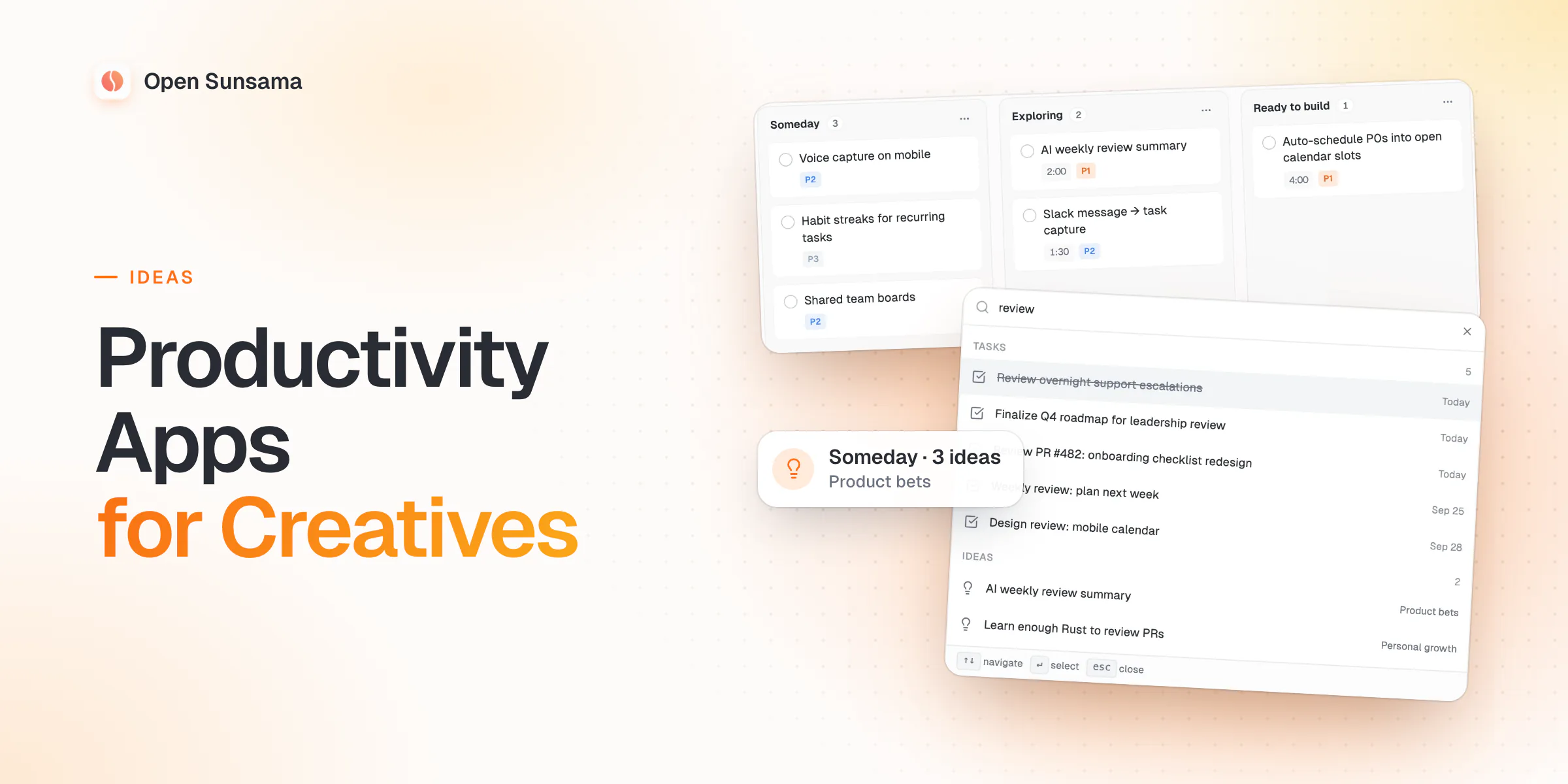
Most productivity apps feel like they were designed by accountants for accountants. Linear task lists. Rigid schedules. Checkbox after checkbox marching toward efficiency metrics that have nothing to do with how creative work actually happens.
If you're a designer, artist, musician, writer, or any kind of creative professional, you've probably felt this friction. The tools that promise to make you more productive often kill the very thing that makes your work valuable: creativity itself.
Creative work is non-linear. Ideas emerge at unexpected moments. Inspiration doesn't follow a Gantt chart. The best productivity app for creatives doesn't force your fluid, intuitive process into a corporate framework—it provides structure that supports creative flow while staying flexible enough to follow where inspiration leads.
In this guide, we'll compare the best productivity apps for creatives in 2026, explaining what makes each tool suitable for the artistic mind and helping you find the app that enhances your creative workflow rather than constraining it.
Why Creatives Struggle with Traditional Productivity Apps
Traditional productivity tools make assumptions that don't hold true for creative work.
The Non-Linear Nature of Creative Work
Most task managers assume work is sequential: Task A leads to Task B leads to Task C. But creative projects zigzag. You might be designing a logo, get inspired by a color combination, pivot to explore a completely different direction, circle back to your original concept with new insight, and end up somewhere neither you nor any task list predicted.
What creatives need: Flexible systems that accommodate pivots, tangents, and creative exploration without treating every change of direction as a failure to "stay on task."
Inspiration Capture vs. Task Completion
Ideas strike at inconvenient moments—in the shower, on a walk, at 2 AM. Traditional task managers are built for execution, not capture. By the time you've opened the app, navigated to the right project, and started typing, the flash of inspiration may have faded.
What creatives need: Frictionless capture that preserves ideas instantly, anywhere, in whatever form they arrive—text, voice, sketch, or screenshot.
Deep Work vs. Shallow Productivity
Creative work requires extended periods of uninterrupted focus. A designer entering "the zone" might need 2-3 hours before producing their best deep work. But productivity apps trained on corporate workflows optimize for task switching, notifications, and responsiveness—the exact opposite of deep creative focus.
What creatives need: Focus modes that protect creative time, hiding distractions and enabling immersive work sessions.
Visual Thinking vs. Text Lists
Many creatives think visually. A text-based to-do list doesn't match how they process information. Seeing projects as visual boards, timelines, or spatial arrangements makes more sense than scrolling through bullet points.
What creatives need: Visual interfaces—kanban boards, timelines, mind maps, or moodboard-style organization—that match how creative minds naturally think.
Client Work vs. Personal Projects
Professional creatives juggle competing demands: client work with deadlines and personal projects that feed the soul. Most productivity apps treat all tasks equally, but creative professionals need to balance billable work that pays the bills with personal projects that maintain creative vitality.
What creatives need: Project separation and intentional time allocation that ensures personal creative work doesn't always lose to client deadlines.
What Creatives Need in a Productivity App
Based on how creative professionals actually work, the ideal creative productivity tool includes:
1. Flexible Time Blocking
Not rigid scheduling, but flexible time blocking that lets you allocate chunks of time to creative work while accommodating the unpredictable nature of artistic flow. If inspiration strikes during a blocked "admin" hour, you should be able to pivot easily.
2. Visual Organization
Kanban boards, timelines, or spatial layouts that let you see projects at a glance. The ability to organize by project, client, or creative phase (brainstorm, draft, refine, deliver).
3. Focus Mode for Deep Work
A distraction-free mode that hides everything except your current work. When you're in creative flow, the last thing you need is a task list in the corner reminding you of everything else.
4. Quick Capture
Lightning-fast capture for ideas, references, and inspirations. Voice notes, image capture, or quick text entry that preserves creative sparks before they vanish.
5. Project Context
The ability to attach reference materials, mood boards, notes, and files to tasks. Creative work lives in context—a task like "finalize album artwork" needs access to sketches, color palettes, and client feedback.
6. Minimal Friction
Clean interfaces that don't overwhelm with features. The tool should feel like an extension of your creative process, not a separate administrative system you have to maintain.
7. Balancing Structure and Freedom
Enough structure to meet deadlines and manage client work, but enough freedom to follow creative tangents and explore unexpected directions.
Quick Comparison: Best Productivity Apps for Creatives
| App | Price | Visual Workflow | Focus Mode | Inspiration Capture | Flexibility | Best For |
|---|---|---|---|---|---|---|
| Open Sunsama | Open source | ✅ Kanban + Calendar | ✅ Excellent | ✅ Command palette | ✅ High | Flexible daily planning |
| Sunsama | $20/mo | ✅ Calendar view | ✅ Good | ⚠️ Basic | ✅ High | Intentional planning rituals |
| Notion | Free / $10/mo | ✅ Highly visual | ⚠️ Basic | ✅ Rich capture | ✅ Very high | Visual databases + notes |
| Milanote | Free / $13/mo | ✅ Visual boards | ⚠️ None | ✅ Excellent | ✅ Very high | Mood boards + brainstorming |
| Todoist | Free / $5/mo | ⚠️ List-based | ❌ None | ✅ Quick add | ⚠️ Medium | Simple task capture |
| Things 3 | $50 one-time | ✅ Beautiful | ⚠️ Basic | ✅ Quick entry | ✅ High | Elegant task management |
| Trello | Free / $5/mo | ✅ Kanban boards | ❌ None | ⚠️ Basic | ✅ High | Visual project boards |
| Bear | Free / $30/yr | ✅ Clean | ✅ Focus | ✅ Rich notes | ✅ High | Creative notes + tasks |
Let's examine each app in detail for creative professionals.
1. Open Sunsama – Flexible Planning for Creatives
Open source | Self-hostable | Works with any AI agent
Open Sunsama is an open-source daily planner that combines visual time blocking with a powerful focus mode—giving creatives the structure they need without sacrificing flexibility. Unlike rigid project management tools, Open Sunsama centers on one question: what are you creating today?
Why Open Sunsama Works for Creatives
Flexible Time Blocking: Creative work doesn't follow 30-minute meeting increments. Open Sunsama lets you block variable chunks of time—a 3-hour morning design session, a 90-minute afternoon brainstorm. Drag tasks to your calendar to create visual commitments, then easily reschedule when creative flow takes you in a different direction.
Focus Mode for Deep Creative Work: When it's time to create, click into any task to enter focus mode. The entire screen shows only your current creative task—title, notes, subtasks, and a timer. Everything else disappears. No notifications. No task list tempting you to switch. Just you and your creative work.
Kanban + Calendar View: See your projects visually on a kanban board, then schedule specific tasks to your calendar. This hybrid approach gives you the visual overview creatives prefer while enabling concrete time commitments.
Command Palette for Instant Capture (Cmd+K): Creative ideas don't wait. The command palette lets you capture tasks, ideas, and inspirations instantly without leaving what you're working on. A flash of inspiration becomes a captured task in seconds.
Task Rollover Without Guilt: Creative projects rarely finish when planned. Open Sunsama doesn't punish you with accumulating backlogs. Incomplete tasks roll over to tomorrow, giving you a fresh creative start each day.
Project Organization: Organize tasks by client, project, or creative endeavor. Filter to see only one project at a time, keeping your focus narrow when needed but your full portfolio visible when planning.
The Creative Workflow with Open Sunsama
-
Morning Planning (5 minutes): Open the app, review your creative projects and deadlines. Decide what you're working on today. Drag your main creative task to a generous time block during your peak creative hours.
-
Time-Blocked Creative Sessions: When your creative block arrives, enter focus mode. The timer tracks your session while you work undistracted. If inspiration strikes for a different project, capture it quickly and return to your current work.
-
Flexible Pivoting: Plans change, especially in creative work. Drag tasks to different times, extend blocks when you're in flow, or reschedule entirely. The system adapts to creative reality.
-
Client Work Balance: Schedule client deadlines and deliverables alongside personal creative projects. See at a glance whether you're over-committed to client work or have room for creative exploration.
-
End-of-Day Review: See what you accomplished. The visual satisfaction of completed creative sessions provides the feedback loop that keeps motivation high.
Why Open Source Matters for Creatives
Creative work is messy, and your tools should bend to it. Open Sunsama keeps the planning layer open:
- AI native: Claude, ChatGPT or any MCP client can plan your day and capture ideas as tasks
- Open source: The code is public—no dark patterns, no data harvesting, no surprise changes
- Self-hostable: Your creative workflow and project data stay yours
License
The code is open source under a non-commercial license. Personal use is covered; studios and other companies need a commercial license.
Get started: Create an Open Sunsama account
2. Sunsama – Intentional Planning Rituals for Creatives
Price: $20/month
Sunsama is the premium inspiration for Open Sunsama—a daily planner with guided planning rituals that help creatives be intentional about how they spend their time.
Why Sunsama Works for Creatives
Guided Daily Planning: Each morning, Sunsama walks you through a planning ritual. For creatives who struggle to prioritize between client work and personal projects, this external prompting ensures conscious decisions about where creative energy goes.
Intentional Time Budgeting: Sunsama encourages you to estimate how long tasks will take and shows when you've over-committed. This is valuable for creatives who chronically underestimate project time.
Calendar Integration: Sunsama pulls in calendar events and lets you see the full picture of your day—meetings, creative blocks, and tasks together.
Shutdown Ritual: At day's end, Sunsama guides you through review and next-day planning. This creates closure that helps creatives separate work from personal time.
Limitations for Creatives
- Expensive: At $20/month, it's a significant investment on top of other creative tools.
- Guided rituals can feel rigid: Some creatives prefer to plan quickly and dive into work. The guided process takes time.
- Less visual: Sunsama is more calendar-focused than visual board-focused.
Who It's Best For
Creatives who need external structure to be intentional about their time and have budget for a premium tool. The daily planning ritual genuinely helps those who struggle to balance competing creative demands.
3. Notion – Visual Creative Hub
Price: Free (limited) | $10/month (Plus)
Notion is a flexible workspace that can serve as a complete creative hub—project management, notes, reference libraries, and client databases in one visual system.
Why Notion Works for Creatives
Highly Visual Databases: Create visual databases for projects, clients, or creative ideas. Gallery views display project thumbnails. Kanban boards show project phases. The visual flexibility matches creative thinking.
Reference Libraries: Store inspiration images, color palettes, typography references, and mood boards alongside project tasks. Everything lives in context.
Customizable Workflows: Build workflows that match your creative process, not generic project management templates. Design studios, freelance artists, and content creators can all create Notion setups that fit their unique needs.
Templates and Databases: Create reusable templates for creative briefs, project kickoffs, or client onboarding. Databases can track clients, invoices, and project history.
Limitations for Creatives
- Complexity trap: Notion's flexibility means you can spend hours building systems instead of creating. The tool itself becomes a distraction.
- No dedicated focus mode: While you can work in a single page, there's no immersive focus mode that hides everything.
- Time blocking requires manual setup: No native calendar integration makes scheduling creative blocks clunky.
- Performance: Large Notion workspaces can become slow, frustrating creative flow.
Who It's Best For
Creatives who want their project management, notes, and reference materials in one place—and can resist the temptation to endlessly customize. Works best for studios or teams who benefit from shared workspaces.
4. Milanote – Visual Brainstorming for Creative Projects
Price: Free (limited) | $12.50/month (Pro)
Milanote is designed specifically for creative professionals—a visual tool for organizing projects, collecting inspiration, and brainstorming ideas.
Why Milanote Works for Creatives
Visual-First Design: Milanote's canvas-based interface feels more like a design tool than a task manager. Arrange images, notes, links, and tasks spatially—the way creative minds naturally organize ideas.
Mood Boards and Inspiration: Collect visual references, images, and inspiration in visual boards. Web clipper captures images and links from anywhere.
Creative Project Organization: Create boards for each project with phases, inspiration, drafts, and deliverables organized visually.
Collaboration: Share boards with clients for feedback or collaborate with team members on creative projects.
Limitations for Creatives
- Not a scheduler: Milanote is excellent for brainstorming and project organization but doesn't help you schedule when to do the work. No calendar integration or time blocking.
- Limited task management: Basic task lists exist, but Milanote isn't a full task manager with due dates, priorities, or progress tracking.
- Expensive: At $12.50/month, it's a premium price for what's primarily a visual organization tool.
- No focus mode: The visual richness is great for brainstorming but potentially distracting during execution.
Who It's Best For
Visual thinkers who need a tool for brainstorming, collecting inspiration, and organizing creative projects spatially. Works best when paired with a task manager like Open Sunsama for scheduling and execution.
5. Todoist – Simple Capture for Creative Ideas
Price: Free (limited) | $5/month (Pro)
Todoist is the world's most popular task manager—fast, simple, and available everywhere. For creatives, its primary value is lightning-fast capture.
Why Todoist Works for Creatives
Instant Capture Anywhere: When inspiration strikes, Todoist's quick-add captures it immediately. Natural language input means "Explore brutalist typography for album cover next week" becomes a dated task automatically.
Available Everywhere: Web, desktop, mobile, browser extension. Wherever you are when an idea strikes, Todoist is there.
Project Organization: Separate projects for different clients, creative endeavors, or project phases.
Filters and Labels: Create views like "Creative Ideas" or "Waiting for Client Feedback" to organize the creative workflow.
Limitations for Creatives
- Not visual: Todoist is list-based. No kanban boards, no visual timelines, no spatial organization.
- No time blocking: Todoist doesn't help you schedule creative sessions on your calendar.
- No focus mode: The full task list remains visible, tempting context switches.
- Can become overwhelming: Easy capture means easy accumulation. The inbox grows faster than you can process.
Who It's Best For
Creatives who need reliable, fast capture from anywhere. Works best as a capture tool paired with a visual planning tool like Open Sunsama or Milanote for organization and scheduling.
6. Things 3 – Beautiful Task Management
Price: $49.99 Mac | $19.99 iPad | $9.99 iPhone
Things 3 is consistently praised as the most beautifully designed task manager. For creatives who appreciate craft in their tools, this matters.
Why Things 3 Works for Creatives
Exceptional Design: Things 3 is gorgeous. The interface is clean, the interactions are delightful, and the attention to detail reflects the values of design-focused creatives.
Areas and Projects: Organize work into Areas (like "Client Work" and "Personal Art") containing Projects. This hierarchy matches how creatives structure their professional and personal creative lives.
Headings in Projects: Break projects into phases with headings—Brainstorm, Draft, Refine, Deliver. This mirrors creative project stages.
Today View: Focus on what you're doing today without the full project list competing for attention.
Quick Entry: Global keyboard shortcut captures tasks instantly without switching apps.
Limitations for Creatives
- Apple-only: No Windows, Android, or web access.
- One-time cost adds up: Mac, iPad, and iPhone apps are separate purchases totaling ~$80.
- No time blocking: Things 3 doesn't integrate with your calendar.
- Limited collaboration: Primarily a solo tool—no team features.
Who It's Best For
Apple-using creatives who appreciate beautiful software and want task management that feels as crafted as their own work. The design quality itself can motivate engagement with the tool.
7. Trello – Visual Kanban for Creative Projects
Price: Free (limited) | $5/month (Standard)
Trello pioneered visual kanban boards for project management. Its card-based interface is intuitive for creative workflows.
Why Trello Works for Creatives
Visual Kanban Boards: Organize projects as boards with columns for different stages—Ideas, In Progress, Review, Complete. Drag cards between columns as work progresses.
Card Attachments: Attach images, files, and links to cards. A creative brief card can include reference images, client feedback, and deadline information.
Power-Ups: Extend Trello with calendar views, automation, and integrations.
Free Tier Useful: The free tier includes unlimited personal boards, making it accessible for freelance creatives.
Limitations for Creatives
- No focus mode: Trello is always visual and interactive—no immersive execution mode.
- No time blocking: No calendar integration for scheduling creative sessions.
- Boards can become cluttered: Large projects with many cards become overwhelming rather than clarifying.
- Limited features on free tier: Power-Ups and advanced features require paid plans.
Who It's Best For
Creatives who think in project phases and want visual boards for organization. Works well for freelancers managing multiple client projects or creative teams collaborating on visual workflows.
8. Bear – Creative Notes with Lightweight Tasks
Price: Free (basic) | $29.99/year (Pro)
Bear is a beautiful note-taking app that blurs the line between notes and tasks—ideal for creatives whose work involves writing and idea development.
Why Bear Works for Creatives
Beautiful Writing Environment: Bear's clean, elegant interface makes writing pleasant. Multiple themes, focused writing mode, and typography that respects the craft.
Notes and Tasks Together: Use markdown checkboxes for tasks within notes. Your project notes, research, and tasks live in the same place.
Tagging System: Organize everything with nested tags. #client/project-name and #inspiration/typography keep creative work organized without rigid folders.
Markdown Native: Write in markdown that exports cleanly to any format—useful for creatives who write.
Limitations for Creatives
- Apple-only: No Windows, Android, or web access.
- Minimal task management: Bear handles checkboxes but lacks due dates, time blocking, or project management.
- Not visual: Despite its beauty, Bear is text-based—no visual boards or spatial organization.
- Limited to notes: Bear isn't designed for image-heavy creative work or reference management.
Who It's Best For
Apple-using creatives whose work involves significant writing—copywriters, content creators, authors. Works well for capturing ideas and writing projects, but needs a separate tool for visual work and time management.
Building a Creative Workflow
The best creative productivity system often combines multiple tools. Here's how to build a workflow that supports creative work.
Capture Layer: Fast Idea Recording
Choose one tool for capturing everything—Todoist for its speed, Bear for notes, or Open Sunsama's command palette. The key is minimal friction: when inspiration strikes, you can record it in seconds.
Organization Layer: Visual Project Management
Use a visual tool like Milanote for mood boards and brainstorming, Notion for comprehensive project databases, or Trello for kanban workflow tracking. This layer organizes creative work spatially.
Execution Layer: Focused Daily Planning
Use Open Sunsama or Sunsama for daily planning and time blocking. This layer answers "what am I creating today and when?" and provides focus mode for distraction-free execution.
Example Creative Stack
Minimal Setup:
- Open Sunsama for daily planning, time blocking, and focus mode—handles capture, organization, and execution in one tool
Visual-Heavy Setup:
- Milanote or Notion for visual project organization and reference libraries
- Open Sunsama for daily scheduling and focus execution
Writing-Focused Setup:
- Bear for notes and writing
- Open Sunsama for daily planning and time blocking
Balancing Client Work and Personal Projects
Professional creatives face a constant tension: client work pays the bills but can crowd out personal creative projects that maintain artistic vitality.
Time Blocking for Balance
Use your planner to explicitly block time for personal projects. If it's not on the calendar, it won't happen. Schedule personal creative time as seriously as client deadlines.
Separate but Visible
Organize client work and personal projects separately, but keep both visible in your weekly view. This prevents client work from invisibly consuming all available time.
Protect Creative Exploration
Personal projects often feel "optional" compared to client deadlines. But creative exploration feeds the skills and inspiration that make client work better. Protect it accordingly.
The 70/30 Rule
Consider allocating 70% of creative time to paid client work and 30% to personal projects. Adjust based on financial needs, but avoid 100% client work—burnout and creative stagnation follow.
Use Focus Mode for Both
When working on personal projects, give them the same focused attention you give paying clients. Enter focus mode. Block distractions. Treat your own creative work with the same respect you give client work.
Frequently Asked Questions
What is the best productivity app for creatives?
Open Sunsama is our top recommendation for creatives because it combines visual time blocking, a powerful focus mode for deep creative work, and flexible daily planning. Unlike rigid project management tools, Open Sunsama adapts to the non-linear nature of creative work, letting you reschedule easily when inspiration takes you in unexpected directions. For creatives who need visual brainstorming, pairing Open Sunsama with Milanote or Notion creates a complete workflow.
What productivity tools do professional designers use?
Professional designers typically use a combination: a design tool (Figma, Adobe Creative Cloud), a visual organization tool (Milanote, Notion, or Miro for brainstorming), and a daily planner (Open Sunsama, Sunsama) for scheduling creative sessions. The key is separating creative execution tools from planning tools, so planning doesn't interrupt design flow.
How do I manage creative projects with deadlines?
Use time blocking to work backward from deadlines. Break the project into phases (concept, draft, refinement, delivery), estimate time for each phase, and block that time on your calendar. Open Sunsama's visual time blocking makes this process tangible—you can see whether you have enough time or are overcommitted. Build in buffer time; creative work takes longer than expected.
What productivity app works best for artists?
Open Sunsama includes visual time blocking, focus mode for deep work, kanban organization, and quick capture in one app. For visual brainstorming, Milanote and Notion offer useful free tiers, and Trello's free tier supports basic kanban project management.
How do I stay focused during creative work?
Use a productivity app with a dedicated focus mode like Open Sunsama that hides everything except your current task. Additionally: schedule creative work during your peak energy hours, work in longer blocks (90+ minutes) to reach creative flow, silence notifications, and consider website blockers for persistent distractions. The focus mode timer also creates gentle accountability for staying on task.
Should creatives use project management apps like Asana or Monday?
Generally, no. Enterprise project management tools are designed for teams with complex workflows, dependencies, and approvals. Freelance creatives and small studios typically find this overhead excessive. The time spent maintaining the system could be spent creating. Simpler tools like Open Sunsama, Things 3, or Trello provide enough structure without enterprise complexity.
How do I capture creative inspiration without losing focus?
Use a tool with instant capture like Open Sunsama's command palette (Cmd+K) or Todoist's quick-add. When inspiration strikes, capture it in under 5 seconds—just the core idea—then immediately return to your current work. Process captured ideas later during your planning time, not during creative execution. The goal is preserving the spark without breaking flow.
What's the best way to balance client work and personal projects?
Explicitly time block both types of work. Use your daily planner to schedule personal creative time as seriously as client deadlines—if it's not on the calendar, it won't happen. Consider a 70/30 split (client/personal) as a starting point. Organize projects separately but keep both visible, so client work doesn't invisibly consume all available time. Use focus mode for personal projects with the same dedication you give paying clients. (If you're freelancing, see best task management apps for freelancers for more client management tips.)
How do visual thinkers organize tasks?
Visual thinkers benefit from spatial organization: kanban boards (Trello, Open Sunsama's board view), visual databases (Notion), mood board tools (Milanote), or timeline views (calendar-based planners). The key is seeing tasks and projects laid out visually rather than in text lists. Open Sunsama's combination of kanban board and calendar view gives visual thinkers both project overview and time-based planning.
Conclusion: Open Sunsama for Creative Freedom
Creative work demands different tools than corporate productivity. The best productivity app for creatives provides structure for meeting deadlines while preserving the flexibility that creative flow requires.
After reviewing the options, Open Sunsama stands out as the ideal choice for creative professionals:
- Flexible time blocking lets you schedule creative sessions while easily adapting when inspiration takes you elsewhere
- Focus mode provides distraction-free immersion for deep creative work
- Kanban + calendar views give visual thinkers the spatial organization they prefer
- Command palette captures ideas instantly without breaking creative flow
- Task rollover forgives imperfect creative days without accumulating guilt
- Project organization keeps client work and personal projects separate but visible
- AI native lets Claude, ChatGPT or any MCP client plan and update your day
- Open source guarantees no dark patterns or unexpected changes
For visual brainstorming and mood boards, pair Open Sunsama with Milanote or Notion. For beautiful writing, add Bear. But for the daily planning that ensures creative work actually happens—protected time, focused execution, flexible scheduling—Open Sunsama delivers what creatives need without charging for it.
Your creativity isn't a bug to be fixed with corporate productivity hacks. It's your superpower. The right tool supports that creativity rather than constraining it. With time blocking that adapts to your workflow and a command palette for instant capture, you can protect your creative flow.
Ready to protect your creative time with flexible, focused planning? Get started with Open Sunsama and discover time blocking that adapts to how creatives actually work.