Best Productivity Apps for ADHD in 2026: 8 Planners That Stick
The best productivity and planner apps for ADHD in 2026: Open Sunsama, Tiimo, Structured, Sunsama, Motion and more, compared on time blindness, rollover and focus.
Open Sunsama Team · · Updated · 10 min read
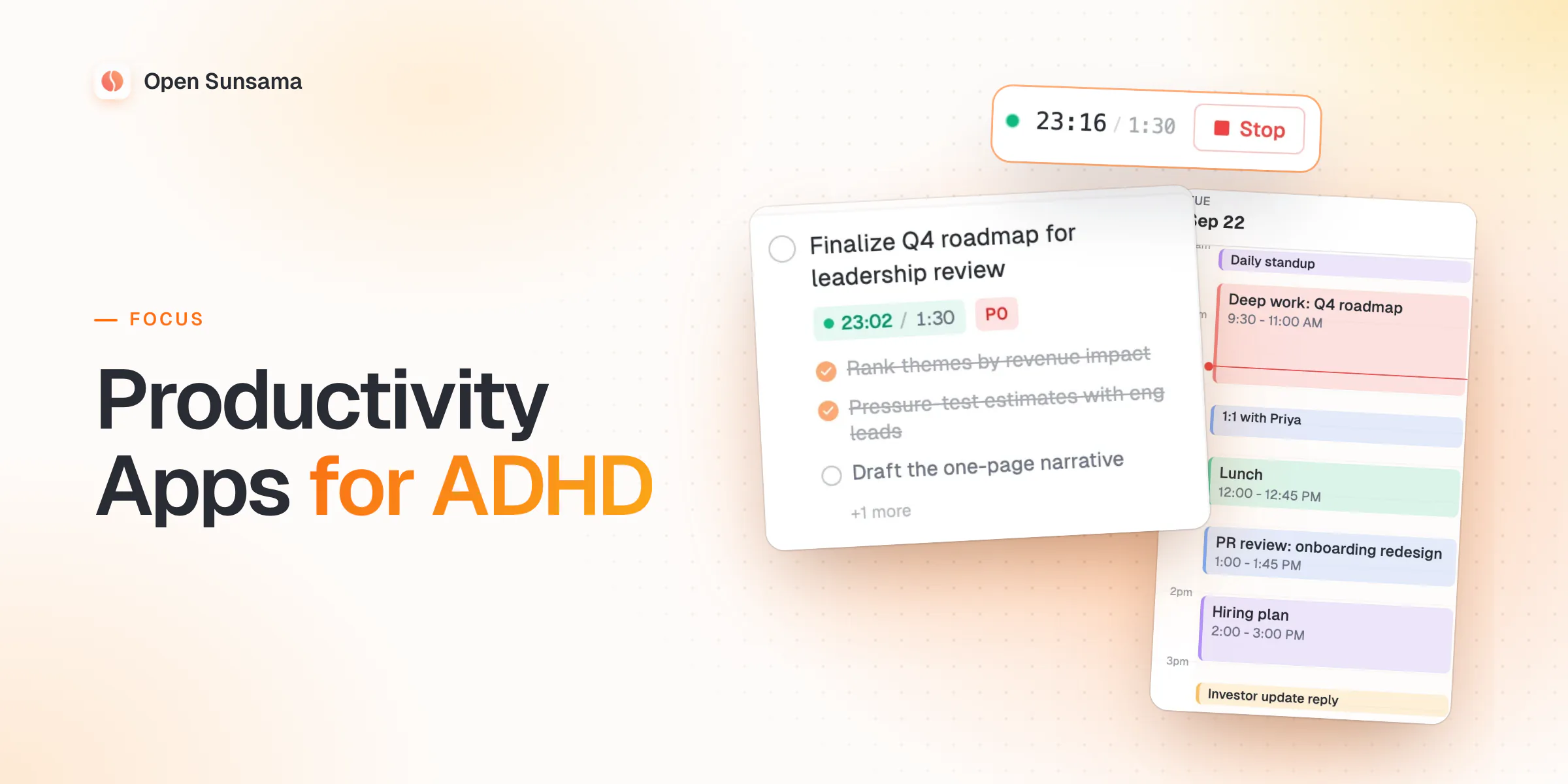
The best productivity app for ADHD for most people in 2026 is Open Sunsama. It puts your tasks and meetings in one view, so time stops hiding. Unfinished tasks roll over without guilt, and any AI agent can turn a messy brain dump into a plan through its 47 MCP tools.
If you want a colorful visual timeline on your phone, pick Tiimo or Structured. We build Open Sunsama, so we put it first — here is why, and where others fit better.
This guide is about apps, not treatment. If ADHD is getting in the way of your life, talk to a doctor too.
Key takeaways
- Best overall: Open Sunsama. Tasks and calendar together, gentle rollover, a focus timer, and any AI agent to plan with you.
- Best visual timeline for ADHD: Tiimo. A color-coded day built for ADHD and autism, with an AI co-planner.
- Best simple timeline: Structured. Your day as one clean timeline on your phone.
- Best guided daily ritual: Sunsama. A morning plan, drafted by its Autoplan agent, that warns you when the day won't fit.
- Best if deciding drains you: Motion. AI picks what you do and when.
- Best for tinkerers: Amazing Marvin. Turn features on and off until it fits your brain.
What does an ADHD brain need from a planner app?
People with ADHD tend to abandon apps for the same few reasons. One Reddit user put it plainly: they "spent hours setting up elaborate systems I abandoned in two weeks" (r/ProductivityApps).
So we looked for apps that do these five things:
- Beat time blindness. Tasks sit on a timeline next to your meetings, with estimates.
- Stop the overload. You can see when today is too full before you start.
- Forgive a bad day. Unfinished tasks roll over quietly, with no wall of red.
- Need little setup. A first plan in a few minutes, with no system to babysit.
- Pull you out of hyperfocus. Timers and reminders that tell you time is passing.
How do the best ADHD planner apps compare?
| App | Best for | Timeline | Rollover | Focus timer | AI help | Platforms | Price (Nov 2026) |
|---|---|---|---|---|---|---|---|
| Open Sunsama | Best overall | Calendar time blocks | Yes, automatic | Yes | Any agent over MCP | Web, Mac, Windows, Linux; early Android and iOS test builds | Hosted app, or self-host for personal use |
| Tiimo | Visual timeline for ADHD | Color-coded day | Drag tasks to new times | Yes | AI Co-Planner | iPhone, iPad, Watch, Android, web | Free version; Pro (7-day trial) |
| Structured | Simple timeline | Vertical timeline | Replan (Pro) | Pomodoro, interval timers | Structured AI (Pro) | iPhone, iPad, Mac, Android, web | Free tier; Pro $29.99/yr (US) |
| Sunsama | Guided daily ritual | Calendar time blocks | Yes, then auto-archive | Yes | Sunny, Autoplan, official MCP | All platforms | $17/mo yearly, $22 monthly |
| Motion | Hands-off scheduling | AI-built calendar | AI reschedules | No | AI calendar and chat | Web, desktop, iOS, Android | Pro AI from $19/seat/mo |
| Amazing Marvin | Custom setups | Time blocks | Yes | Yes | None found | Web, Mac, Windows, iOS, Android | $96/yr ($8/mo) |
| TickTick | Tasks, habits, timer | Timeline view | Overdue list | Pomodoro | Official MCP | Phone, computer, watch | Free tier; Premium $49.99/yr |
| Todoist | Quick brain dumps | Calendar layout (Pro) | Overdue list | No | Todoist Assist, official MCP | All major platforms | Free tier; Pro $5/mo yearly |
Prices and features come from each vendor's site and App Store page, checked on 23 November 2026.
How did we compare these ADHD apps?
In November 2026 we checked each app's website, pricing page, help docs and App Store page. We judged each one on the five needs above.
We also read Reddit threads in r/ADHD, r/productivity and r/ProductivityApps, where people describe what made an app stick or fail. Quotes link to the original comment.
We did not run long trials of every app. We build and use Open Sunsama every day.
1. Open Sunsama: the best productivity app for ADHD overall
Verdict: the best pick for most people with ADHD. You see the real shape of your day, and a bad day doesn't break the system.
Best for: people who overload their day, lose track of time, and drop apps that need upkeep.
What it does well:
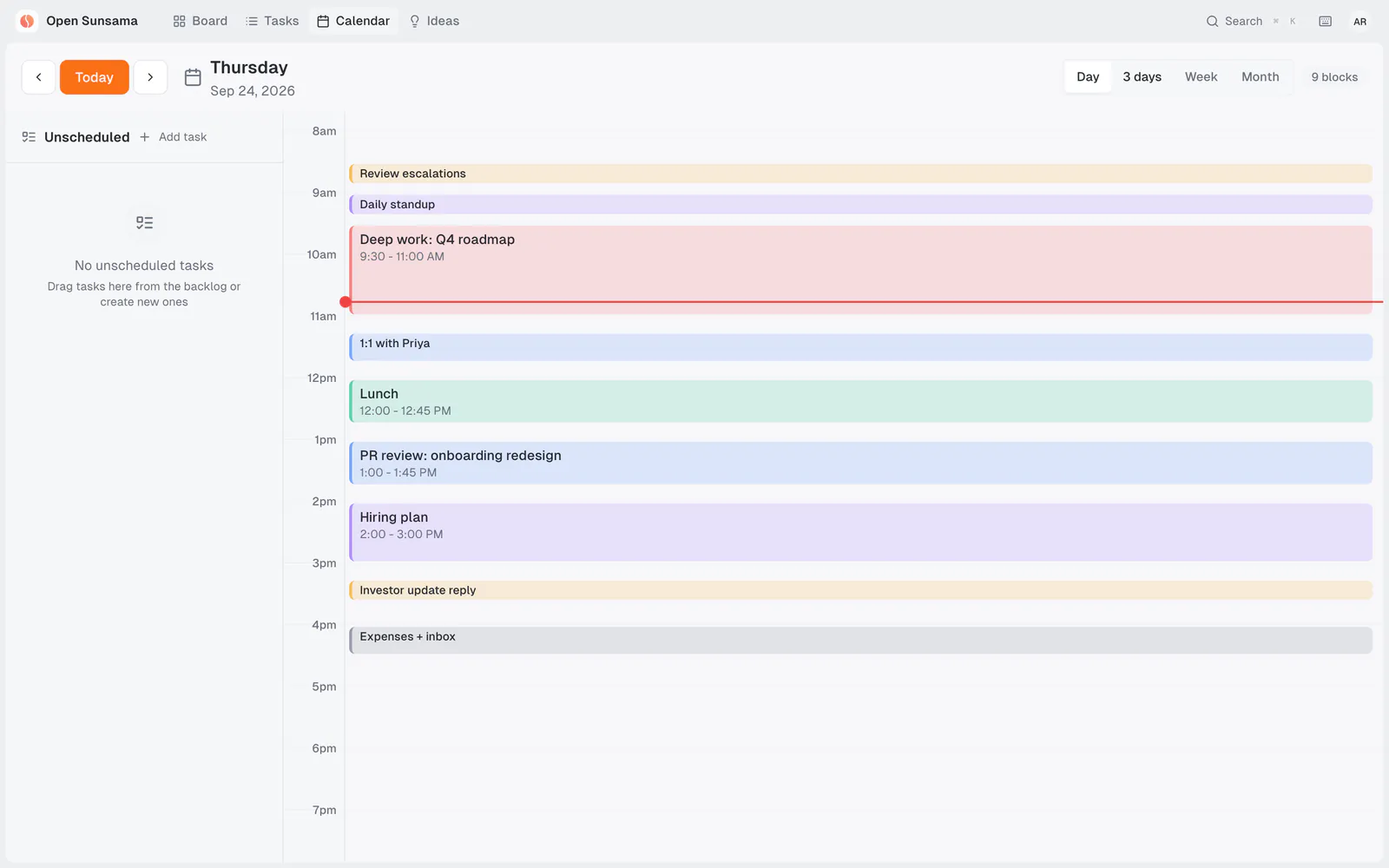
- Time stops hiding. Drag a task onto the calendar next to your meetings and resize it. Blocks sync with Google, Outlook and iCloud.
- Rollover with no guilt. Unfinished tasks move to tomorrow on their own. Old ones can wait in the backlog, out of sight but not lost.
- Planned vs actual. Add an estimate, then the focus timer shows how long it really took. Over time, you learn what fits.
- Brain dump to plan. Ask Claude or ChatGPT to sort a brain dump into today's tasks. Over MCP it can also put them on your calendar around your meetings.
- Little to set up. A board of days: Today, Tomorrow and a backlog. Reminders tell you when a block starts.
Where it falls short: the phone app is early: an Android APK and an iOS TestFlight build, not in the app stores yet. There is no guided morning ritual and no auto-scheduler; the AI plans only when you ask.
Pick it if you want a calm, realistic day you can recover from. You can download the desktop apps or read our ADHD page.
2. Tiimo: best visual timeline for ADHD
Verdict: built for ADHD and autism from the start. Your day becomes a color-coded visual schedule.
Best for: visual thinkers who plan on their phone.
What it does well: you drag tasks around a visual timeline, with a focus countdown timer and routines. Its AI Co-Planner splits a brain dump into steps and estimates how long each takes, which helps with time blindness.
Where it falls short: AI task breakdown is a Pro feature, and Tiimo's site doesn't list Pro prices. We found no API or MCP server.
Pick it if you want a gentle, visual day on your phone.
3. Structured: best simple timeline
Verdict: the clearest one-screen view of your day, on iPhone, Android or Mac.
Best for: people who want tasks and events in one vertical line.
What it does well: a timeline you read at a glance. Pro adds Structured AI, Replan for missed tasks and recurring routines.
Where it falls short: calendar import needs Pro and is one-way. There is no Windows app.
Pick it if a simple timeline is all you need. See Structured vs Sunsama.
4. Sunsama: best guided daily ritual
Verdict: a calm morning plan that keeps you from overcommitting.
Best for: people who keep adding tasks until they burn out.
What it does well: Sunsama totals your estimates and warns you when the day won't fit. One Reddit user called it "the biggest game-changer for me" after medication (r/productivity). Tasks roll over at midnight.
Its new Autoplan agent, in beta, drafts the day from a short brain dump, which cuts the setup work.
Where it falls short: some users say they lack control of their plan away from a computer. Tasks that roll over many days get archived. There is no free plan.
Pick it if a short daily ritual helps you. Read our Sunsama review.
5. Motion: best if deciding drains you
Verdict: the most hands-off app. Motion decides what to do next.
Best for: people for whom choosing the next task is the hardest part.
What it does well: add tasks with deadlines and Motion builds your day. A Hacker News user said it felt like putting on mental glasses.
Where it falls short: after a rough week, you may open it to "a wall of stuff". That is how one Reddit user put it. AI features use monthly credits, and there is no free plan.
Pick it if you would rather follow a plan than make one. See Motion vs Sunsama.
6. Amazing Marvin: best for tinkerers
Verdict: a task app you shape to your brain, one feature at a time.
Best for: people who know what helps them and want to switch it on.
What it does well: you turn features on and off as you need them. It has time blocking and two-way calendar sync with Google and others. It has a public API.
Where it falls short: all those choices can become their own project. There is no free plan, only a 14-day trial.
Pick it if you enjoy building your own system.
7. TickTick: best for tasks, habits and a timer
Verdict: one app for lists, habits and focus sessions.
Best for: people who want fewer apps open.
What it does well: a timeline view, a Pomodoro timer and a habit tracker sit next to your lists. It has an official MCP server and a free tier.
Where it falls short: it is a list app first. Overdue tasks pile up unless you clear them.
Pick it if you want tasks and habits in one place. See TickTick vs Sunsama.
8. Todoist: best for quick brain dumps
Verdict: the fastest way to get tasks out of your head.
Best for: capturing tasks the moment you think of them.
What it does well: natural-language quick add, and Ramble lets you speak tasks in. It has an official MCP server, so an AI can sort your list.
Where it falls short: it doesn't show whether today fits. The calendar layout needs Pro.
Pick it if capture is your main problem. Pair it with a planner for the day.
What daily plan works with ADHD?
Whatever app you choose, this five-step routine keeps the day small and forgiving:
- Brain dump everything into the backlog. Don't sort yet.
- Pick three tasks for today. Only three.
- Estimate each one, then add half again. Most of us underestimate.
- Block time for them between meetings, with breaks.
- Shut down at the end of the day. Let the rest roll over, guilt-free.
When a week falls apart, ask your AI to help you reset. "I fell behind all week, help me pick three things for today" is a good start.
Which ADHD app should you pick?
For most people: Open Sunsama. You see your real day, recover from bad ones, and let an AI do the sorting.
- If you think in colors and pictures, pick Tiimo.
- If you want one simple timeline on your phone, pick Structured.
- If a morning ritual keeps you on track, pick Sunsama.
- If choosing the next task drains you, pick Motion.
- If you love to tweak your system, pick Amazing Marvin.
Which guides should you read next?
- Why can't I stick to a schedule?
- Why do I feel overwhelmed?
- Best daily planner apps, compared.
- Plan your day with Claude in Open Sunsama.
Frequently asked questions
What is the best productivity app for ADHD?
Open Sunsama is our pick for most people with ADHD. It shows your tasks and meetings together, rolls unfinished tasks over without guilt, and lets an AI agent turn a brain dump into a plan. Tiimo and Structured are best for a visual timeline on your phone.
What is the best ADHD planner app for time blindness?
Pick an app that puts tasks on a timeline next to your meetings and tracks planned vs actual time. Open Sunsama, Sunsama, Structured and Tiimo all do this in different ways.
Is Motion good for ADHD?
It can be, if deciding what to do next drains you. Motion plans your day for you. Some users with ADHD dislike opening the app to a full day it chose for them after a rough week.
Is there a free ADHD planner app?
Tiimo, Structured, TickTick and Todoist all have free versions with limits. Sunsama, Motion and Amazing Marvin have trials only.
Can AI help with ADHD planning?
Yes. Tiimo's Co-Planner and Sunsama's Autoplan turn a brain dump into a plan inside the app. You can also paste a brain dump into Claude or ChatGPT; with Open Sunsama's MCP server, the AI puts that plan on your calendar around your meetings.
How do I stick with a planner app when I have ADHD?
Pick one with almost no setup, plan only three to five tasks a day, and let unfinished tasks roll over. Apps you have to babysit tend to get dropped in a couple of weeks.