Best Pomodoro Apps with Task Management in 2026
Top Pomodoro apps that include task management. Compare focus timers with built-in todo lists and time blocking.
Open Sunsama Team · · Updated · 12 min read
The Pomodoro Technique has helped millions of people focus better since Francesco Cirillo invented it in the late 1980s. The concept is deceptively simple: work for 25 minutes, take a 5-minute break, repeat. After four cycles, take a longer 15-30 minute break.
But here's the problem most Pomodoro apps ignore: a timer alone doesn't tell you what to work on.
You can run perfect 25-minute focus sessions all day, but if you're constantly switching between tasks or wondering what to tackle next, you're losing the productivity gains the technique promises. The real power of Pomodoro emerges when it's combined with intentional task management—knowing exactly what you'll accomplish in each session before the timer starts.
In this guide, we'll compare the best Pomodoro apps with task management features in 2026. These aren't just timers; they're complete productivity systems that combine focused work sessions with task planning, tracking, and organization.
Why Combine Pomodoro with Task Management?
The Pomodoro Technique addresses how you work—structured intervals with built-in recovery. But it doesn't answer the equally important question of what you should work on during those intervals.
When Pomodoro and task management work together, you get:
Clear Intention: Each 25-minute session has a specific purpose. You're not just "working"—you're writing the quarterly report, fixing the authentication bug, or reviewing the design mockups.
Realistic Planning: If a task takes 4 Pomodoros, you can plan your day accordingly. Task management gives you visibility into scope; Pomodoro gives you the measurement unit.
Progress Tracking: See how many Pomodoros each task actually required. This data helps you estimate more accurately over time.
Reduced Decision Fatigue: When the timer ends and you're ready for the next session, your task list tells you exactly what's next. No energy wasted deciding.
Accomplishment Records: At the end of the day, you see completed tasks and total focused time—concrete evidence of productivity rather than just "being busy."
The best Pomodoro apps recognize this synergy and build task management directly into the focus experience.
Quick Comparison: Best Pomodoro Apps with Task Management
| App | Price | Timer | Tasks | Time Blocking | Best For |
|---|---|---|---|---|---|
| Open Sunsama | Open source | ✅ Focus mode | ✅ Full planning | ✅ Calendar integration | Comprehensive workflow |
| TickTick | Free / $35.99/yr | ✅ Built-in Pomodoro | ✅ Full task manager | ⚠️ Basic | Pomodoro in task app |
| Pomofocus | Free | ✅ Classic Pomodoro | ⚠️ Basic to-do | ❌ None | Simple and free |
| Forest | $3.99 | ✅ Gamified | ⚠️ Tags only | ❌ None | Mobile gamification |
| Be Focused | Free / $4.99 | ✅ Pomodoro | ⚠️ Basic list | ❌ None | Mac/iOS simplicity |
| Focus To-Do | Free / $27.99/yr | ✅ Pomodoro | ✅ Full tasks | ⚠️ Basic | Pomodoro-first approach |
| Marinara Timer | Free | ✅ Basic Pomodoro | ❌ None | ❌ None | Browser-based and free |
| Centered | $14.99/mo | ✅ AI-coached | ⚠️ Basic | ⚠️ Basic | AI focus coaching |
Now let's examine each tool in detail.
1. Open Sunsama – Focus Mode with Time Blocking
Open source | Self-hostable | Works with any AI agent
Open Sunsama approaches productivity differently than traditional Pomodoro apps. Rather than starting with a timer and adding tasks as an afterthought, it starts with your daily plan and integrates focus sessions as the execution layer.
The Pomodoro + Time Blocking Approach
Open Sunsama's focus mode isn't strictly Pomodoro—it's flexible interval timing that works with your natural work rhythms. But it excels precisely where standalone Pomodoro apps fail: connecting focused work to meaningful task completion.
How It Works:
- Start your day by planning tasks in the kanban board
- Drag tasks to your calendar to create time blocks (e.g., 2 hours for "Write blog post")
- When the time arrives, click into the task and activate focus mode
- A timer runs while you work, tracking actual time against your estimate
- Mark the task complete, and your accomplishments are recorded
Why It's Different from Traditional Pomodoro
Instead of rigid 25-minute cycles, Open Sunsama lets you set time blocks based on task complexity. A quick email draft might get 30 minutes; a complex coding task might get 2 hours. The focus mode adapts to your work rather than forcing your work into arbitrary intervals.
For Pomodoro purists, you can absolutely use 25-minute time blocks and take breaks between sessions. The flexibility is the point—the system supports multiple work styles.
Key Features for Focused Work
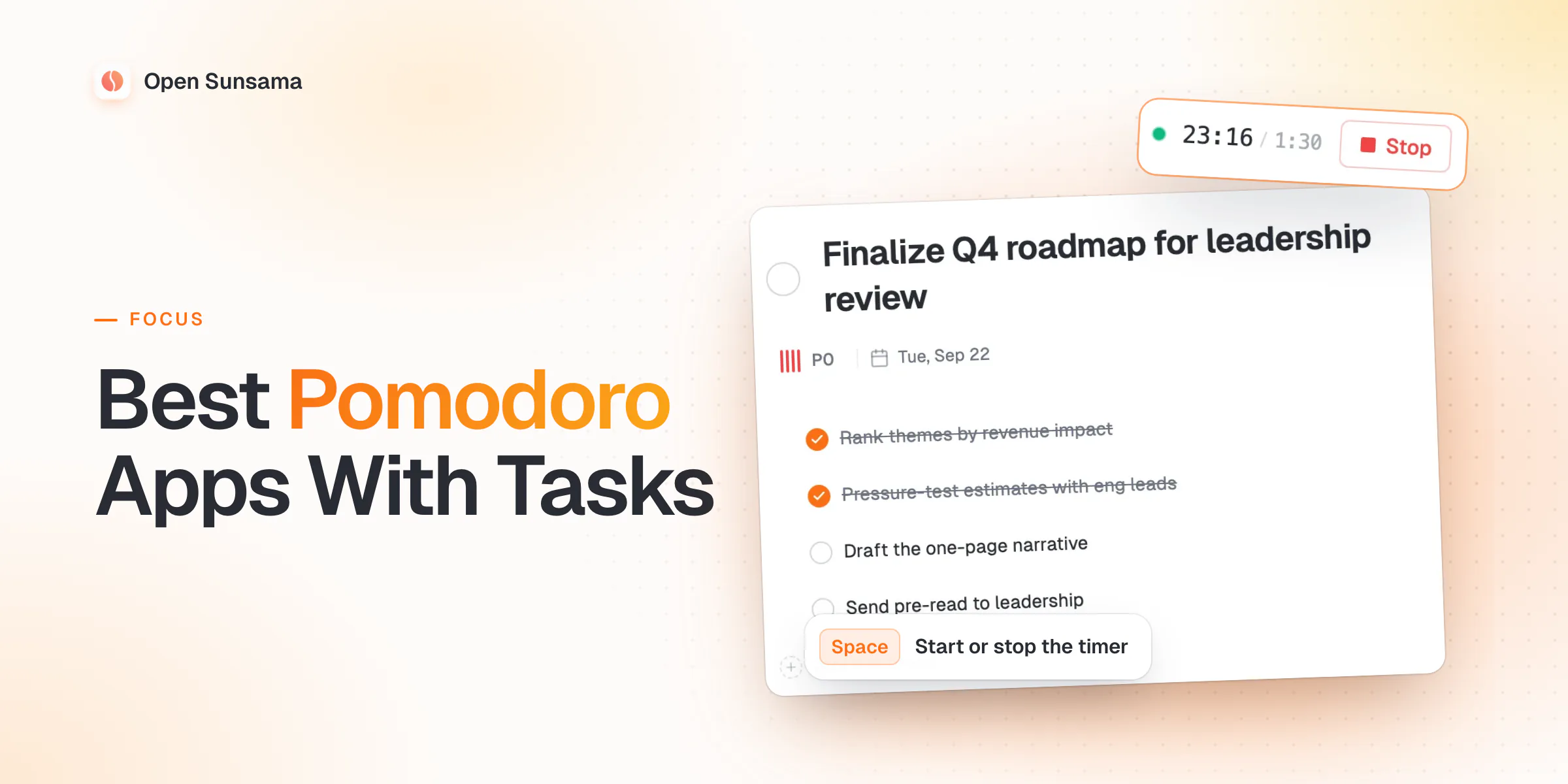
Task-Centric Focus Mode: When you enter focus mode, your selected task expands to fill the screen. You see the title, any notes you've added, subtasks to track progress, and your running timer. Everything you need is visible; everything else disappears.
Time Blocking Integration: Plan your Pomodoro sessions in advance by blocking calendar time. The visual timeline shows your day's structure, and you can adjust blocks as reality diverges from plan.
Command Palette (Cmd+K): Start focus mode, switch tasks, complete work, or end sessions without touching your mouse. For keyboard-driven productivity, this eliminates friction.
Open Source and AI Native: The code is public under a non-commercial license, and any AI agent (Claude, ChatGPT, Cursor or any MCP client) can start your focus block or plan your day.
Get started: Create an Open Sunsama account
2. TickTick – Best Built-in Pomodoro in a Task Manager
Price: Free (limited) | $35.99/year (Premium)
TickTick flips the script—instead of a Pomodoro app adding tasks, it's a full-featured task manager that added Pomodoro. The result is one of the most seamless integrations of timer and tasks available.
Key Features
Native Pomodoro Timer: Start a Pomodoro session directly from any task with one tap. The timer runs in the background while you work, and completed sessions are logged against the task.
Full Task Management: TickTick is a legitimate task manager with lists, tags, priorities, due dates, recurring tasks, and natural language input. It's not a timer with a to-do list bolted on.
Pomo Statistics: Track your daily, weekly, and monthly Pomodoro counts. See which tasks consumed the most focus time and identify patterns in your productivity.
Habit Tracking: Build streaks for your Pomodoro practice alongside other habits you're developing.
Cross-Platform: Works on iOS, Android, macOS, Windows, web, and browser extensions. Your Pomodoros and tasks sync everywhere.
Limitations
- Premium required for all features: The free tier limits Pomodoro stats and some task features
- No time blocking: Calendar integration exists but isn't as robust as dedicated time-blocking apps
- Can feel overwhelming: TickTick has a lot of features; simpler tools might suit minimalists better
Who It's Best For
People who want one app for both task management and Pomodoro timing. TickTick is particularly strong for those who already use it for tasks and want to add Pomodoro without switching apps.
3. Pomofocus – Best Free Web-Based Pomodoro
Price: Free | Premium $4.99/month
Pomofocus is the web-based Pomodoro timer that millions use daily. It's simple, accessible from any browser, and gets the core technique right without overcomplicating things.
Key Features
Classic Pomodoro Implementation: 25-minute work sessions, 5-minute short breaks, 15-minute long breaks after four cycles. Customize intervals if the defaults don't suit you.
Basic Task List: Add tasks and assign estimated Pomodoros. Check them off as you complete sessions. It's rudimentary but functional.
Clean Interface: No visual clutter, no complex features to learn. Open the site and start timing immediately.
Audio and Visual Alerts: Customizable sounds for session end, plus browser notifications. The tab title shows remaining time when you're in another window.
Free Tier is Complete: The core Pomodoro functionality is entirely free. Premium adds themes, reports, and integrations.
Limitations
- Minimal task management: You can't set priorities, due dates, or organize tasks beyond a simple list
- No calendar integration: Can't plan your Pomodoros against your schedule
- Web-only: No native mobile app; the mobile experience is browser-based
- No offline support: Requires internet connection
Who It's Best For
People who want a dead-simple Pomodoro timer accessible from any browser. Pomofocus excels when you already have a task management system and just need a timer to overlay on top.
4. Forest – Best Gamified Pomodoro Experience
Price: $3.99 one-time (iOS/Android) | Free Chrome extension
Forest turns Pomodoro into a game. Start a focus session, and you plant a virtual tree. Stay focused, and it grows. Pick up your phone, and the tree dies. Over time, you cultivate a forest that represents your focus history.
Key Features
Gamification That Works: The tree metaphor creates emotional stakes. Users consistently report that "not wanting to kill my tree" is surprisingly effective motivation.
Real Tree Planting: Earn virtual coins through focus sessions and spend them to plant actual trees through Forest's partnership with Trees for the Future.
Focus Sessions as Tasks: While Forest isn't a task manager, you can tag sessions with different categories (work, study, personal) and track time by category.
Friends and Competition: Challenge friends to focus sessions and see who builds the larger forest. Social accountability adds another motivation layer.
Beautiful Visualization: Your forest becomes a gorgeous record of focused time across weeks and months.
Limitations
- Phone-centric: The core experience is preventing phone use, not desktop distractions
- Minimal task management: Tags aren't tasks; there's no list of what you should be working on
- No time blocking or calendar: Focus sessions are unplanned
- Gamification isn't for everyone: Some users find the trees gimmicky rather than motivating
Who It's Best For
Mobile users whose primary distraction is their phone, especially students and younger professionals who respond well to gamification. Less effective for desktop-heavy knowledge workers.
5. Be Focused – Best Simple Pomodoro for Apple Users
Price: Free (basic) | $4.99 one-time (Pro) | macOS and iOS
Be Focused is a straightforward Pomodoro app that does one thing well. It's been refined over years to be the timer Apple users reach for when they need focus without complexity.
Key Features
Classic Pomodoro Timer: Customizable work intervals, short breaks, and long breaks. Sensible defaults work out of the box.
Basic Task Tracking: Associate tasks with Pomodoro sessions and see which items consumed your focus time.
Menu Bar Integration: On macOS, control everything from the menu bar without switching windows. Start sessions, see remaining time, and log tasks without leaving your work.
Apple Watch Support: Start and monitor Pomodoros from your wrist in the Pro version.
Statistics: Track your focus sessions over time with simple but useful charts.
Limitations
- Apple ecosystem only: No Android or Windows versions
- Basic task features: The task list is rudimentary—no priorities, due dates, or organization
- No calendar integration: Can't plan Pomodoros against your schedule
- No distraction blocking: It's just a timer; it won't stop you from opening social media
Who It's Best For
Apple users who want a simple, polished Pomodoro timer without extra complexity. Works well paired with a separate task management tool.
6. Focus To-Do – Best Pomodoro-First Task Manager
Price: Free (limited) | $27.99/year (Premium)
Focus To-Do starts with Pomodoro and builds task management around it. Unlike TickTick, which added Pomodoro to tasks, Focus To-Do treats the timer as primary.
Key Features
Pomodoro at the Core: Every task has Pomodoro integration by default. Estimated Pomodoros, actual Pomodoros, and focus statistics are central to the experience.
Full Task Features: Lists, projects, due dates, reminders, and recurring tasks. It's a complete task manager, not just a list.
White Noise and Ambient Sound: Built-in sounds to help concentration—rain, coffee shop, ocean waves.
Detailed Statistics: Visualize your focus patterns with charts showing Pomodoros by day, week, and task category.
Cross-Platform: iOS, Android, macOS, Windows, and web. Syncs across all devices.
Limitations
- Interface can feel cluttered: Trying to do both Pomodoro and task management creates a busy UI
- Premium required for sync: Free tier is device-locked
- Less polished than specialists: It's good at both tasks and Pomodoro but not best-in-class at either
Who It's Best For
People who want tight Pomodoro/task integration and don't mind a tool that does both adequately rather than one thing exceptionally. The Pomodoro-first design philosophy suits those who think in terms of focus sessions.
7. Marinara Timer – Best Free No-Frills Pomodoro
Price: Free forever | Browser-based
Marinara Timer is pure simplicity—a browser-based Pomodoro timer with no account required, no premium tier, and no complexity.
Key Features
Instant Start: Open the website and click start. No signup, no configuration, no friction.
Shareable Timers: Create a timer URL and share with coworkers for synchronized group Pomodoro sessions.
Three Preset Modes: Pomodoro (25/5), Custom (configure your own), and Kitchen (simple countdown). Choose what fits.
Audio Alerts: Clear notifications when sessions end.
Limitations
- No task management at all: This is purely a timer; bring your own task list
- No tracking or statistics: Sessions aren't logged; there's no history
- Basic feature set: Does exactly what it says and nothing more
- Browser-dependent: Must keep the tab open; no native app
Who It's Best For
Minimalists who want a timer and nothing else. Pairs with any task management system. Also useful for teams wanting synchronized focus sessions without everyone installing apps.
8. Centered – Best AI-Coached Focus Sessions
Price: $14.99/month | Free trial
Centered takes a different approach: AI coaching during your focus sessions. A virtual coach monitors your work and provides gentle guidance when you drift.
Key Features
AI Focus Coach: The app tracks your activity and nudges you when focus wavers. It's like having an accountability partner watching over your shoulder.
Flow Music: Built-in soundscapes designed for concentration, adjusting based on your detected focus state.
Basic Task Integration: Specify what you're working on at session start. The coach references your task in prompts.
Collaborative Sessions: Focus together with teammates, creating shared accountability.
Deep Analytics: Detailed reports on focus patterns, optimal times, and improvement trends.
Limitations
- Premium pricing: At $14.99/month, it's among the most expensive options
- AI effectiveness varies: Some find coaching helpful; others find it intrusive
- Privacy considerations: The app monitors your activity closely
- Limited task depth: Task features are basic compared to full planners
Who It's Best For
People who benefit from external accountability and want more than a passive timer. The AI coaching model suits those who've tried simpler tools and found they need more active intervention.
The Pomodoro + Time Blocking Workflow
Standalone Pomodoro apps track focus sessions. Time blocking apps plan your day. The most productive workflow combines both approaches.
How to Integrate Pomodoro with Time Blocking
Step 1: Morning Planning
Review your task list and identify what needs to happen today. For each task, estimate how many Pomodoros (or minutes) it will require.
Step 2: Block Calendar Time
Schedule your Pomodoro sessions on your calendar. If a task needs 4 Pomodoros, block 2 hours (accounting for breaks). Protect this time from meetings.
Step 3: Execute with Focus
When a time block arrives:
- Open your Pomodoro app or focus mode
- Start the timer for your first 25-minute session
- Work on the single task you planned for this block
- Take your 5-minute break
- Repeat until the time block is complete
Step 4: Track and Adjust
After each block:
- Mark the task complete or note remaining work
- Compare estimated vs. actual Pomodoros
- Adjust future estimates based on this data
Step 5: Review Weekly
Look at your Pomodoro statistics:
- Which days were most productive?
- Which tasks took longer than expected?
- Are you consistently planning too much or too little?
Why This Combination Works
Structure + Flexibility: Time blocking provides structure; Pomodoro provides rhythm within that structure.
Proactive + Reactive: You plan proactively (time blocking) and execute with built-in adaptation (Pomodoro breaks to assess progress).
Macro + Micro: Time blocking handles day-level planning; Pomodoro handles session-level focus.
Tools That Support This Workflow
Open Sunsama is designed exactly for this workflow—task planning, time blocking, and focus mode in one system. No need to switch between apps.
TickTick + Google Calendar can achieve something similar with TickTick's Pomodoro timer and calendar integration, though less seamlessly.
Pomofocus + Any Calendar App works for those who prefer separate tools and don't need deep integration.
Building Effective Pomodoro Habits
Having the right app is necessary but not sufficient. Here's how to make Pomodoro actually work:
Start Small
Don't try to do 12 Pomodoros on day one. Start with 4-6 sessions and build from there. The technique requires training your focus muscle.
Protect Your Sessions
When the timer runs, work on your designated task only. No "quick email checks." The breaks exist for a reason—use them for interruptions.
Match Tasks to Intervals
Not every task suits 25-minute sessions:
- Administrative tasks: Classic 25/5 Pomodoro
- Creative work: Longer 50/10 or 90/30 intervals
- Learning: 25/5 with review during breaks
- Meetings preparation: Short 15/5 bursts
Track Your Data
Most Pomodoro apps provide statistics. Use them:
- How many Pomodoros can you sustain daily?
- What time of day is most productive?
- Which task types need more/fewer sessions than estimated?
Don't Abandon Breaks
The breaks aren't optional—they're where your brain consolidates learning and recovers for the next session. Step away from screens. Move your body.
Frequently Asked Questions
What is the best Pomodoro app with task management?
For comprehensive task management integrated with focus timing, Open Sunsama provides the most complete solution with time blocking, task planning, and a dedicated focus mode. If you prefer a traditional Pomodoro timer built into a task manager, TickTick offers the best integration with its native Pomodoro feature across all platforms.
Is there a free Pomodoro app with tasks?
Yes, several options are completely free. Pomofocus provides a free web-based Pomodoro timer with basic task tracking. Marinara Timer is entirely free but doesn't include task features—you'd need to pair it with a separate task app.
What's the difference between Pomodoro apps and focus apps?
Pomodoro apps specifically implement the Pomodoro Technique with 25-minute work sessions and structured breaks. Focus apps are broader, encompassing distraction blockers, focus music, and general concentration tools. The best Pomodoro apps with task management bridge both categories—providing structured intervals while helping you know what to work on.
Can I customize Pomodoro session lengths?
Most Pomodoro apps allow customization. While the classic technique uses 25/5/15 minute intervals, many people find different durations more effective. For deep creative work, 50/10 or 90/30 intervals often work better. Apps like Open Sunsama, TickTick, and Pomofocus all support custom durations.
Is the Pomodoro Technique good for all types of work?
Pomodoro works best for tasks requiring focused attention: writing, coding, studying, analysis, and creative work. It's less suited for collaborative work, meetings, or tasks requiring constant interruption. Most knowledge workers find Pomodoro valuable for their deep work blocks while handling shallow work without the timer.
How do I track which tasks I completed during Pomodoro sessions?
Apps like TickTick, Focus To-Do, and Open Sunsama automatically associate Pomodoro sessions with specific tasks. With simpler timers like Pomofocus, you manually track by checking off tasks when sessions complete. The integrated approach provides better data for estimating future work.
Can I use Pomodoro with time blocking?
This is actually the optimal workflow. Plan your day by blocking time for specific tasks on your calendar, then execute those blocks using Pomodoro intervals. Open Sunsama is specifically designed for this combination with its drag-and-drop time blocking and integrated focus mode.
What if I finish a task before the Pomodoro ends?
If you complete your task early, you have options: start the next planned task immediately, use remaining time for related small tasks, or take your break early. Most apps let you end sessions manually. The goal is productivity, not rigid adherence to arbitrary time boundaries.
How many Pomodoros should I aim for per day?
Most people can sustain 8-12 Pomodoros (3-5 hours of focused work) daily. Knowledge workers typically have about 4 hours of truly productive time regardless of hours worked. Start with 6-8 Pomodoros and adjust based on your energy and work type. Quality matters more than quantity.
Do I need a paid Pomodoro app?
Not necessarily. Free options like Pomofocus and Marinara Timer provide full Pomodoro functionality. Paid apps typically add advanced statistics, cross-device sync, and integrations. Evaluate whether those features justify the cost for your workflow.
Conclusion: Open Sunsama for the Complete Pomodoro + Task Workflow
A Pomodoro timer alone is like having a stopwatch without knowing where you're running. Yes, you can track 25-minute intervals, but without task management, you're missing half the productivity equation.
The best Pomodoro experience combines:
- Clear task identification: Know exactly what you'll work on before the timer starts
- Time blocking: Plan your focus sessions in advance on your calendar
- Flexible timing: Adapt interval length to task complexity
- Progress tracking: See completed tasks and actual time invested
- Your tasks in view: The timer sits next to the task it measures
Open Sunsama delivers all of this:
- Focus mode that surfaces your current task with full context
- Time blocking to plan Pomodoro sessions against your calendar
- Task management with subtasks, notes, and priorities
- Command palette for keyboard-driven focus activation
- Open source code you can read and self-host
For those who prefer a traditional Pomodoro timer embedded in a task manager, TickTick is excellent. For pure simplicity, Pomofocus does the basics well. For mobile gamification, Forest makes focus fun.
But for a complete system that treats task planning and focused execution as inseparable parts of productivity, Open Sunsama provides the most comprehensive solution available.
The Pomodoro Technique works. Task management works. Together, they work better. Start combining them today.
Ready to experience Pomodoro with integrated task management? Get started with Open Sunsama and discover how time blocking and focus mode transform your productivity.