Best Open Source Productivity Apps in 2026 (Self-Hostable)
The best open source productivity apps for 2026: planners, tasks, notes, time tracking and calendars, with license, releases and source code for each.
Open Sunsama Team · · Updated · 15 min read
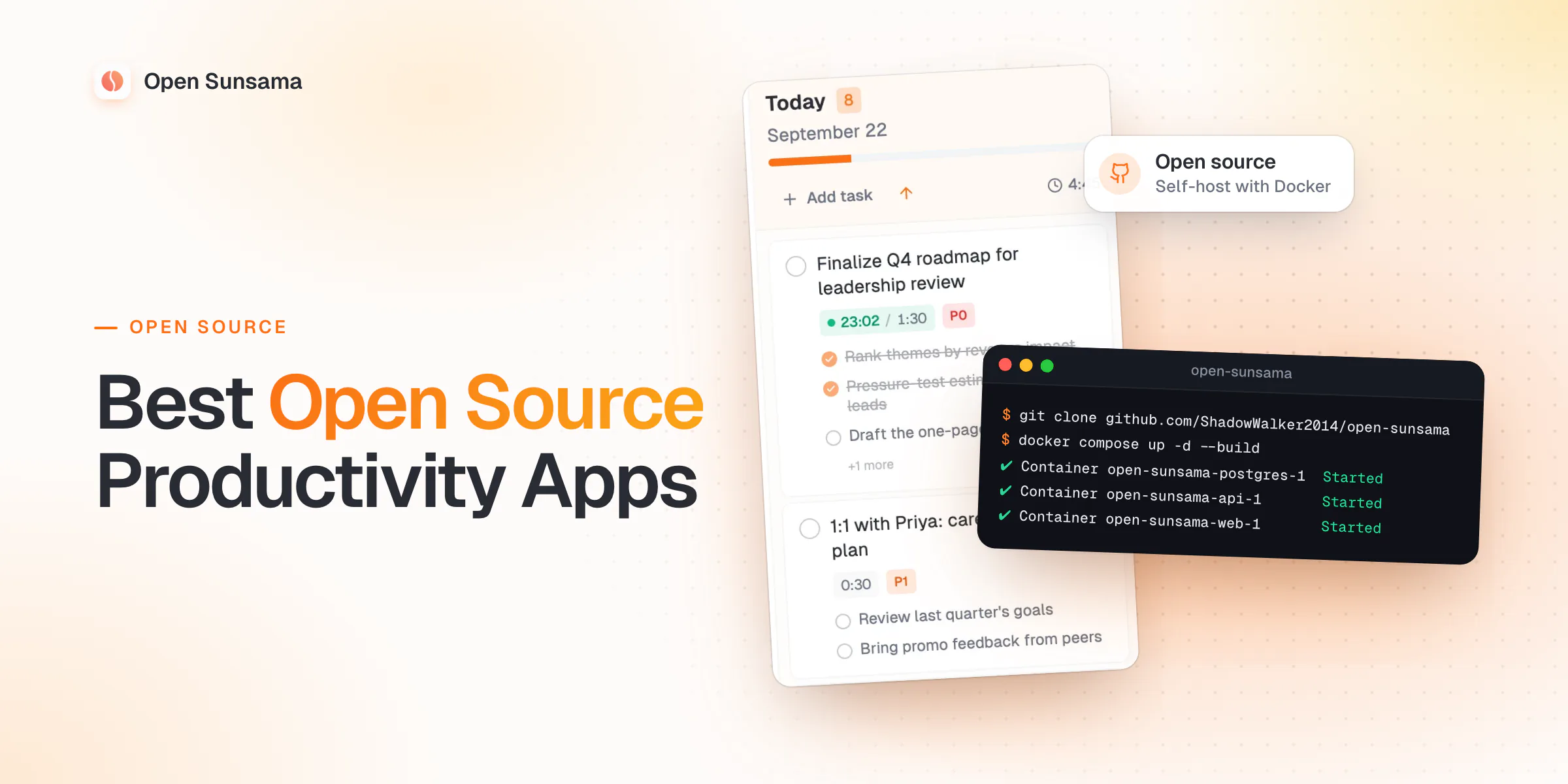
The best open source productivity app overall in 2026 is Open Sunsama, for daily planning and time blocking with any AI agent. For tasks, add Vikunja or tududi. For notes, pick Joplin or Logseq, then add Kimai for time tracking and Nextcloud Calendar for your calendar.
Every app below has public source code, a clear license and a card with facts we checked on 24 September 2026. We refreshed stars, releases and MCP support on 23 November 2026. Each card links straight to the code, so you can check it yourself.
We build Open Sunsama, so we put it first — here is why, and where others fit better.
It is the one app here that plans your day on a calendar next to your meetings. Claude or ChatGPT can do the planning with you. If you need an MIT or GPL license, Super Productivity is the better planner, and we say so below.
Key takeaways
- Best overall: Open Sunsama, for daily planning and time blocking with any AI agent.
- Best MIT planner with no server: Super Productivity.
- Task management: Vikunja is the closest to Todoist. tududi is the lightest. Tasks.org is the best Android app.
- Kanban: WeKan for a Trello-style board, Kanboard for a tiny one.
- Notes: Joplin for private notes on every device. Logseq and Trilium for linked notes. AppFlowy and AFFiNE if you want a Notion-style workspace.
- Time tracking and focus: Kimai for billable hours, solidtime for freelancers, Traggo for tags, Pomatez for Pomodoro.
- Calendar: Nextcloud Calendar if you run Nextcloud, Radicale for a tiny CalDAV server, Thunderbird on the desktop.
- Licenses differ. Most apps here are MIT, GPL or AGPL. Open Sunsama is non-commercial, and we say so below.
The best open source app for each job
| Job | Our pick | Also great | Full guide |
|---|---|---|---|
| Daily planning and time blocking | Open Sunsama | Super Productivity | Open source planner apps |
| To-do lists | Open Sunsama | Vikunja, tududi, Tasks.org | Open source to-do list apps |
| Replacing Todoist | Open Sunsama | Vikunja | Open source Todoist alternatives |
| Kanban boards | WeKan | Kanboard | Open source kanban boards |
| Focus and time tracking | Open Sunsama | Kimai, solidtime, Pomatez | Open source focus apps |
| Calendar | Nextcloud Calendar | Radicale, Thunderbird | Open source calendar apps |
| Notes | Joplin | Logseq, Trilium, AppFlowy | This page |
| Self-host all of it | Open Sunsama | Vikunja, Nextcloud | Self-hosted productivity apps |
Open source productivity apps compared
| App | License | Stars | Latest release | Platforms | Self-host | API | MCP |
|---|---|---|---|---|---|---|---|
| Open Sunsama | Open Sunsama Non-Commercial License | 184 | v1.2.9 (Nov 2026) | Web, macOS, Windows, Linux, Server | Docker | REST | Official |
| Super Productivity | MIT | 24k | v20.1.0 (Nov 2026) | Web, macOS, Windows, Linux, iOS, Android | Docker (web app, sync server) | REST, Plugins | Official |
| Vikunja | AGPL-3.0-or-later AND GPL-3.0-or-later | 6.1k | v2.8.0 (Nov 2026) | Web, macOS, Windows, Linux, Android, Server | Docker, binary, packages | REST, CalDAV, Webhooks, CLI | Official |
| tududi | MIT | 3.6k | v2.1.1 (Nov 2026) | Web, Server | Docker | REST, CalDAV | Official |
| Tasks.org | GPL-3.0-only | 5.8k | 15.14.1 (Nov 2026) | macOS, Windows, Linux, Android | No | None | Official |
| WeKan | MIT | 21.2k | v13.28 (Nov 2026) | Web, macOS, Windows, Linux, Server | Docker, Snap, Sandstorm and more | REST, Webhooks | Community |
| Kanboard (Maintenance mode) | MIT | 10k | v1.2.58 (Nov 2026) | Web, Server | PHP app, Docker | JSON-RPC, Plugins, Webhooks | Community |
| Joplin | AGPL-3.0-or-later AND LicenseRef-Joplin-Server-Personal-Use | 57.3k | v3.7.24 (Nov 2026) | macOS, Windows, Linux, iOS, Android, Server | Docker (Joplin Server) | REST, Plugins, CLI | Official |
| Logseq | AGPL-3.0-only | 45.7k | 2.0.2 (Oct 2026) | Web, macOS, Windows, Linux, iOS, Android | Docker (web app, sync server) | Plugins, CLI | Official |
| Trilium Notes | AGPL-3.0-or-later | 39.1k | v0.107.0 (Nov 2026) | Web, macOS, Windows, Linux, Server | Docker, binary | REST | Official |
| AppFlowy | AGPL-3.0-only | 79.4k | 0.15.1 (Nov 2026) | Web, macOS, Windows, Linux, iOS, Android, Server | Docker (commercial build) | None | Community |
| AFFiNE | MIT AND MPL-2.0 AND LicenseRef-AFFiNE-EE | 77.1k | v0.27.4 (Aug 2026) | Web, macOS, Windows, Linux, iOS, Android, Server | Docker | None | Official |
| Kimai | AGPL-3.0-or-later | 5.2k | 2.72.1 (Nov 2026) | Web, Server | Docker, PHP app | REST, Plugins | Community |
| solidtime | AGPL-3.0-or-later | 9.1k | v0.23.0 (Nov 2026) | Web, macOS, Windows, Linux, Server | Docker | REST | Community |
| Traggo | GPL-3.0-only | 1.6k | v0.8.3 (Mar 2026) | Web, Server | Docker, binary | GraphQL | Community |
| Pomatez | MIT | 4.9k | v1.11.0 (May 2026) | macOS, Windows, Linux | No | None | None found |
| Nextcloud Calendar | AGPL-3.0-or-later | 1.2k | v6.7.0 (Nov 2026) | Web, Server | Nextcloud app | CalDAV | Official |
| Radicale | GPL-3.0-or-later | 5.2k | v3.9.2 (Nov 2026) | Server | Docker, pip | CalDAV, CardDAV, Plugins | Community |
| Thunderbird | MPL-2.0 | 259 | 160.0 (Nov 2026) | macOS, Windows, Linux | No | CalDAV, Plugins | Community |
How we compared
We build Open Sunsama and use it to plan our own days. For every other app, we read the license file, the release notes, the docs for sync, API and MCP, and the open issues. We also read what users say on Reddit, Hacker News and GitHub.
Stars, releases and last commits come from each project's GitHub, GitLab or Codeberg page on 23 November 2026. Screenshots come from each project's own images, or from demos and web apps we opened ourselves. The caption under each shot names its source.
We did not run every app for weeks, so we don't claim to have tested them. An app made the list only if its code is open source and it still ships fixes.
How to judge an open source productivity app
A public repo is not enough. Before you trust an app with your tasks or notes, check these six things. Each card below shows most of them.
- License. Open the LICENSE file. MIT, Apache, GPL and AGPL are open source. "Source-available" or "fair-use" licenses limit how you can use the code.
- Release cadence. Look for a release in the last six months. Long gaps are a warning sign.
- Last commit. Recent commits show someone still fixes bugs. Read the README too, since some projects say they are in maintenance mode.
- Self-hosting. A Docker image and clear docs mean you can move the app to your own server later.
- API and MCP. An API lets you export your data and connect other tools. An MCP server lets AI agents like Claude or ChatGPT use the app.
- Mobile. Many open source apps have no phone app. Check whether you get a real app, a web app you can pin, or nothing.
Where to find trustworthy open source alternatives
The most trusted source is the project's own code page. There you can read the license, the releases and the issues without a middleman.
To find new options, use curated lists and stores that only take open source apps. awesome-selfhosted lists server apps by category. F-Droid only carries open source Android apps, and Flathub shows the license of each Linux app.
For real-world reviews, search r/selfhosted and r/opensource on Reddit. Then come back to the repo and check the facts yourself.
Open source alternatives to popular productivity apps
| If you use… | Try this open source app |
|---|---|
| Sunsama or Akiflow | Open Sunsama |
| Todoist or TickTick | Vikunja, tududi, Super Productivity |
| Trello | WeKan, Kanboard |
| Notion | AppFlowy, AFFiNE |
| Evernote | Joplin |
| Roam Research | Logseq |
| Toggl or Harvest | Kimai, solidtime |
| Google Calendar | Nextcloud Calendar, Radicale |
What counts as open source?
Open source means the code is public and the license lets you use, change and share it. Not every public repo meets that bar. The license tells you what you can really do.
| License | Self-host | Change and share | Commercial use |
|---|---|---|---|
| MIT, Apache 2.0 | Yes | Yes | Yes |
| GPL-3.0, AGPL-3.0 | Yes | Yes, but share your changes | Yes |
| Non-commercial (Open Sunsama) | Yes, for personal use | Personal use | Needs a commercial license |
| Source-available (Anytype, PLANKA) | Yes | Limited | Limited |
| Closed source (Obsidian) | No code to host | No | Yes |
Here is Open Sunsama's license in plain words.
The code is public on GitHub. It uses a non-commercial license: you can read it, run it and self-host it for personal use. Companies need a commercial license.
That is not an OSI license. If your company needs MIT or GPL, pick Super Productivity for planning and Vikunja or tududi for tasks.
We left out three well-known apps on purpose. Obsidian is closed source. Anytype and PLANKA publish their code under source-available licenses, not open source ones.
Daily planning and time blocking apps
Open Sunsama: best overall, with any AI agent
1. Open Sunsama
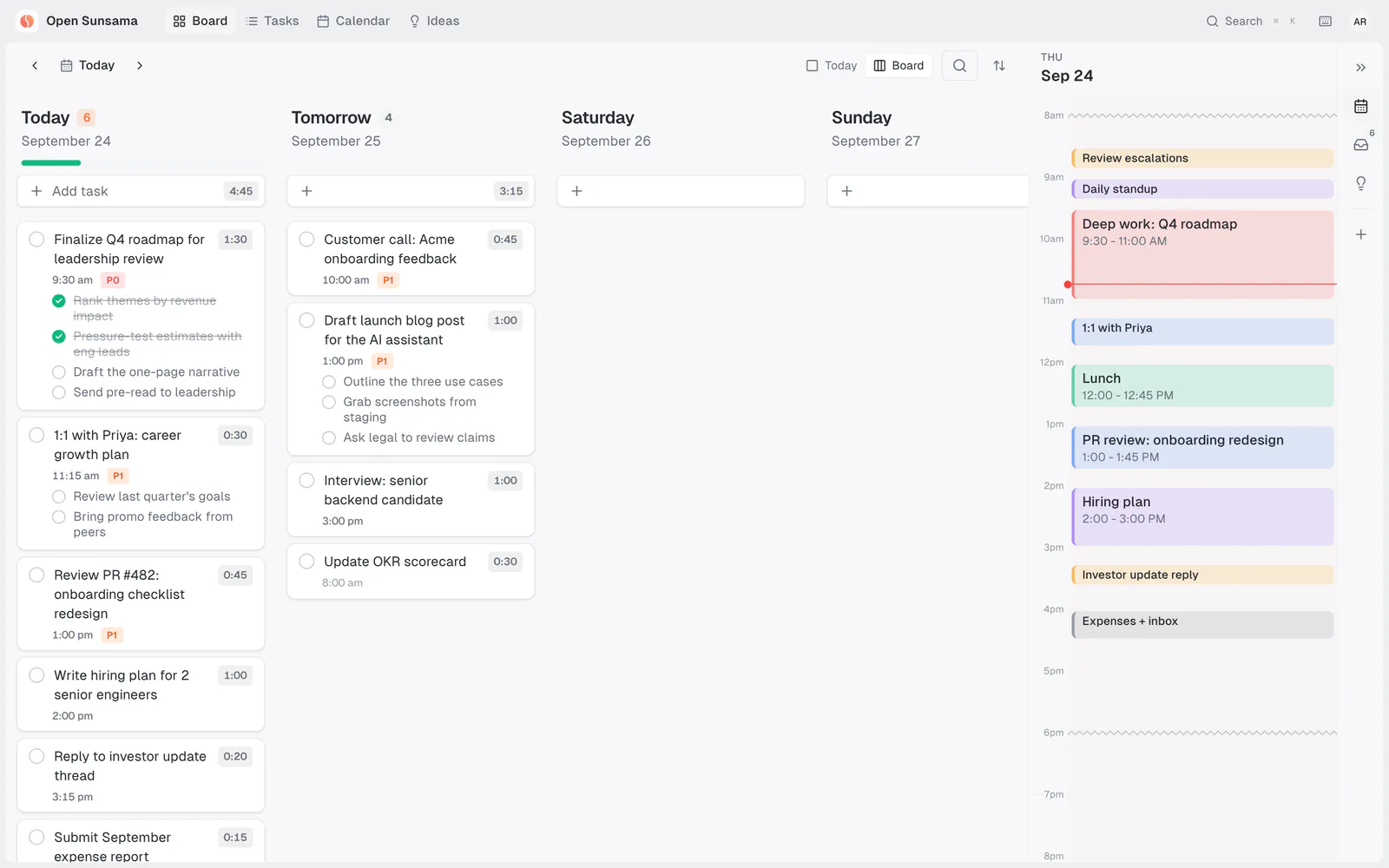
A daily planner with a kanban board of days, time blocking, focus mode and a hosted MCP server for AI agents.
Best for: People who want a calm, realistic day, with tasks and meetings in one place and an AI agent to help plan it.
Note: The code is public under a non-commercial license: you can read, run and self-host it for personal use. Companies need a commercial license.
- License
- Open Sunsama Non-Commercial License
- Stars
- 184 (as of Nov 2026)
- Latest release
- v1.2.9 (Nov 2026)
- Language
- TypeScript
- Platforms
- Web, macOS, Windows, Linux, Server
- Self-host
- Docker
- API
- REST
- MCP
- Official
Source code · Website · Docs · Facts checked Nov 2026
Verdict: best overall. It puts your tasks and your calendar in one place, and any AI agent can plan your day in it.
Each day is a column on a kanban board, next to your backlog. You pick what fits and drag it into Today. Tasks you do not finish roll over to tomorrow.
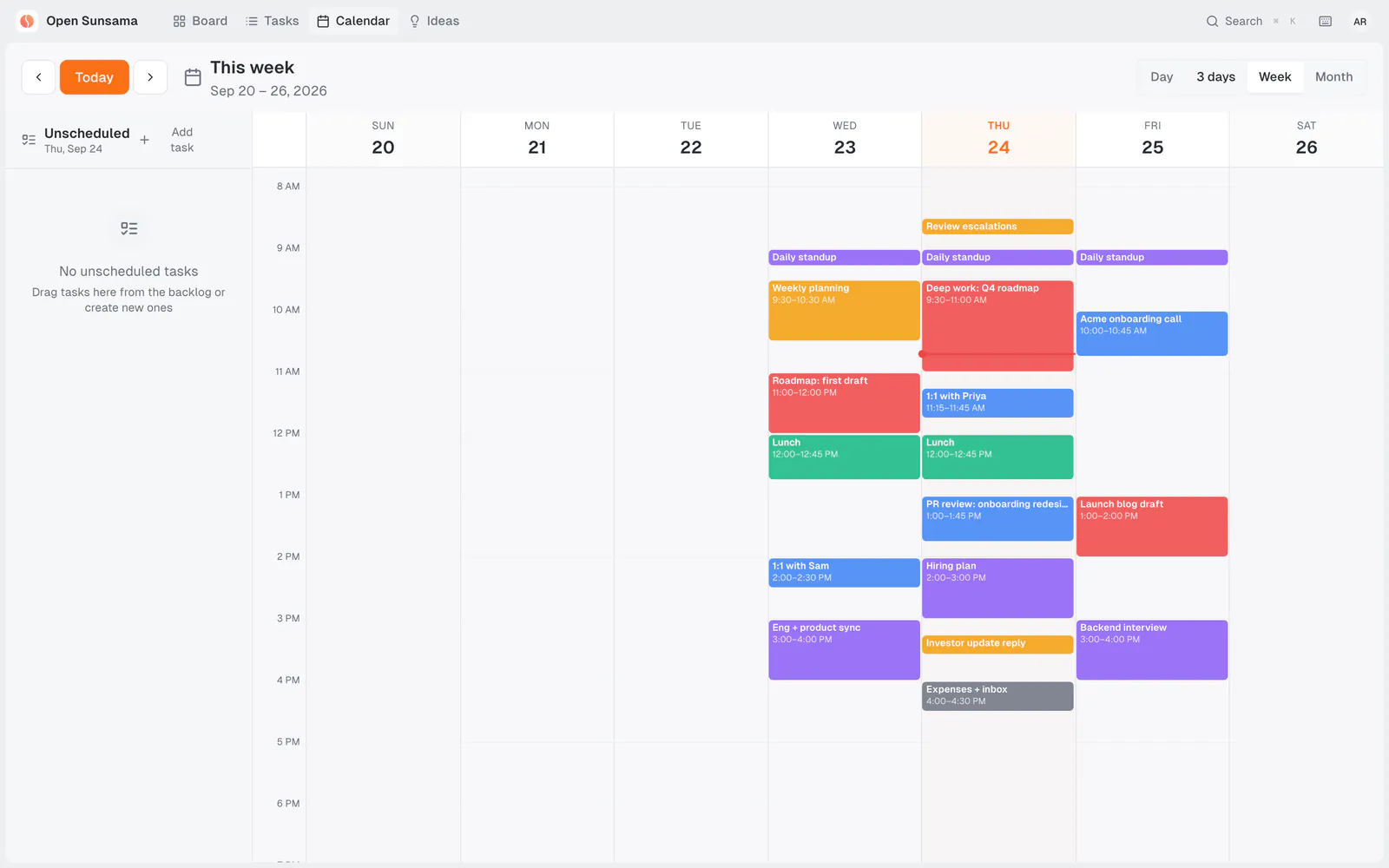
Then you block time. Drag a task onto the calendar and resize it. Your Google, Outlook or iCloud events sit next to your blocks, so you see the real shape of your week.
What it does well:
- Time blocking in day and week views.
- Rollover, recurring tasks and reminders.
- Planned vs actual: the focus timer tracks the time you really spent.
- Subtasks, notes, file attachments and priorities P0 to P3.
- Keyboard first, with a command palette on Cmd+K.
- Web, desktop for Mac, Windows and Linux, and a mobile web app for your phone. The mobile app is early: an Android APK and an iOS TestFlight build, not in the app stores yet.
- A public REST API with API keys, plus a hosted MCP server.
Where it falls short:
- The license is non-commercial, not MIT or GPL.
- It is young. The first commit was in January 2026.
- No native iOS or Android app.
- It plans one person's day. It is not a team project tool.
Pick it if you want to plan your day with time blocks and let an AI agent do the busywork. Self-host it with the Docker guide, or download the apps.
Super Productivity: offline-first tasks and timeboxing
2. Super Productivity
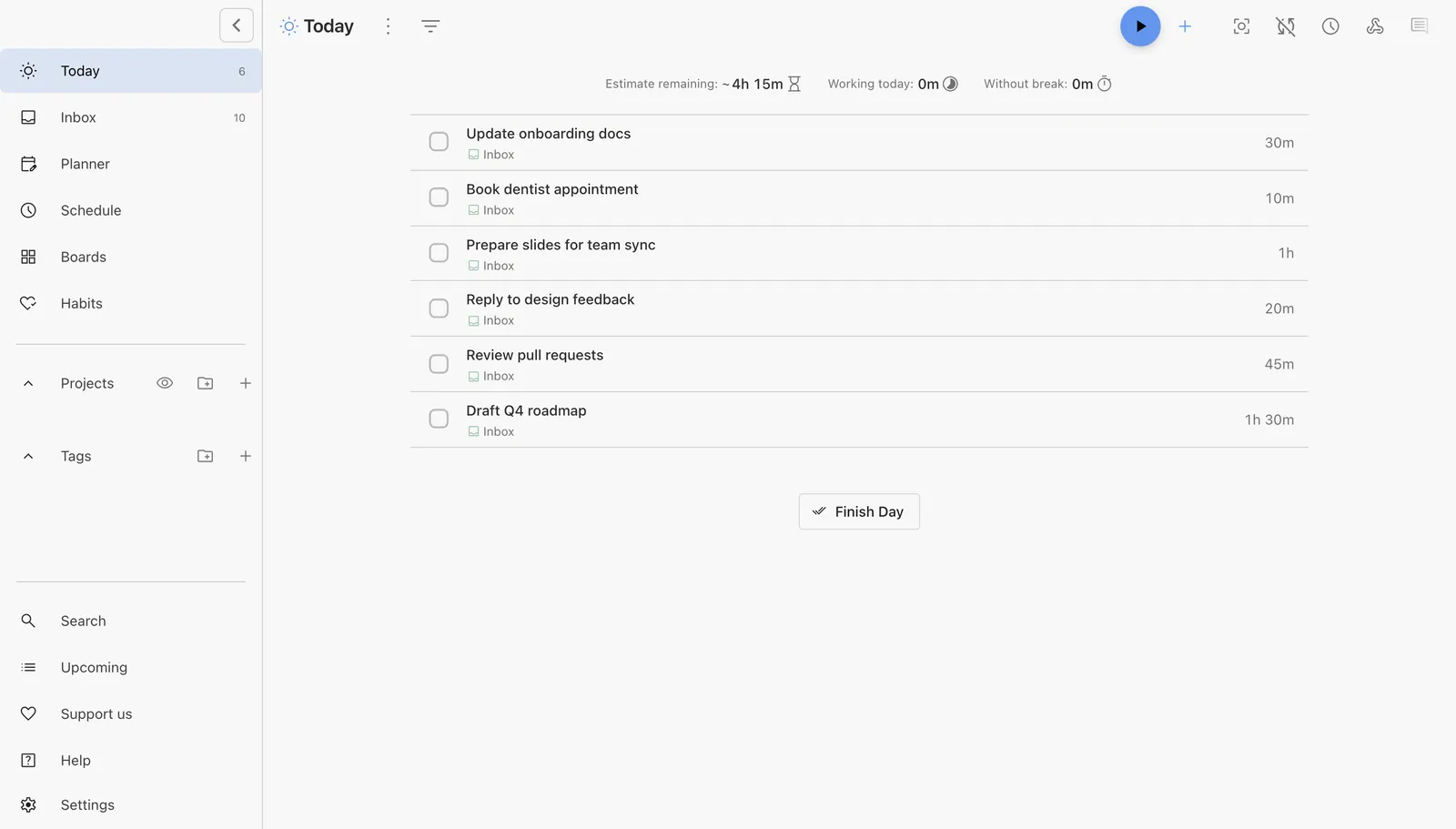
A to-do app with timeboxing, time tracking and focus mode that can pull in issues from Jira or GitHub.
Best for: Developers who want an MIT planner that works offline and tracks time against GitHub, GitLab or Jira issues.
- License
- MIT (MIT License)
- Stars
- 24k (as of Nov 2026)
- Latest release
- v20.1.0 (Nov 2026)
- Language
- TypeScript
- Platforms
- Web, macOS, Windows, Linux, iOS, Android
- Self-host
- Docker (web app, sync server)
- API
- REST, Plugins
- MCP
- Official
Source code · Website · Docs · Facts checked Nov 2026
Verdict: the best MIT-licensed planner for one person who wants no server at all.
What it does well:
- Apps for Linux, macOS, Windows, Android and iOS.
- Timeboxing, a Pomodoro timer and time tracking in one app.
- Works offline with no account. Syncs through WebDAV, Dropbox or SuperSync.
- Pulls in issues from GitHub, GitLab, Jira and more.
Where it falls short:
- Built for one person, not a shared team server.
- MCP comes from community servers, not the core app.
Pick it if you want an MIT app that works offline and tracks your time.
What is the best open source time blocking app?
Open Sunsama is our pick, and Super Productivity is the best MIT option. They solve the problem in different ways.
Open Sunsama is calendar-first. You drag tasks onto a calendar that also shows your Google, Outlook or iCloud meetings. It fits people who plan the day around fixed events.
Super Productivity is task-first. You timebox tasks in a schedule view and run a focus timer, all offline. It fits people who want an OSI license and no server.
If you need an MIT or GPL license, pick Super Productivity. If you want your time blocks next to your real meetings, and an AI agent that can move them, pick Open Sunsama. Our time blocking guide explains the method, and our open source planner apps list goes deeper.
Task management apps
Vikunja: the closest thing to a self-hosted Todoist
3. Vikunja
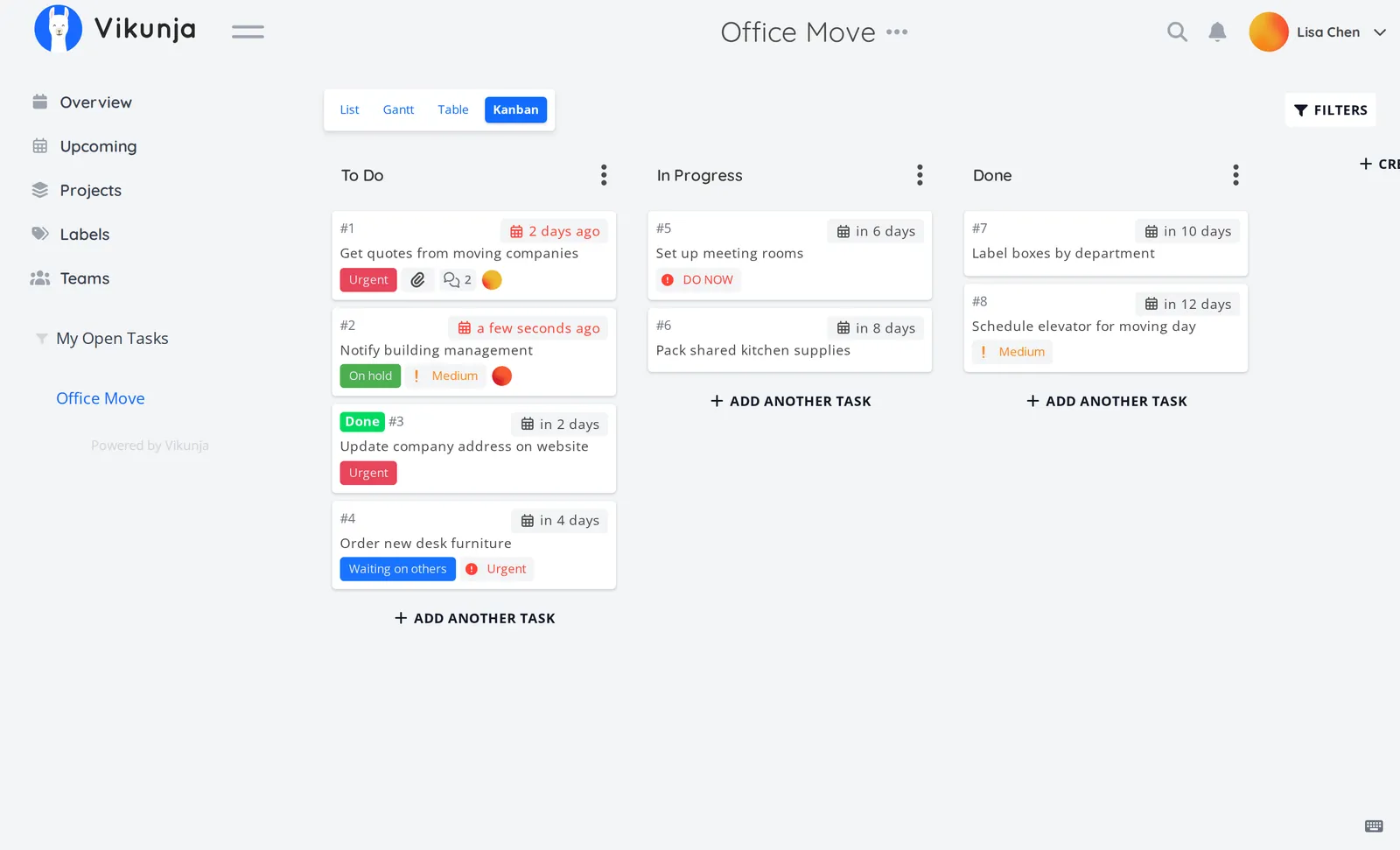
A self-hosted to-do app with lists, kanban, Gantt and table views.
Best for: People and small teams who want Todoist-style lists plus kanban, Gantt and table views on their own server.
Note: The admin panel, audit logs and time tracking are in the paid Vikunja Pro add-on.
- License
- AGPL-3.0-or-later AND GPL-3.0-or-later (GNU AGPL v3.0 or later (server and web app); GNU GPL v3.0 or later (desktop app))
- Stars
- 6.1k (as of Nov 2026)
- Latest release
- v2.8.0 (Nov 2026)
- Language
- Go
- Platforms
- Web, macOS, Windows, Linux, Android, Server
- Self-host
- Docker, binary, packages
- API
- REST, CalDAV, Webhooks, CLI
- MCP
- Official
Source code · Website · Docs · Facts checked Nov 2026
Verdict: the safest self-hosted task manager for people coming from Todoist.
- Good: four views of the same tasks, a Todoist importer, CalDAV, a REST API and a Docker image.
- Falls short: the Android app is still in alpha, and there is no official iOS app. The built-in MCP server is on the main branch but not yet in a stable release.
- Pick it if you want Todoist's workflow on your own server.
tududi: small, calm and AI-ready
4. tududi
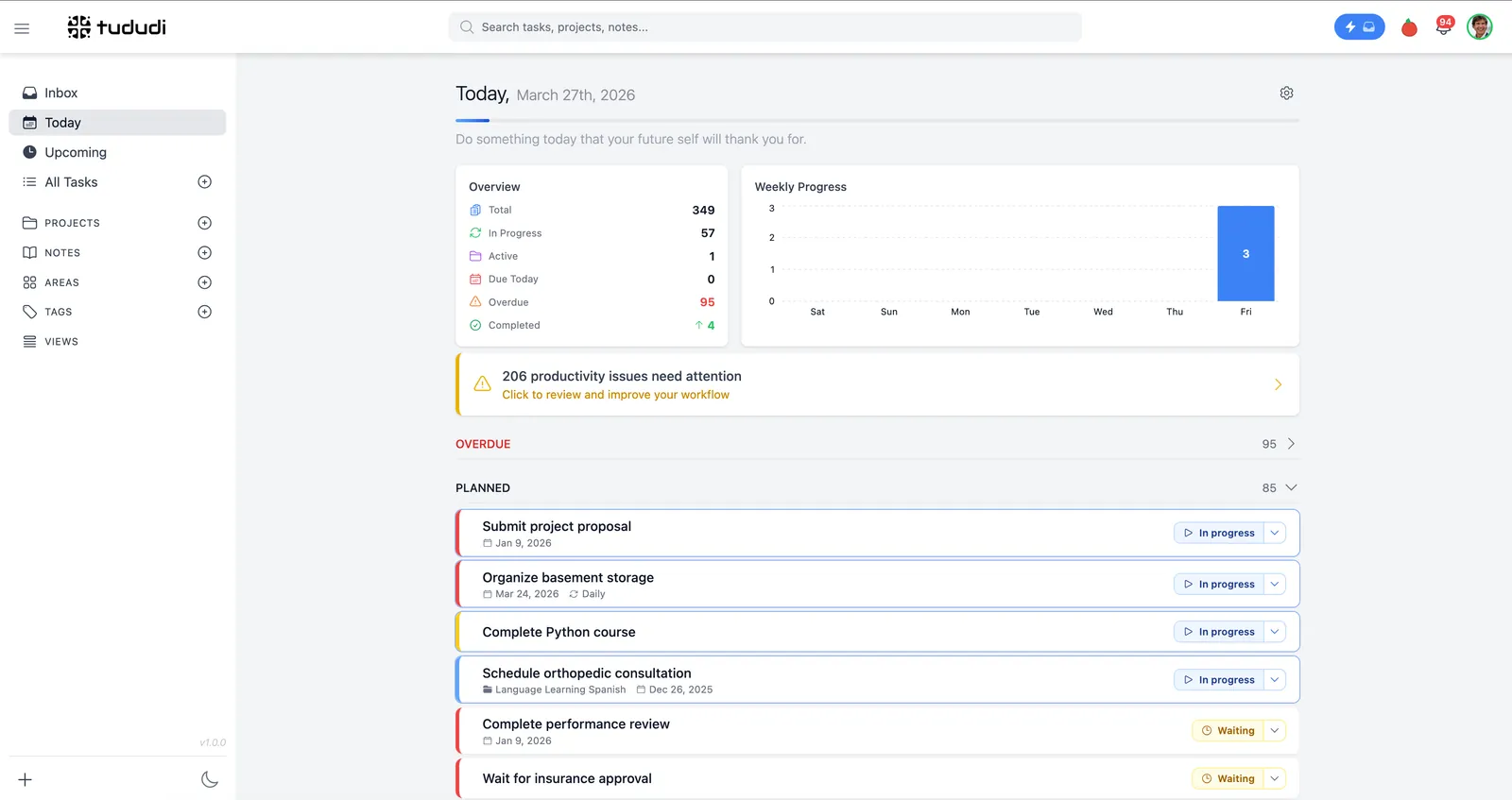
A self-hosted app for tasks, projects, notes and areas, with CalDAV sync and a Telegram bot.
Best for: Home-labbers who want areas, projects, tasks and notes in one small container.
- License
- MIT (MIT License)
- Stars
- 3.6k (as of Nov 2026)
- Latest release
- v2.1.1 (Nov 2026)
- Language
- JavaScript
- Platforms
- Web, Server
- Self-host
- Docker
- API
- REST, CalDAV
- MCP
- Official
Source code · Website · Docs · Facts checked Nov 2026
Verdict: the lightest self-hosted task app, with an MCP server built in.
- Good: one Docker command, SQLite or PostgreSQL, CalDAV sync, a REST API and a Telegram bot.
- Falls short: no native phone app, just a web app you pin to your home screen. No calendar view for time blocking.
- Pick it if you want a simple task list your AI agent can use today.
Tasks.org: the best open source to-do app for Android
5. Tasks.org
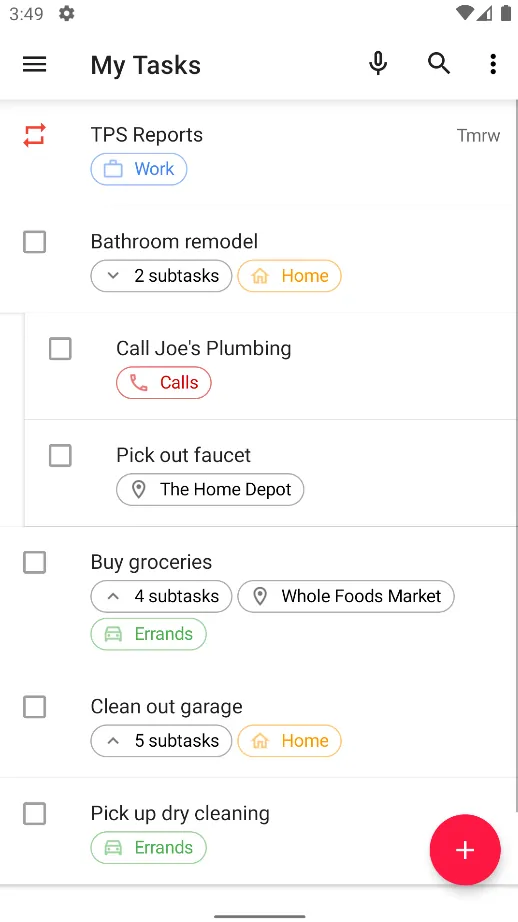
An Android to-do app, now also on desktop, that syncs with CalDAV, Google Tasks or EteSync.
Best for: Android users who want their tasks synced with their own CalDAV server.
Note: Some features and the desktop app need a name-your-price subscription (from $1 a year).
- License
- GPL-3.0-only (GNU General Public License v3.0 only)
- Stars
- 5.8k (as of Nov 2026)
- Latest release
- 15.14.1 (Nov 2026)
- Language
- Kotlin
- Platforms
- macOS, Windows, Linux, Android
- Self-host
- No server
- API
- None
- MCP
- Official
Source code · Website · Docs · Facts checked Nov 2026
Verdict: a polished phone app that syncs with a server you already run.
- Good: widgets, filters, tags and subtasks. Syncs with CalDAV, Google Tasks or EteSync, and works offline.
- Falls short: no iOS app. The new desktop app and some features need a name-your-price subscription.
- Pick it if your phone is your main planner.
WeKan: an open source Trello
6. WeKan
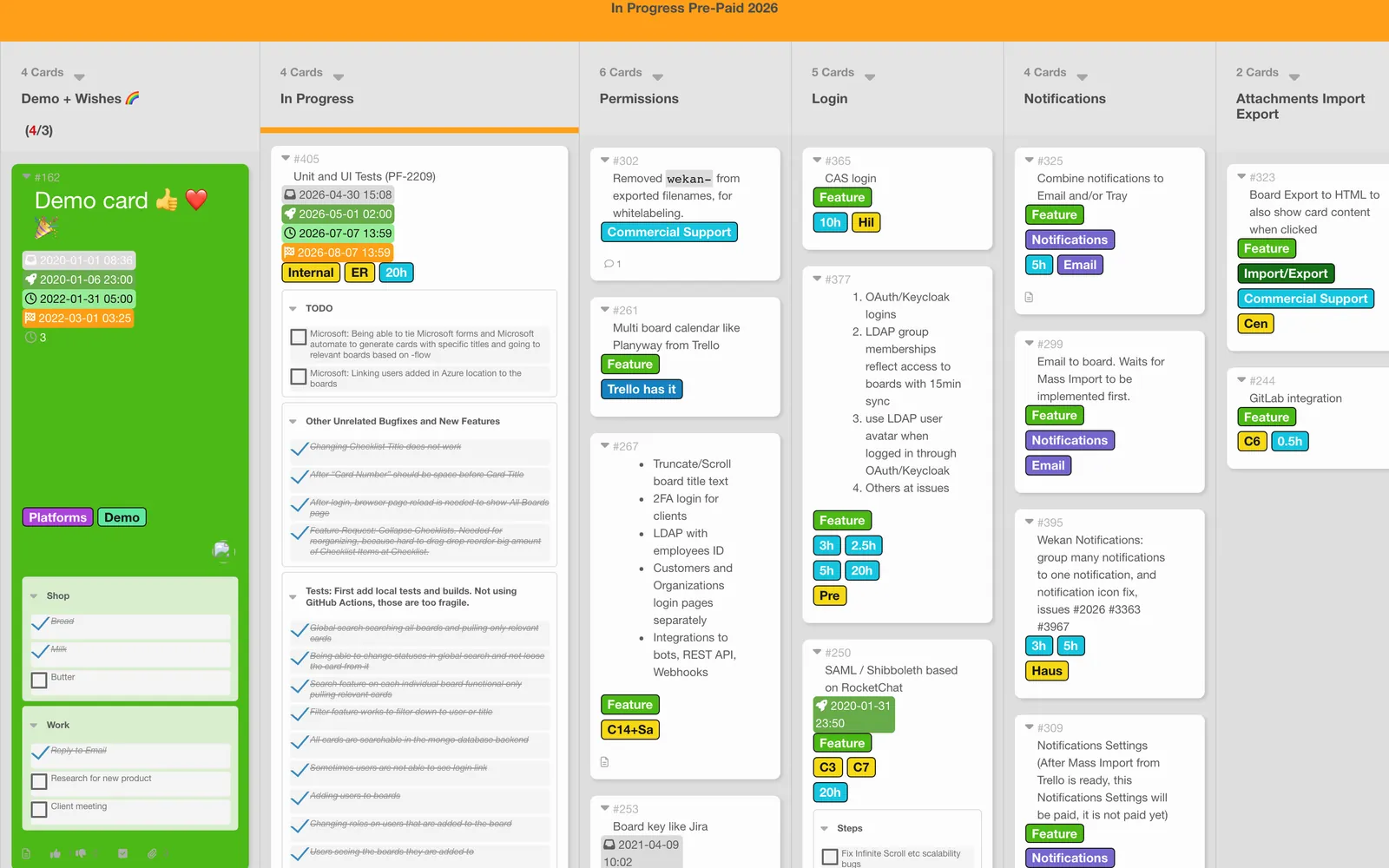
A self-hosted kanban board like Trello, with swimlanes, checklists and custom fields.
Best for: Teams moving off Trello who want boards, lists and cards on their own server.
- License
- MIT (MIT License)
- Stars
- 21.2k (as of Nov 2026)
- Latest release
- v13.28 (Nov 2026)
- Language
- JavaScript
- Platforms
- Web, macOS, Windows, Linux, Server
- Self-host
- Docker, Snap, Sandstorm and more
- API
- REST, Webhooks
- MCP
- Community
Source code · Website · Docs · Facts checked Nov 2026
Verdict: the most complete Trello-style board you can self-host.
- Good: swimlanes, checklists, custom fields, a REST API and webhooks.
- Falls short: no phone app, and it can feel heavy for one person's to-do list.
- Pick it if your team already thinks in Trello boards. See our open source kanban boards for more.
Kanboard: minimal kanban that keeps working
7. Kanboard (Maintenance mode)
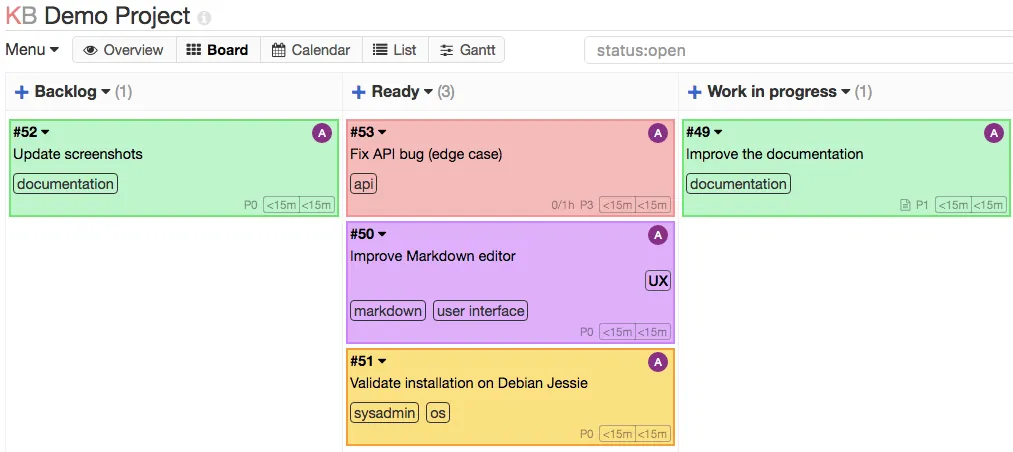
A simple self-hosted kanban board for projects, with list, calendar and Gantt views.
Best for: People who want a small kanban board and nothing else.
Note: The author says Kanboard is in maintenance mode: small fixes only, no new major features.
- License
- MIT (MIT License)
- Stars
- 10k (as of Nov 2026)
- Latest release
- v1.2.58 (Nov 2026)
- Language
- PHP
- Platforms
- Web, Server
- Self-host
- PHP app, Docker
- API
- JSON-RPC, Plugins, Webhooks
- MCP
- Community
Source code · Website · Docs · Facts checked Nov 2026
Verdict: a fast, tiny kanban board that has run for over a decade.
- Good: swimlanes, automatic actions, plugins, and it runs on almost any PHP host.
- Falls short: the author says it is in maintenance mode, so expect fixes, not new features.
- Pick it if you want a stable board you set up once and forget.
Note-taking apps
Joplin: private notes on every device
8. Joplin
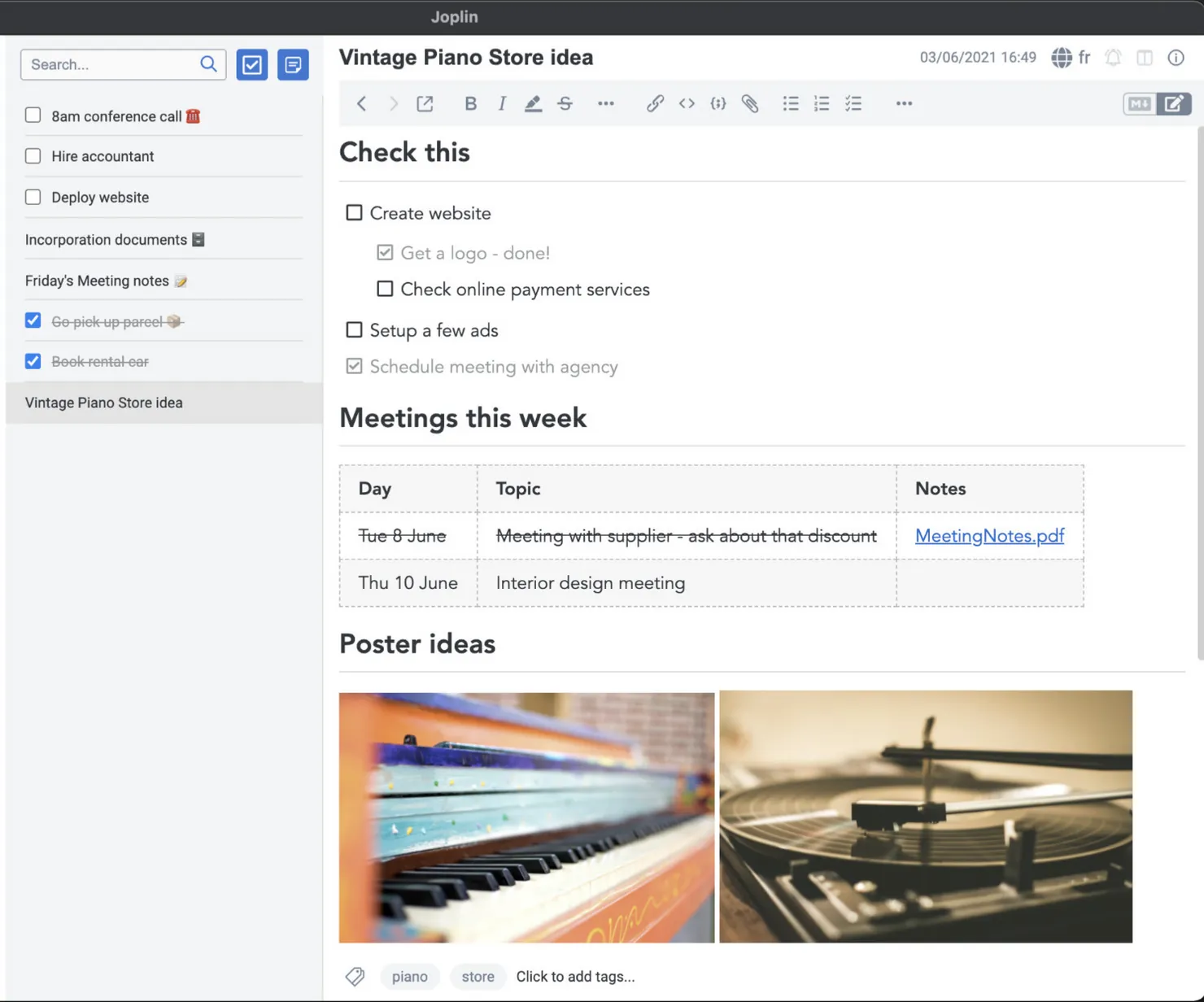
A Markdown note and to-do app for desktop and phone that syncs through the service you pick.
Best for: People who want Markdown notes and to-dos on every device, synced through storage they own.
Note: The apps are AGPL, but Joplin Server is under a personal-use license, not an open source one.
- License
- AGPL-3.0-or-later AND LicenseRef-Joplin-Server-Personal-Use (GNU Affero General Public License v3.0 or later (apps); Joplin Server Personal Use License (packages/server))
- Stars
- 57.3k (as of Nov 2026)
- Latest release
- v3.7.24 (Nov 2026)
- Language
- TypeScript
- Platforms
- macOS, Windows, Linux, iOS, Android, Server
- Self-host
- Docker (Joplin Server)
- API
- REST, Plugins, CLI
- MCP
- Official
Source code · Website · Docs · Facts checked Nov 2026
Verdict: the best open source notes app if you want real phone apps and your own sync.
- Good: apps on every platform, end-to-end encryption, and sync through Joplin Server, Nextcloud, WebDAV, Dropbox and more. The desktop app has a local MCP server.
- Falls short: Joplin Server uses a personal-use license, not AGPL. Tasks are just notes with checkboxes.
- Pick it if you want one private app for notes and simple to-dos.
Logseq: an outliner with linked notes
9. Logseq
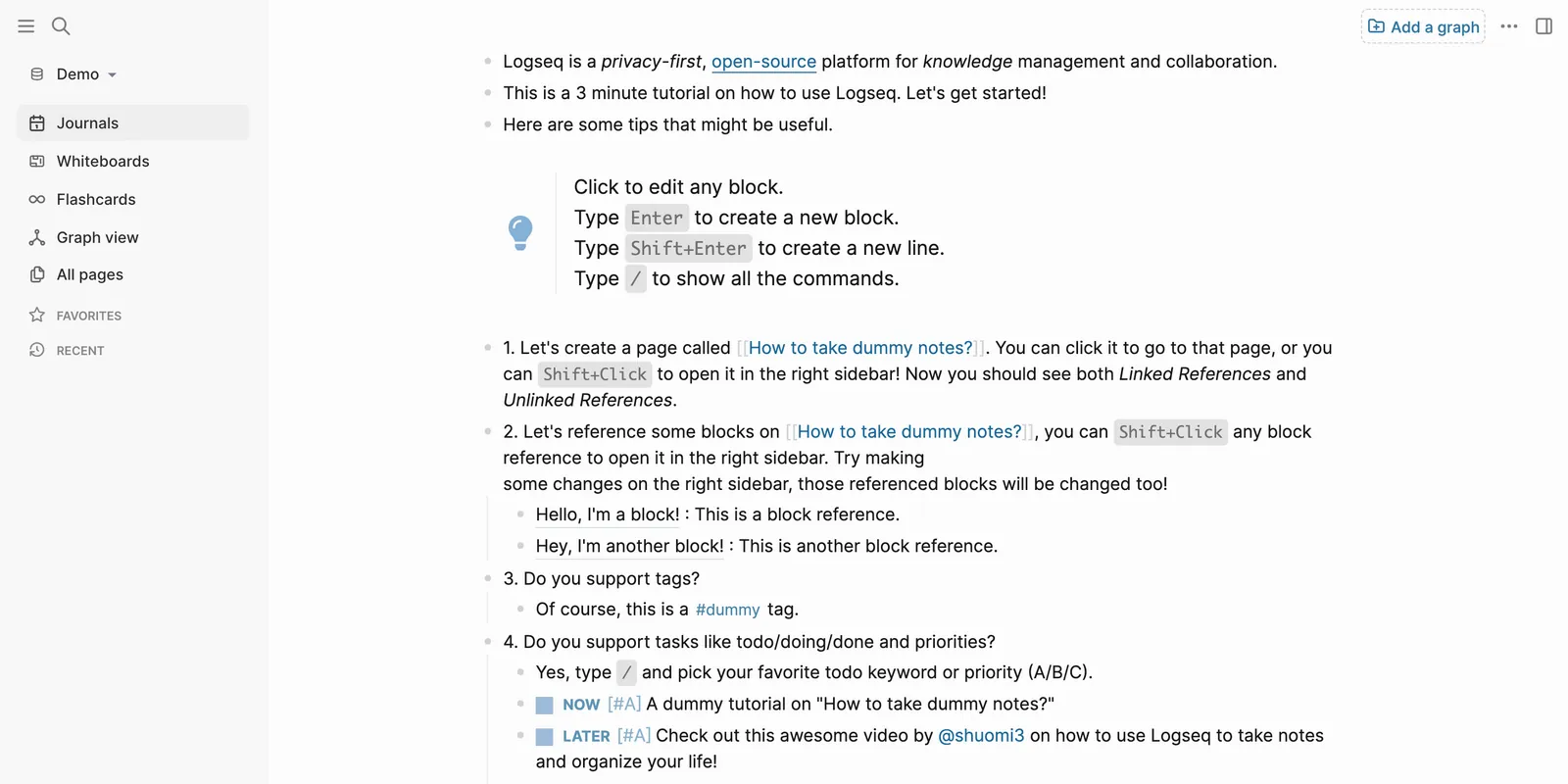
An outliner for notes and daily journals, with tasks, links between pages and plugins.
Best for: People who think in outlines, daily journals and backlinks.
Note: The new database version (Logseq 2.0) is still in beta, and its sync and new mobile app are in alpha.
- License
- AGPL-3.0-only (GNU Affero General Public License v3.0 only)
- Stars
- 45.7k (as of Nov 2026)
- Latest release
- 2.0.2 (Oct 2026)
- Language
- Clojure
- Platforms
- Web, macOS, Windows, Linux, iOS, Android
- Self-host
- Docker (web app, sync server)
- API
- Plugins, CLI
- MCP
- Official
Source code · Website · Docs · Facts checked Nov 2026
Verdict: great for research and linked thinking, but in the middle of a big change.
- Good: block links, daily journals, tasks in your notes, plugins and PDF notes.
- Falls short: Logseq 2.0 moves notes into a database and is still in beta. The older 0.10 version keeps plain Markdown files.
- Pick it if you want an outliner and are fine with a beta or the older file version.
Trilium Notes: a deep note tree you host
10. Trilium Notes
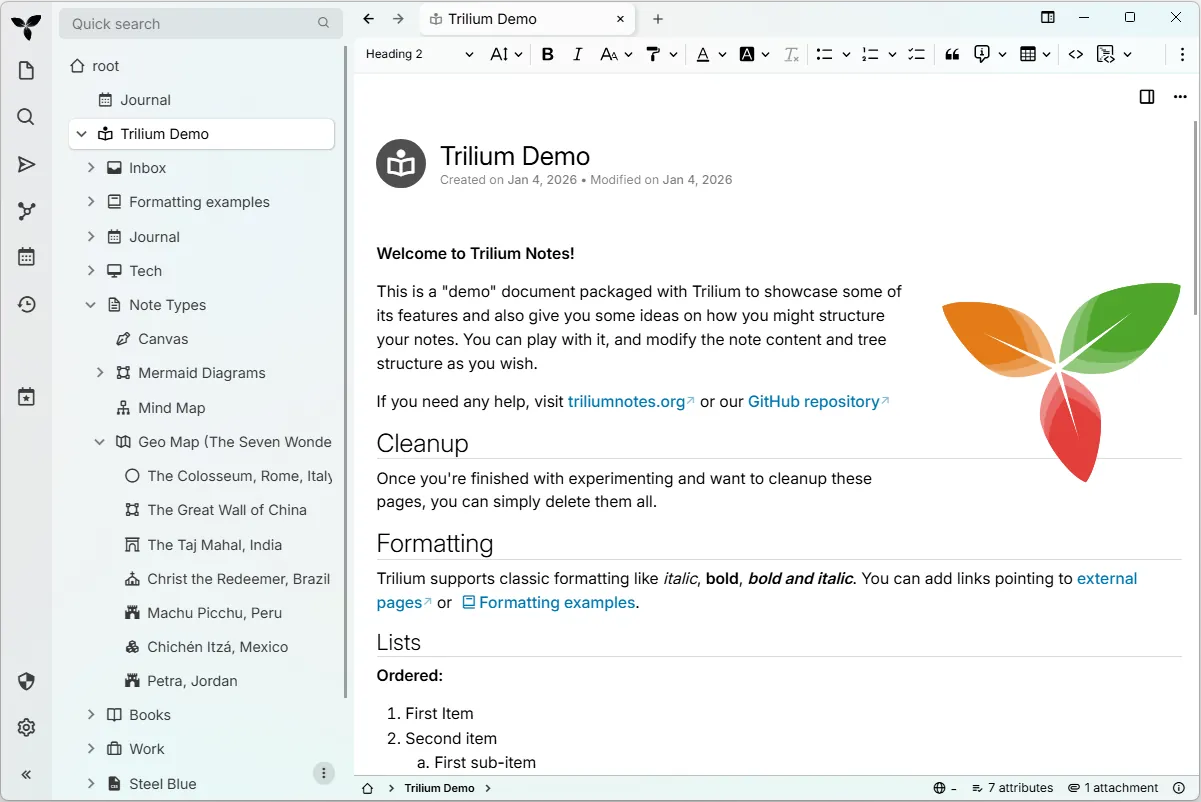
A note app for building a large personal knowledge base as a tree, with scripting and a web server.
Best for: People who want a large, private knowledge base as a tree on their own server.
- License
- AGPL-3.0-or-later (GNU Affero General Public License v3.0 or later)
- Stars
- 39.1k (as of Nov 2026)
- Latest release
- v0.107.0 (Nov 2026)
- Language
- TypeScript
- Platforms
- Web, macOS, Windows, Linux, Server
- Self-host
- Docker, binary
- API
- REST
- MCP
- Official
Source code · Website · Docs · Facts checked Nov 2026
Verdict: a personal wiki for people with thousands of notes.
- Good: a web server you host, scripting, a REST API and a built-in MCP server. The TriliumNext community keeps it moving.
- Falls short: no official phone app; you use the web version or a community app.
- Pick it if you want a big private knowledge base on your own server.
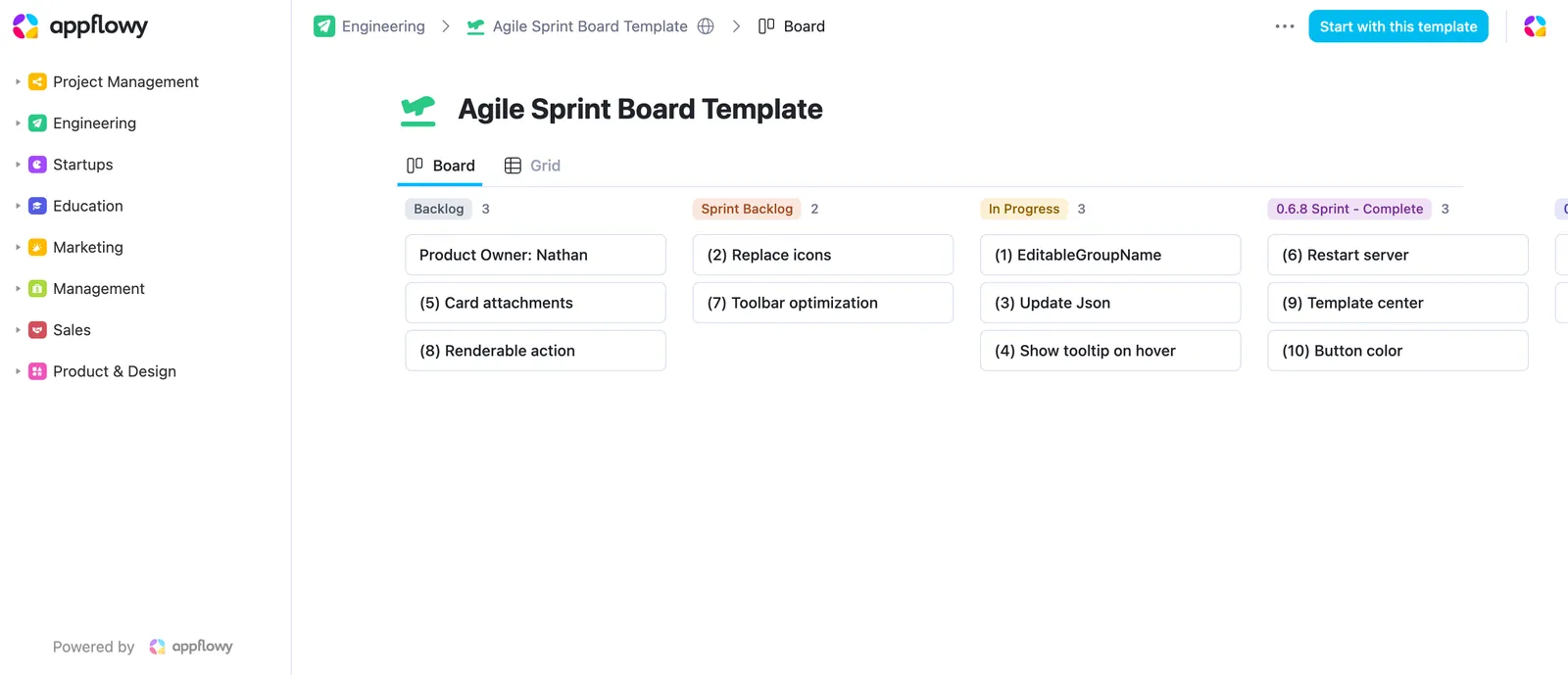
AppFlowy: an open source Notion alternative
11. AppFlowy
A workspace for docs, wikis and task boards, built as an open source Notion alternative.
Best for: People who want Notion-style docs, wikis and task boards with apps on every device.
Note: The apps are open source, but the current sync server is a commercial build whose free self-host tier allows one user.
- License
- AGPL-3.0-only (GNU Affero General Public License v3.0)
- Stars
- 79.4k (as of Nov 2026)
- Latest release
- 0.15.1 (Nov 2026)
- Language
- Dart
- Platforms
- Web, macOS, Windows, Linux, iOS, Android, Server
- Self-host
- Docker (commercial build)
- API
- None
- MCP
- Community
Source code · Website · Docs · Facts checked Nov 2026
Verdict: the closest open source match for Notion's docs and boards.
- Good: docs, databases and kanban boards, with apps for desktop, web, iOS and Android.
- Falls short: the apps are AGPL, but the current sync server is a commercial build. Its free self-host tier allows one user.
- Pick it if you want a Notion-style workspace with open source apps.
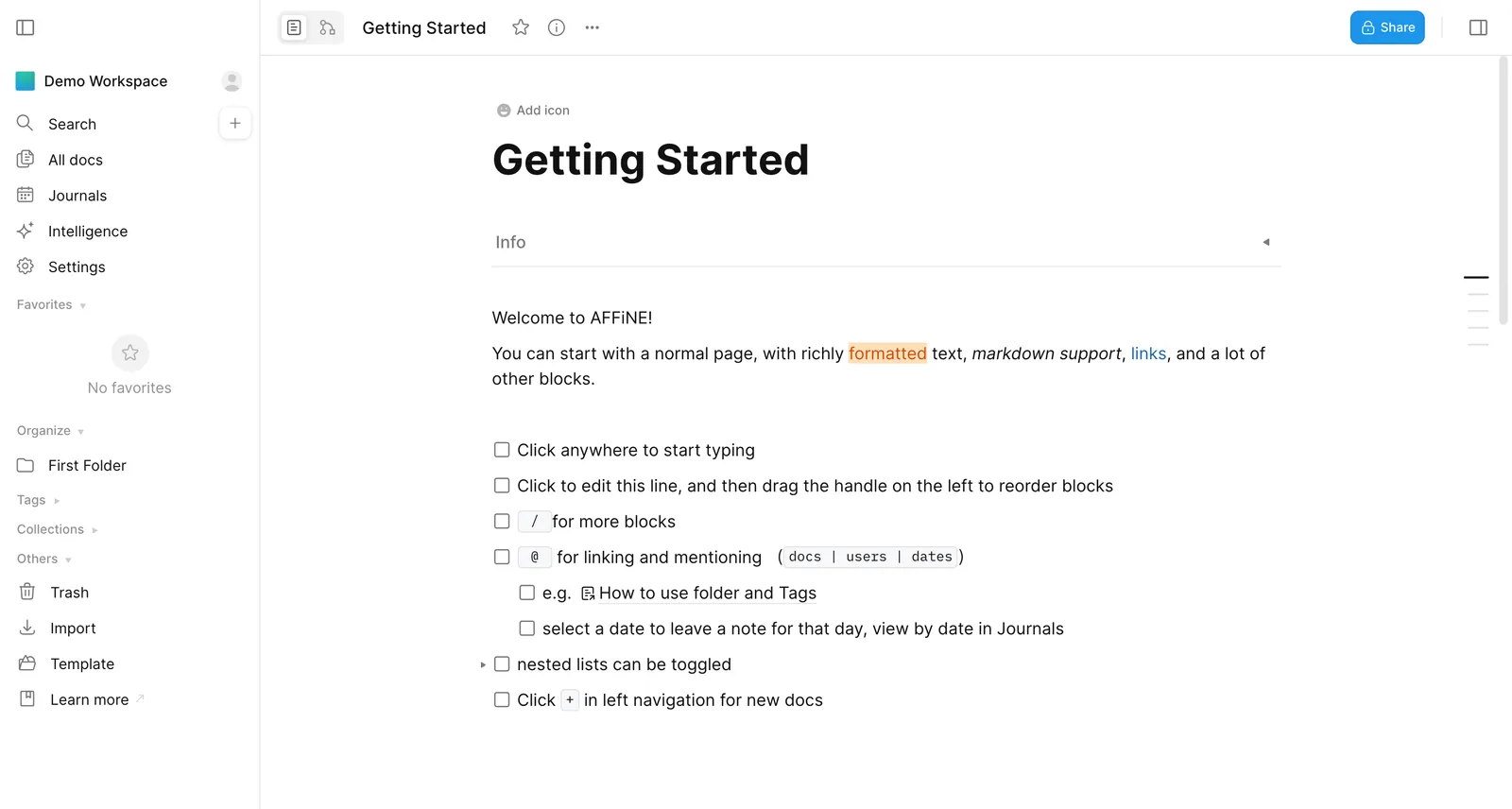
AFFiNE: docs, whiteboards and databases together
12. AFFiNE
A local-first workspace that mixes docs, whiteboards and databases in one place.
Best for: People who mix writing, whiteboards and tables in one workspace.
Note: Some server features are under a paid Enterprise Edition license; the Community Edition is free to self-host.
- License
- MIT AND MPL-2.0 AND LicenseRef-AFFiNE-EE (MIT (apps and editor); server code under the AFFiNE Enterprise Edition license, with Community Edition parts under MPL-2.0)
- Stars
- 77.1k (as of Nov 2026)
- Latest release
- v0.27.4 (Aug 2026)
- Language
- TypeScript
- Platforms
- Web, macOS, Windows, Linux, iOS, Android, Server
- Self-host
- Docker
- API
- None
- MCP
- Official
Source code · Website · Docs · Facts checked Nov 2026
Verdict: a local-first workspace that blends a doc and a whiteboard.
- Good: works in the browser with no login, apps on every device, and a self-hostable server with MCP when AI is on.
- Falls short: some server features sit under a paid Enterprise license. The free Community Edition covers self-hosting for most people.
- Pick it if you think with both text and diagrams.
Time tracking and focus apps
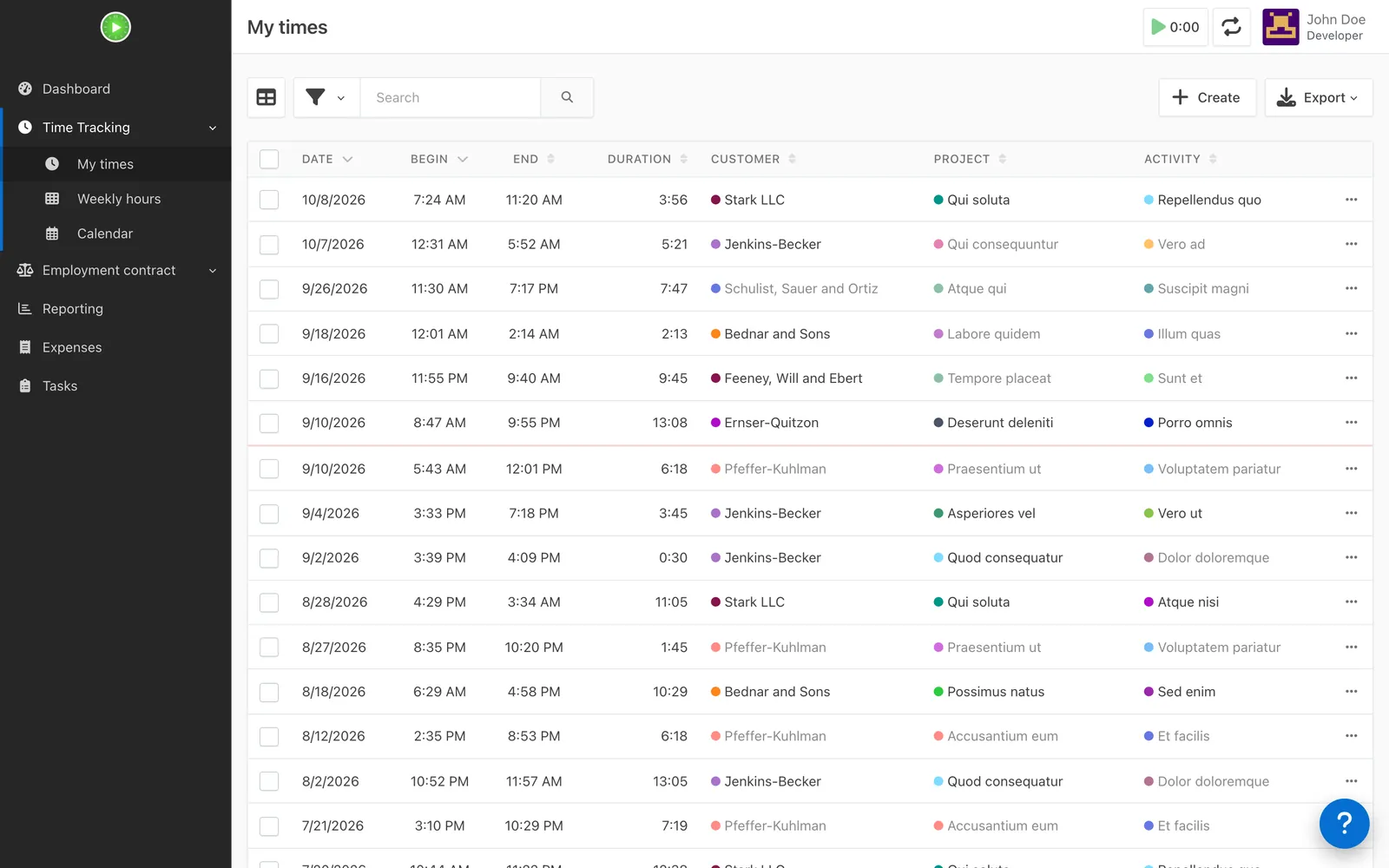
Kimai: time tracking with invoices
13. Kimai
A web app for tracking work hours, with timesheets, reports, invoices and teams.
Best for: Freelancers, agencies and consultants who bill by the hour.
Note: Some extra features are sold as paid plugins in the Kimai store.
- License
- AGPL-3.0-or-later (GNU Affero General Public License v3.0 or later)
- Stars
- 5.2k (as of Nov 2026)
- Latest release
- 2.72.1 (Nov 2026)
- Language
- PHP
- Platforms
- Web, Server
- Self-host
- Docker, PHP app
- API
- REST, Plugins
- MCP
- Community
Source code · Website · Docs · Facts checked Nov 2026
Verdict: the most complete open source time tracker for billable work.
- Good: timesheets, rates, invoices, reports, teams and an API.
- Falls short: some extras are paid plugins, and it is more than you need to time one person's day.
- Pick it if you bill clients by the hour.
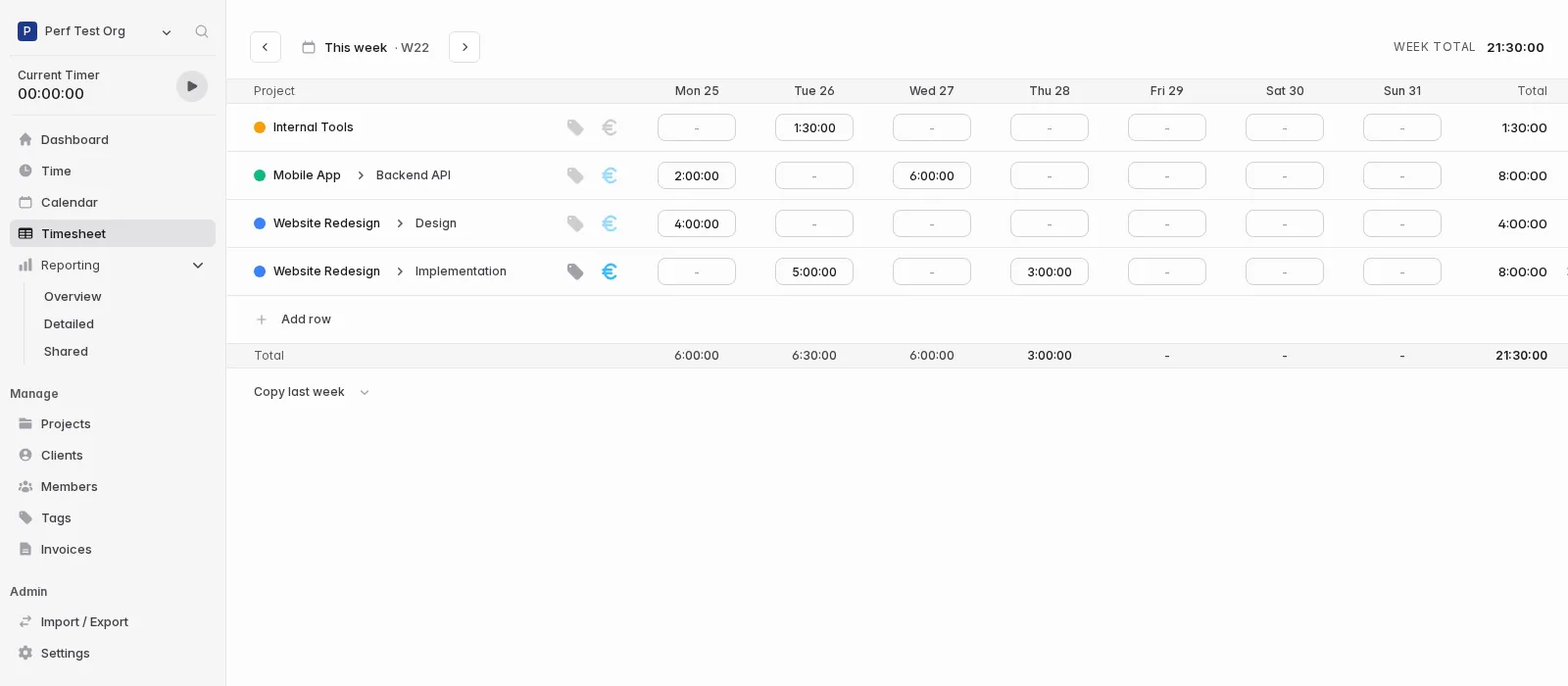
solidtime: a modern time tracker for freelancers
14. solidtime
A modern time tracker for freelancers and agencies, with projects, clients and billable rates.
Best for: Freelancers who want a clean timer with projects, clients and billable rates.
Note: Some advanced self-hosted features need the paid On-Premise Business plan.
- License
- AGPL-3.0-or-later (GNU Affero General Public License v3.0 or later)
- Stars
- 9.1k (as of Nov 2026)
- Latest release
- v0.23.0 (Nov 2026)
- Language
- PHP
- Platforms
- Web, macOS, Windows, Linux, Server
- Self-host
- Docker
- API
- REST
- MCP
- Community
Source code · Website · Docs · Facts checked Nov 2026
Verdict: the most modern open source time tracker for client work.
- Good: projects, clients, billable rates, desktop apps, a browser extension and a REST API.
- Falls short: some advanced self-hosted features need a paid plan. No phone app.
- Pick it if you want a polished tracker you can host yourself.
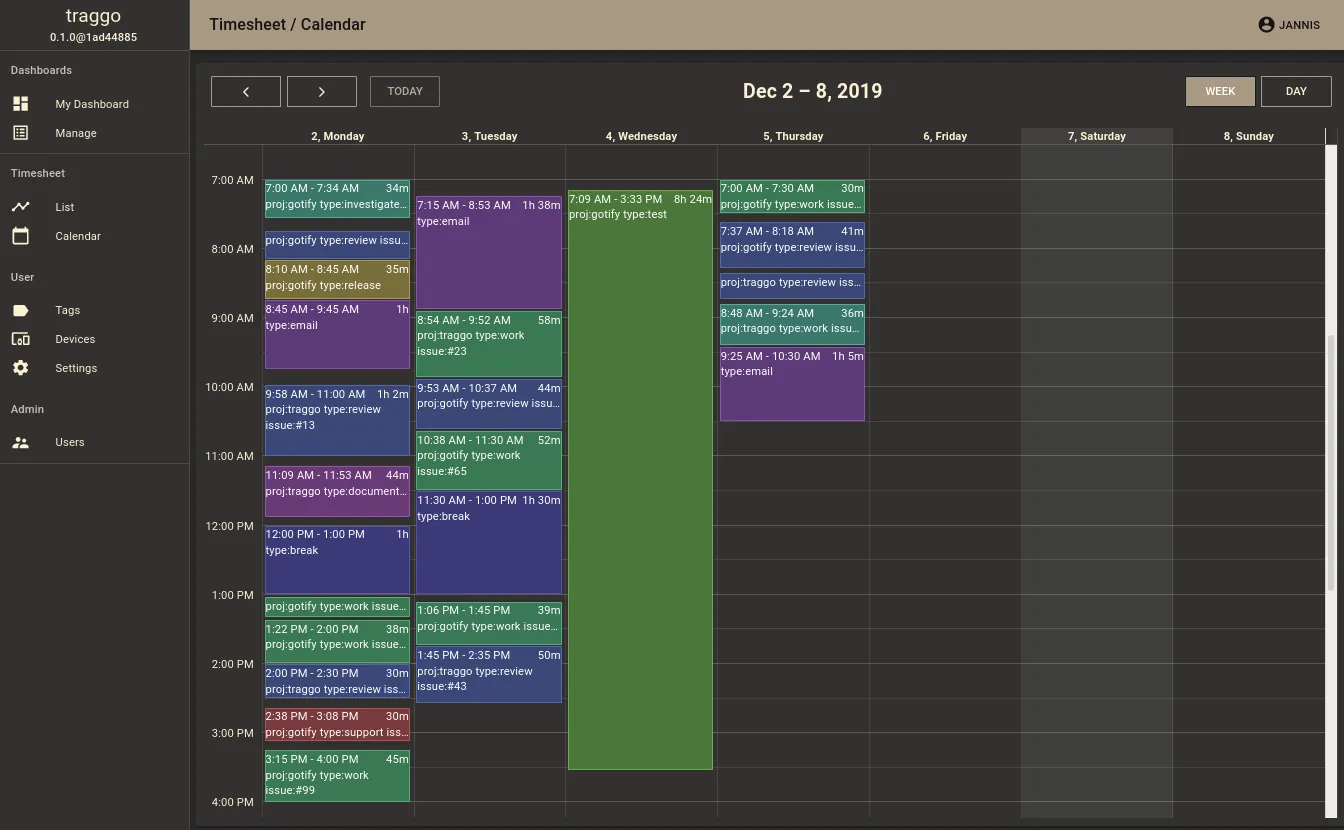
Traggo: simple time tracking by tag
15. Traggo
A self-hosted time tracker where you tag spans of time instead of filing them under tasks.
Best for: People who just want to see where their time goes, with no project setup.
- License
- GPL-3.0-only (GNU General Public License v3.0)
- Stars
- 1.6k (as of Nov 2026)
- Latest release
- v0.8.3 (Mar 2026)
- Language
- Go
- Platforms
- Web, Server
- Self-host
- Docker, binary
- API
- GraphQL
- MCP
- Community
Source code · Website · Docs · Facts checked Nov 2026
Verdict: a small time tracker built on tags, not tasks.
- Good: tag-based entries, a calendar view, dashboards and Docker.
- Falls short: slower releases than the other apps here, and no phone app.
- Pick it if you want the lightest possible time log.
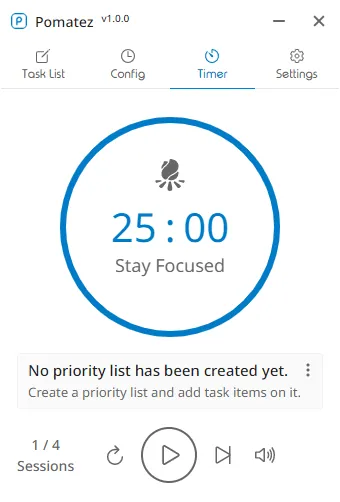
Pomatez: a Pomodoro timer for your desktop
16. Pomatez
A desktop Pomodoro timer with a simple task list, break rules and a strict mode.
Best for: People who want strict Pomodoro sessions with full-screen breaks.
- License
- MIT (MIT License)
- Stars
- 4.9k (as of Nov 2026)
- Latest release
- v1.11.0 (May 2026)
- Language
- TypeScript
- Platforms
- macOS, Windows, Linux
- Self-host
- No server
- API
- None
- MCP
- None found
Source code · Website · Facts checked Nov 2026
Verdict: the best standalone open source Pomodoro timer.
- Good: set work and break lengths, strict mode, full-screen breaks and a small task list.
- Falls short: desktop only, with no sync.
- Pick it if you want 25-minute sprints. Our open source focus apps list has more timers and trackers.
Calendar apps
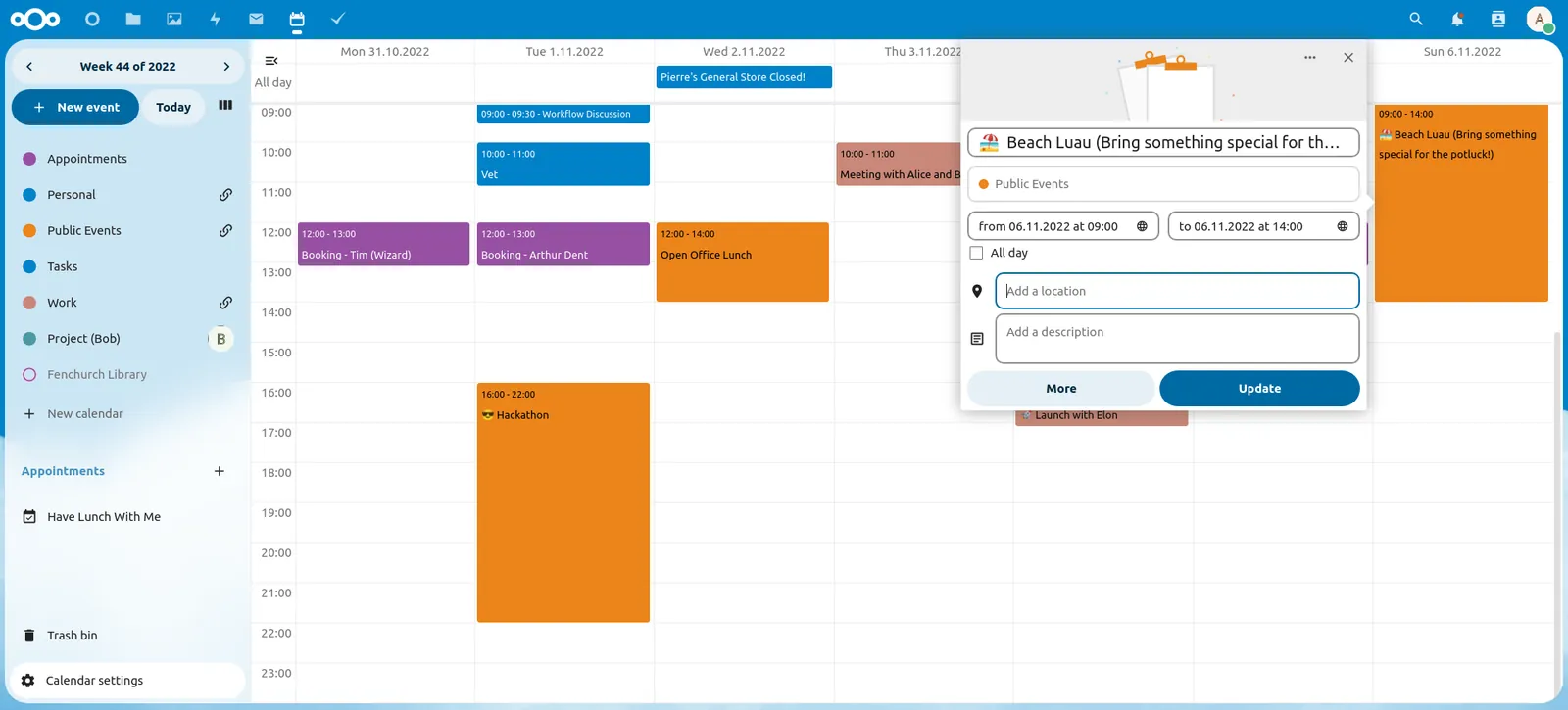
Nextcloud Calendar: a calendar inside your Nextcloud
17. Nextcloud Calendar
The calendar app for Nextcloud, with shared calendars, invites, free/busy and appointment booking.
Best for: Nextcloud users who want a shared web calendar with invites and booking.
Note: It runs inside a Nextcloud server, so you need one first.
- License
- AGPL-3.0-or-later (GNU Affero General Public License v3.0 or later)
- Stars
- 1.2k (as of Nov 2026)
- Latest release
- v6.7.0 (Nov 2026)
- Language
- JavaScript
- Platforms
- Web, Server
- Self-host
- Nextcloud app
- API
- CalDAV
- MCP
- Official
Source code · Website · Docs · Facts checked Nov 2026
Verdict: the easiest self-hosted calendar if you already run Nextcloud.
- Good: CalDAV sync with any calendar app, shared calendars, free/busy and appointment booking.
- Falls short: you need the whole Nextcloud server.
- Pick it if Nextcloud is already your home for files and contacts.
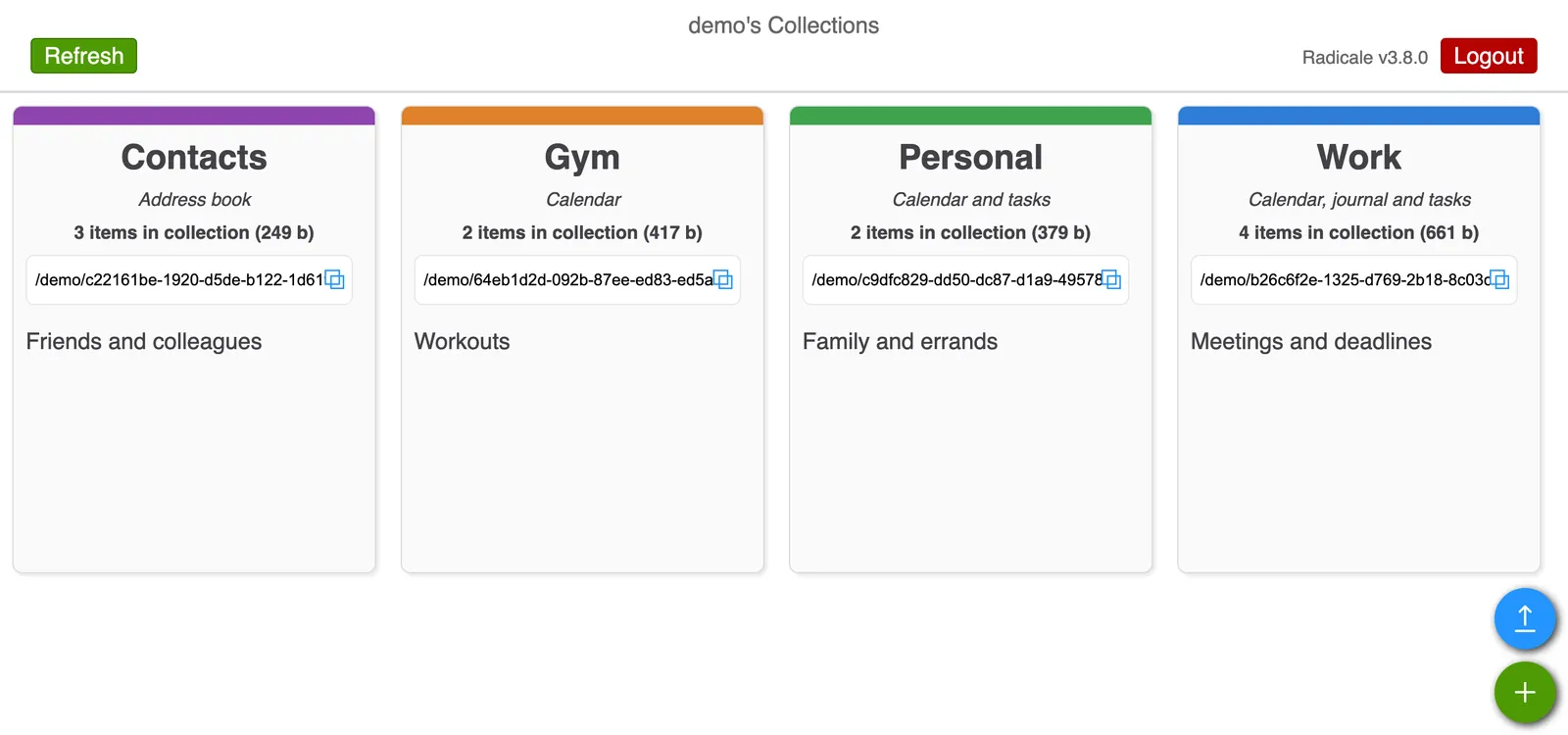
Radicale: a tiny CalDAV server
18. Radicale
A small CalDAV and CardDAV server that stores your calendars and contacts as plain files.
Best for: People who only need a sync server for the calendar apps on their phone and computer.
Note: It is only a sync server; its web page manages calendars but can't show or edit events.
- License
- GPL-3.0-or-later (GNU General Public License v3.0 or later)
- Stars
- 5.2k (as of Nov 2026)
- Latest release
- v3.9.2 (Nov 2026)
- Language
- Python
- Platforms
- Server
- Self-host
- Docker, pip
- API
- CalDAV, CardDAV, Plugins
- MCP
- Community
Source code · Website · Docs · Facts checked Nov 2026
Verdict: the lightest way to host your own calendar and contacts.
- Good: small, simple to run, and it stores everything as plain files.
- Falls short: no web calendar. You use other apps to see your events.
- Pick it if you want your calendar off Google with the least work.
Thunderbird: a desktop calendar with your email
19. Thunderbird
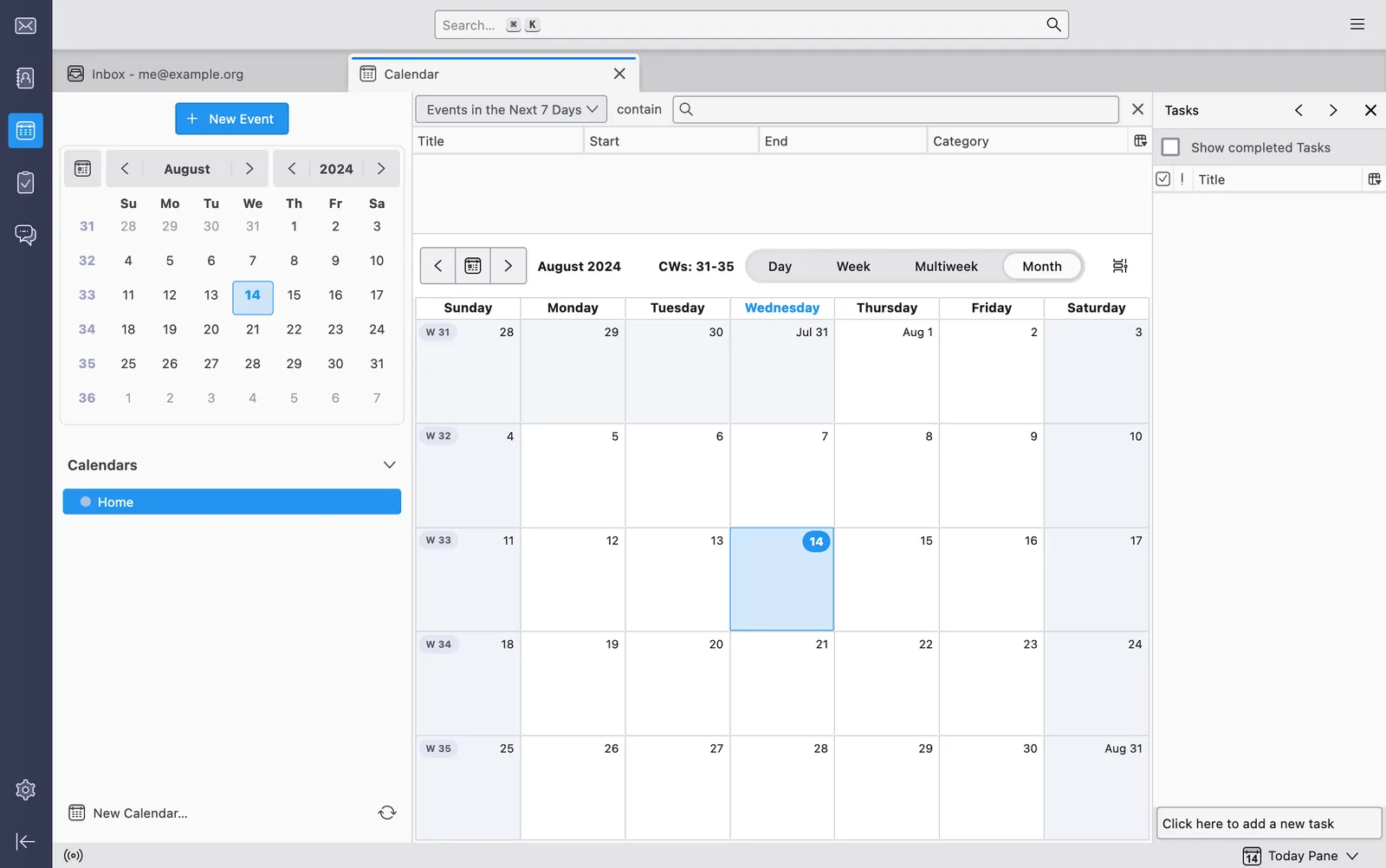
A desktop email app with a built-in calendar and task list that syncs over CalDAV.
Best for: Desktop users who want email, calendar and tasks in one app.
- License
- MPL-2.0 (Mozilla Public License 2.0)
- Stars
- 259 (as of Nov 2026)
- Latest release
- 160.0 (Nov 2026)
- Language
- JavaScript
- Platforms
- macOS, Windows, Linux
- Self-host
- No server
- API
- CalDAV, Plugins
- MCP
- Community
Source code · Website · Docs · Facts checked Nov 2026
Verdict: the most familiar open source calendar app for Windows, Mac and Linux.
- Good: a built-in calendar and task list that syncs with CalDAV or Google Calendar.
- Falls short: the Android app has no calendar yet.
- Pick it if you already use Thunderbird for email. Our open source calendar apps list covers phone apps too.
Which open source productivity apps work with AI agents?
MCP is the plug that lets an AI agent read and change your tasks. In 2026 it matters as much as an API.
- Open Sunsama: a hosted MCP server with OAuth sign-in and 47 tools. It works in Claude, ChatGPT, Cursor and any MCP client, and it reads your synced meetings too. See the MCP setup guide.
- tududi: an MCP server built into the app.
- Joplin, Trilium and Logseq 2.0: MCP servers built into the apps, off by default.
- AFFiNE: MCP on its cloud and self-hosted servers when AI is on.
- Vikunja: a built-in MCP server, shipped in v2.7.0 (October 2026).
- Super Productivity: an opt-in local MCP endpoint since v19.3.0 (October 2026).
- Kimai, solidtime and WeKan: community MCP servers built by other people.
Here is what that looks like in Open Sunsama. You ask your agent to plan the afternoon. The tasks and time blocks appear on your calendar as it works.
The code is public, too. So your agent can read how the planner works and even help you change it. For more options, see our list of task managers with MCP.
How to build an open source productivity stack
For a solo developer
- Planning: Open Sunsama or Super Productivity.
- Notes: Joplin or Logseq.
- Time tracking: Traggo.
For a freelancer
- Planning: Open Sunsama for your day, with client work in the backlog.
- Notes: Joplin with encryption for client details.
- Time tracking and invoices: Kimai or solidtime.
- Calendar: Nextcloud Calendar or Radicale.
For a small team
- Shared tasks: Vikunja or WeKan.
- Personal planning: Open Sunsama for each person's day. Check the license if you are a company.
- Team wiki: Trilium or AppFlowy.
- Time tracking: Kimai.
Should you self-host or use the cloud?
Self-host when you want full control, when rules like GDPR keep your data in one place, or when you already run a home server. You own the updates and the backups.
Use a hosted version when you want to start today and never think about servers. Many apps here, including Open Sunsama, Vikunja and tududi, run the same code in both places, so you can move later.
Our self-hosted productivity apps guide covers Docker setup, security and backups step by step.
Which one should you pick?
- For most people: Open Sunsama. One place to plan your day, with time blocks and an AI agent.
- You want an MIT planner with no server: Super Productivity.
- You want a self-hosted Todoist: Vikunja. See our open source Todoist alternatives.
- You want the lightest task app with MCP: tududi.
- Your phone is your planner: Tasks.org.
- You want a Trello board: WeKan.
- You want private notes on every device: Joplin.
- You want a Notion-style workspace: AppFlowy or AFFiNE.
- You bill by the hour: Kimai or solidtime.
- You want your calendar off Google: Nextcloud Calendar or Radicale.
More open source guides
- Best open source to-do list apps
- Best open source planner apps
- Best open source calendar apps
- Best open source kanban boards
- Best open source focus, Pomodoro and time tracking apps
- Open source Todoist alternatives
- Self-hosted productivity apps
- Open Sunsama as an open source task manager
Frequently asked questions
What are the best open source productivity apps in 2026?
Open Sunsama is our pick overall, for daily planning and time blocking with any AI agent. Super Productivity is the best MIT planner. For tasks: Vikunja or tududi. For notes: Joplin, Logseq or Trilium. For time tracking: Kimai. For calendars: Nextcloud Calendar or Radicale.
Where can I find trustworthy open source alternatives to popular productivity apps?
Start at the project's own code page on GitHub, GitLab or Codeberg, and read its license file and recent releases. Curated lists like awesome-selfhosted, app stores like F-Droid and Flathub, and r/selfhosted help you find options. This page links each app's source code and shows facts we checked on 24 September 2026.
How do I know an open source app is still maintained?
Check the date of the latest release and the last commit, and look at how fast issues get answers. A release in the last six months is a good sign. Also read the README: some projects say they are in maintenance mode or unmaintained.
Is there an open source time blocking app?
Yes. Open Sunsama lets you drag tasks onto a calendar next to your Google, Outlook or iCloud events. Super Productivity has timeboxing and a schedule view, works offline and is MIT licensed.
Is Open Sunsama open source?
The code is public on GitHub. It uses a non-commercial license: you can read it, run it and self-host it for personal use. Companies need a commercial license. It is not an OSI license like MIT or GPL.
Which open source productivity apps work with AI agents like Claude or ChatGPT?
Open Sunsama has a hosted MCP server with OAuth sign-in that works in Claude, ChatGPT and Cursor. tududi, Joplin, Trilium and AFFiNE also ship their own MCP servers. Super Productivity added a local MCP endpoint in October 2026. Others, like Kimai, rely on community servers.
How hard is it to self-host productivity apps?
Most offer Docker images, so the first run takes a few commands. The real work comes later: HTTPS, updates and backups. Plan for a few minutes a month, and test a restore at least once.
What is the difference between MIT and GPL licenses?
MIT lets anyone do almost anything with the code. GPL and AGPL let you use and change it, but you must share your changes if you ship them. For personal use and self-hosting, both give you full freedom.